
Imagine this: It's Monday morning, 7:30 a.m. Your workshop opens in 30 minutes, and you've already been sitting in the office for an hour – not to plan your day, but to sort through the chaos from Friday. Handwritten invoices that still need to be entered into the system. Receipts that don't match the accounting records. And then the call from your tax advisor: "Your cash register data doesn't comply with the GoBD requirements." Sound familiar?
Since 2020, the legal situation has been clear: Every electronic cash register in Germany must be equipped with a certified Technical Security Device (TSE).[5] For many garage owners and car dealers, this not only represents another compliance hurdle, but also an opportunity for digital transformation. The right automotive software with a TSE cash register not only simplifies the legal requirements, but also revolutionizes the entire business organization – from appointment scheduling to automatic invoice generation.
This guide explains how modern software solutions simplify your office work, what legal requirements you must meet in Germany and Austria, and why integrating TSE cash register systems with your workshop software is the key to greater efficiency and legal certainty.
Key Takeaways
- TSE requirement since 2020 : Electronic cash register systems in Germany require a certified Technical Security Device – fines of up to 25,000 euros are threatened in case of violations[5]
- Integrated solutions save time : Modern automotive software with TSE cash register combines workshop planning, invoicing and cash register-compliant billing in one system.
- Automation reduces errors : Digital invoicing programs eliminate manual data entry errors and ensure complete, audit-proof documentation.
- Consider country-specific requirements : Germany relies on TSE according to KassenSichV, Austria uses RKSV with A-Trust signature – professional software covers both markets[1]
- ROI within a few months : By saving time on invoicing and avoiding compliance penalties, the investment typically pays for itself in 3-6 months.
Why car dealerships will no longer be able to operate without TSE-compliant cash register systems in 2026
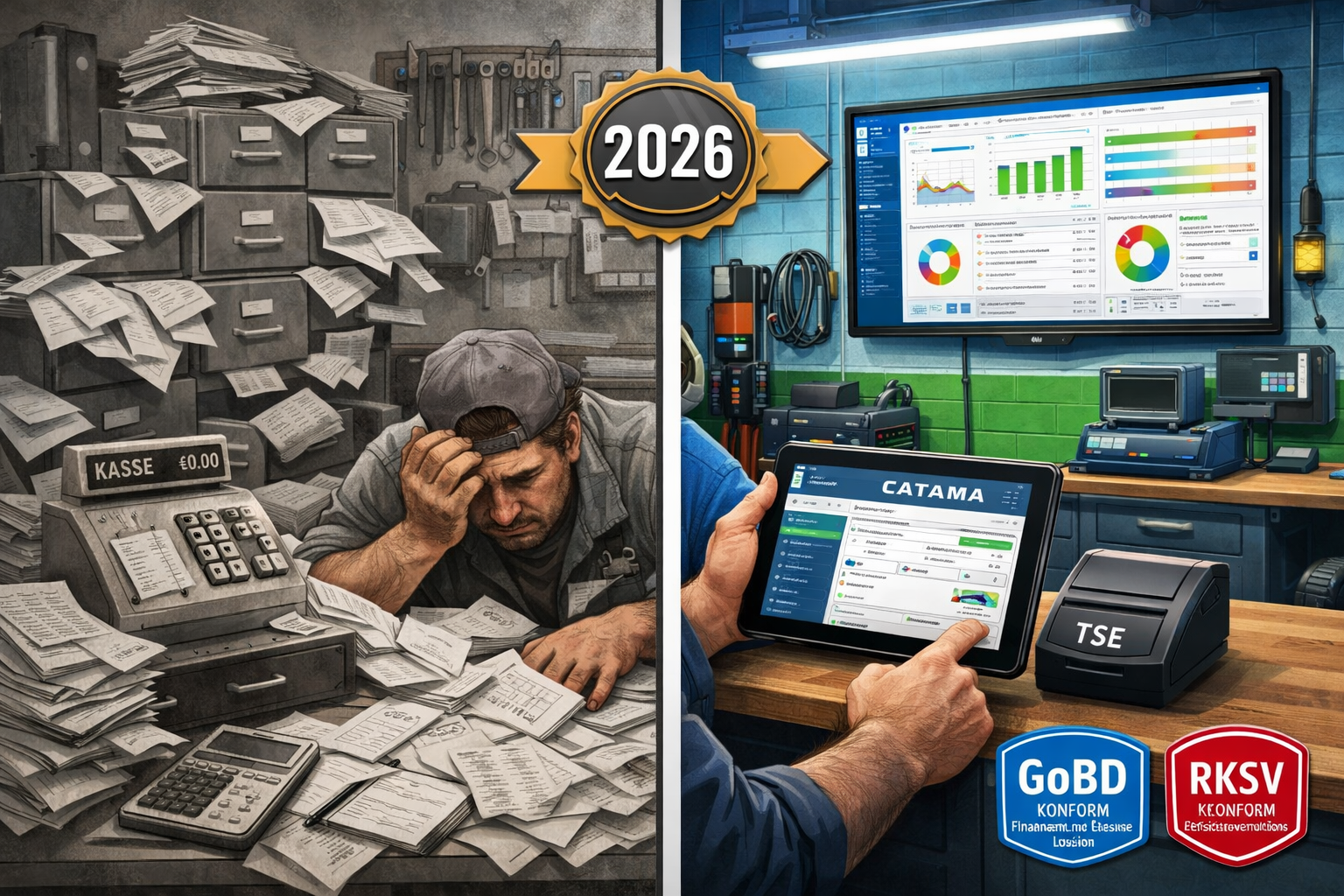
The days when a simple cash register was sufficient for workshop operations are definitively over. Since January 2020, the Cash Register Security Ordinance (KassenSichV) stipulates that all electronic cash register systems must be equipped with a certified TSE (Technical Security Equipment).[5] This regulation is not merely a recommendation – it is a legal obligation with serious consequences for non-compliance.
Understanding the legal framework
In Germany, the principles for the proper management and storage of books, records and documents in electronic form (GoBD) together with the KassenSichV regulate the requirements for digital cash register systems.[5] The TSE functions as a tamper-proof storage unit that cryptographically signs and immutably stores each transaction.
In Austria, the Cash Register Security Ordinance (RKSV) applies, which pursues similar goals but is implemented differently technically. Signature creation units from A-Trust are used here.[1] For businesses operating in both markets, this means that the software must support both standards.
💡 Practical tip : Many workshop owners underestimate the complexity of the TSE requirements. It is not enough to simply buy a TSE module – the entire POS system must be certified and able to export the data in the correct DSFinV-K format.[5]
Stricter controls and drastic penalties
The tax authorities have significantly increased the intensity of their audits. TSE compliance is now routinely checked during tax audits. Violations can be costly: fines of up to €25,000 are possible.[5] But the financial consequences often go even further: if a business cannot produce proper cash register records, the tax office is allowed to estimate sales – usually not to the business owner's advantage.
A recent example illustrates the urgency: Since January 2026, taxi companies in Germany have been required to prove that they have installed TSE-compliant cash register systems – otherwise, their license will not be renewed.[3] Although there are transitional periods due to supply bottlenecks (proof of order by June 30, 2026, installation by September 30, 2026 in Munich)[3], the direction is clear: The authorities are rigorously enforcing the rules.
Receipt obligation: Every transaction is documented
In addition to the TSE requirement, the obligation to issue receipts has also been in effect since 2020: A receipt must be generated for every transaction – either digitally or in paper form.[5] For workshops, this means that even small cash payments for spare parts or services must be documented. Professional automotive software with an integrated TSE cash register fully automates this process.
The challenges of traditional cash register systems in workshops and retail
Many automotive businesses still operate with fragmented systems: a separate cash register for cash payments, another program for invoices, Excel spreadsheets for inventory management, and handwritten notes for appointments. These isolated solutions cause massive inefficiencies.
Time-consuming manual data entry
A typical scenario: A customer comes in for a service inspection. The mechanic notes the work performed on a work order. Later, someone has to transfer this information into the invoicing program. The invoice is printed, the customer pays in cash, and the amount is entered into the cash register. At the end of the month, all cash receipts must be reconciled with the invoices.
The result? An average of 15-20 hours per week are lost to administrative tasks – time that is then lacking for productive workshop work. Efficient automotive workshop ERP software completely eliminates these redundant data entries.
Sources of error and compliance risks
Manual processes inevitably lead to errors: incorrectly entered amounts, forgotten items, inconsistent customer data. Such errors can become a problem during tax audits. If cash receipts don't match the invoices, the tax authorities will become suspicious.
Even more critically, many older cash register systems do not meet current requirements. They can neither integrate TSE modules nor generate the required data exports in DSFinV-K format.[5] An upgrade is then unavoidable.
Lack of transparency and evaluation options
Without integrated systems, it's impossible to maintain an overview: Which services are the most profitable? Which spare parts sell quickly, and which gather dust in the warehouse? How does sales compare to the previous year? Such questions are difficult to answer with isolated solutions.
modern vehicle software with a TSE cash register offers real-time dashboards with all key performance indicators at a glance. This enables data-driven decisions instead of gut feeling.
Key functions of a modern automotive software with TSE cash register
What makes a truly good software solution for automotive businesses? It's about much more than just a TSE-compliant cash register. The best systems seamlessly integrate all business processes – from appointment scheduling to accounting.
Integrated POS system with TSE certification
The core component is, of course, the TSE-compliant cash register. Modern solutions like CATAMA offer certified TSE modules that integrate seamlessly into the overall software.[4] The TSE certificates cost approximately €8.99 per month – a manageable investment for complete legal compliance.[4]
The cash register also works offline : If the internet connection is interrupted, all transactions are stored locally and automatically synchronized as soon as the connection is restored.[2] This guarantees uninterrupted operation, even in the event of technical problems.
Key features:
- ✅ Automatic receipt printing (digital or printed)
- ✅ Cryptographic signing of every transaction
- ✅ Immutable storage of all cash register transactions
- ✅ DSFinV-K export for tax audits[5]
- ✅ Daily total receipts and Z-reports
- ✅ Multi-user capability with individual access rights
Automated invoice creation and digital document management
The greatest efficiency gain comes from automatic invoice generation . As soon as a workshop order is completed, the system automatically generates the invoice – including all work items, spare parts and time entries.[2]
A professional vehicle invoicing program offers the following:
- Template management : Once created, invoice templates can be used for recurring services.
- Automatic price calculation : Working hours are multiplied by the stored hourly rate, spare parts are calculated using current purchase prices and margins.
- Audit-proof archiving : All invoices are automatically stored in compliance with GoBD regulations and can be found at any time [2]
- E-invoicing capability : From 2027, e-invoicing will be mandatory in the B2B sector – modern systems already support XRechnung and ZUGFeRD.
OCR-based vehicle recognition
A real game-changer is OCR (Optical Character Recognition) technology. Instead of manually entering vehicle data, the employee simply photographs the vehicle registration document. The software automatically extracts all relevant data: manufacturer, model, HSN/TSN numbers, chassis number, and more.[4]
This not only saves time but also eliminates typos in critical vehicle data. Particularly convenient: The HSN/TSN query directly provides the correct spare parts and technical specifications.
Workshop planning and time tracking
An integrated workshop planning system visualizes all appointments, lift availability, and mechanics at a glance. Orders can be rescheduled, resources allocated, and bottlenecks identified early via drag-and-drop functionality.
Time tracking is directly linked to individual jobs: mechanics start and stop the time using a tablet or terminal, and the hours are automatically included in the billing.[2] This eliminates subsequent time estimates and ensures precise calculations.
Inventory management and warehouse management
For companies with their own parts warehouse, an integrated inventory management system is essential. The system manages:
- Real-time inventory management : Every part sale automatically reduces the stock level.
- Automatic order suggestions : When minimum stock levels are not reached
- Supplier integration : Direct connection to Stakis, Stahlgruber and other wholesalers
- Inventory functions : Simplified stocktaking with barcode scanner
- Tire management : Special modules for storing and managing customer tires
Mobile functionality
Modern cloud-based automotive workshop software works on all devices: desktop PC, tablet, smartphone. This enables:
- Order processing directly at the vehicle
- Photographic documentation of damage and repairs
- Customer approvals via digital signature
- Access vehicle histories on the go
- Flexible work organization within the team
Country-specific requirements: Germany vs. Austria
Although both countries pursue similar goals – the prevention of VAT fraud through tamper-proof cash register systems – the technical implementations differ considerably.
Germany: TSE according to the Cash Register Security Ordinance
In Germany, the Technical Security Device (TSE) the central element. It consists of three components:[5]
- Security module : Generates cryptographic signatures
- Storage medium : Stores all transaction data immutably.
- Unified digital interface : Enables standardized data exports
The TSE can be implemented as a hardware module (USB stick, SD card) or a cloud solution. Important: The Federal Office for Information Security (BSI) must have certified the TSE.
Additional obligations in Germany:
- Receipt obligation for every transaction[5]
- Reporting of the cash register to the tax office
- Maintaining a register of the cash register systems used
- Data will be stored for 10 years
- Provision of data in DSFinV-K format during audits[5]
Austria: RKSV with A-Trust signature
Austria relies on the Cash Register Security Ordinance (RKSV) . Instead of TSE (Technical Security Equipment), signature creation units are used, typically from A-Trust.[1] Every transaction is provided with a qualified electronic signature.
Special features in Austria:
- Registering the cash register with FinanzOnline
- Monthly zero receipts (monthly receipt)
- Initial receipt and annual receipt
- Receipt check app of the tax authorities for verification
- QR code on every receipt with encrypted transaction data
Software solutions for both markets
Businesses operating in both countries or planning to expand into them require software that supports both standards. Professional providers like CATAMA offer country-specific configurations that automatically implement the correct compliance requirements.[1]
The software uses the operating address or manual setting to recognize which rule set to apply and adjusts accordingly:
- The document formats
- The signature procedures
- The export formats
- The reporting obligations
accordingly.
Implementation: How to successfully switch to vehicle software with TSE cash register
Switching to an integrated system may seem overwhelming at first. However, with the right planning and support, implementation runs smoothly – and the benefits become apparent after just a few weeks.
Phase 1: Needs analysis and software selection (weeks 1-2)
Step 1: Define requirements
Before you decide on a solution, you should clarify your specific requirements:
- How many workstations/users do you need?
- Which functions are indispensable? (Workshop planning, tire management, vehicle sales, etc.)
- Do you need interfaces to existing systems? (Accounting, suppliers)
- Do you work in Germany, Austria, or both countries?
- How many transactions do you process per month?
Step 2: Compare providers
Take advantage of free trial versions. Reputable providers like CATAMA offer free trial periods during which you can thoroughly test the software.
Things you should pay attention to:
- ✅ TSE certification for Germany and/or RKSV compliance for Austria
- ✅ Cloud-based with offline functionality
- ✅ Intuitive user interface (Your employees have to work with it!)
- ✅ Comprehensive support and training opportunities
- ✅ Regular updates and further development
- ✅ Transparent pricing with no hidden costs
- ✅ Positive customer reviews from the industry
Phase 2: Data migration and system setup (weeks 3-4)
Step 3: Transfer master data
Migrating your existing data is critical. Professional providers can help with this:
- Customer data : Import from Excel, CSV or existing systems
- Vehicle data : Historical repairs and service intervals
- Item master data : spare parts, services, price lists
- Supplier data : Terms and conditions and order history
💡 Practical tip : Take this opportunity to clean up your data. Remove outdated customer data, consolidate duplicates, and update contact information.
Step 4: Order and install TSE hardware
The TSE hardware must be ordered from the provider. At CATAMA, the TSE certificate costs approximately €8.99 per month.[4] Installation is usually straightforward – either via USB stick, SD card, or cloud TSE.
Step 5: Configure the system
- Create user accounts with individual access rights
- Create invoice templates with your corporate design
- Define payment methods (cash, debit card, bank transfer, etc.)
- Setting up tax rates and accounting accounts
- Store price lists and calculation bases
Phase 3: Training and test operation (weeks 5-6)
Step 6: Train employees
Success depends significantly on the acceptance of your employees. Invest in thorough training:
- Basic training : System overview and basic functions for all
- Role-specific training : Advanced training for workshop, reception, administration
- Hands-on training : Practical exercises with test data
- Documentation : Provision of manuals and video tutorials
Many providers offer online training, webinars, or on-site training.
Step 7: Start parallel operation
Before switching over completely, we recommend running both systems in parallel for 1-2 weeks. This allows you to:
- Comparison of results for quality assurance
- Identification of configuration errors
- Getting employees used to each other without time pressure
- Gradual conversion of individual areas
Phase 4: Go-Live and Optimization (from week 7)
Step 8: Complete transition
After successful parallel operation, the complete switchover will take place. Plan this for a quiet time (e.g., the beginning of the month, not before holidays).
Go-live checklist:
- ✅ All employees trained and prepared
- ✅ TSE activated and tested
- ✅ Cash register registration with the tax office completed
- ✅ Backup of the old system created
- ✅ Provider's support hotline is on standby
- ✅ Test receipts printed and verified
- ✅ Interfaces to suppliers tested
Step 9: Continuous Optimization
In the first few weeks you will discover potential for optimization:
- Adapting workflows to your specific processes
- Fine-tuning of permissions and user accounts
- Creation of additional templates and automations
- Integration of additional functions (e.g., automatic appointment reminders)
Use the reporting functions to measure efficiency gains. Many businesses report 60% faster invoicing and 40% time savings on administrative tasks.[2]
Cost-benefit analysis: Is the investment worthwhile?
The question of return on investment (ROI) is valid. Let's look at the figures realistically.
Investment costs
One-time costs:
- Software setup: €0-500 (many providers waive this fee)
- Data migration: €0-300 (depending on data volume)
- Hardware (TSE module): €0-150 (often included in subscription)
- Training: €0-400 (online training is usually free)
Ongoing costs (monthly):
- Software license: €49-199 (depending on the range of functions)[4]
- TSE certificate: €8.99 per cash register[4]
- Cloud storage: usually included
- Support: usually included
Total investment in the first year: approx. €800-2,500
Potential savings and added value
Time saving:
- 15 hours/week less administrative work through automation
- Assuming an hourly rate of €40: €600 savings per week
- Annually: approx. €31,200 in saved working time
Error reduction:
- Avoiding transmission errors: estimated 2-3% of invoices
- With an annual turnover of €100,000: €2,000-€3,000 fewer corrections and goodwill claims.
Compliance security:
- Avoidance of fines (up to €25,000)[5]
- No sales estimates during tax audits
- Legally compliant archiving: Invaluable in an emergency.
Improved liquidity:
- Faster invoicing = faster payment receipt
- on average 5-7 days shorter.
- With an annual turnover of €100,000: approximately €1,400-€2,000 liquidity advantage.
Customer satisfaction:
- More professional communication through digital documents
- Faster service processing
- Transparent pricing
- In the long term: higher customer loyalty and referral rate
ROI calculation
With a conservative calculation:
Annual costs: €1,500 (software + TSE)
Annual savings: €31,200 (time savings) + €2,500 (error reduction) + €1,700 (liquidity) = €35,400
ROI = (Benefit – Cost) / Cost × 100 = (35,400 – 1,500) / 1,500 × 100 = 2,260%
The investment typically pays for itself within 2-3 weeks . After that, the system continuously generates added value.
Best Practices: How to get the most out of your automotive software
The software is installed, the employees are trained – but how do you use the system optimally? Here are proven strategies from practice.
1. Use automation consistently
Modern systems offer numerous automation possibilities that often remain unused:
Automatic appointment reminders: Configure the system to automatically remind customers of upcoming inspections, MOT appointments, or tire changes. This increases capacity utilization and improves service.[4]
Recurring invoices: You can set up automatic invoicing for maintenance contracts or regular services.
Order suggestions: Allow the system to automatically generate order suggestions when stock levels fall below defined thresholds.
Automatic data backup: Ensure that daily backups are automatically saved to the cloud.
2. Integrate all business processes
The greatest benefit arises when all processes are truly mapped in the system:
- Appointments (no longer in the separate calendar)
- Vehicle reception with digital checklist
- Workshop planning and resource allocation
- Time tracking directly on the order
- Parts ordering with automatic inventory update
- Invoice creation and payment processing
- Dunning and receivables management
Every isolated solution running in parallel reduces efficiency.
3. Train continuously
Software evolves. Regular updates bring new features. Establish:
- Monthly team meetings: Short sessions in which new features are presented.
- Power user concept: Designate one employee as an internal software expert.
- Access to training resources: Utilize the provider's webinars, video tutorials, and documentation.
4. Analyze your data
One of the greatest strengths of digital systems is data availability. Use the analysis functions:
Key performance indicators (KPIs) for automotive businesses:
- Average order value
- Capacity utilization by mechanic/lift
- Revenue by service type (repair, maintenance, parts sales)
- Bearing speed for spare parts
- Order processing times
- Customer satisfaction and return rate
Set up monthly reports and derive concrete actions from them. Which services are particularly profitable? Where are there opportunities for optimization?
5. Use mobile features
The cloud-based architecture enables mobile working. Take advantage of this:
- Tablets in the workshop: Mechanics can process orders, document photos and record times directly at the vehicle.
- Smartphone for field service: Vehicle pickup/delivery with mobile order processing
- Working from home for administration: Invoice verification and accounting are also possible from home.
6. Maintain your master data
The quality of your analyses depends on the quality of your data:
- Keep customer data up to date: Use every customer contact to update the data.
- Fully document vehicle histories: every repair, every part replacement
- Maintaining article master data: Correct categorization, current prices, supplier links
- Regular data cleansing: Remove duplicates quarterly, archive inactive customers
Common mistakes during implementation – and how to avoid them
Typical stumbling blocks can be identified from the experiences of workshop operators:
❌ Mistake 1: Insufficient preparation
Problem: The company is switching over overnight, without sufficient planning.
The result: chaos in daily operations, frustrated employees, and angry customers.
Solution: Plan for a lead time of at least 4-6 weeks. Utilize test phases and parallel operation.
❌ Mistake 2: Not involving employees
Problem: Management makes decisions alone, and employees are presented with a fait accompli.
Consequence: Resistance to the new system, sabotaged implementation.
Solution: Involve employees early. Gather feedback, address concerns, and communicate the benefits.
❌ Error 3: Too many functions at once
Problem: All available modules are immediately activated and used.
Consequence: Overwhelm, confusion, inefficient use.
Solution: Start with core functions (order entry, invoicing, point of sale). Gradually expand with additional modules.
❌ Mistake 4: Neglecting data migration
Problem: Old data is not transferred or is transferred incorrectly.
Consequence: Loss of important customer histories, duplication of effort.
Solution: Invest time in careful data migration. Utilize professional support from the provider.
❌ Mistake 5: No continuous optimization
Problem: After implementation, the system is not further adapted.
The result: Potential remains untapped, workflows remain suboptimal.
Solution: Establish regular reviews (quarterly). Ask: "What's going well? What could be improved?"
Future trends: How automotive software is evolving
Digitalization in the automotive industry is constantly evolving. What developments will shape the coming years?
Artificial Intelligence and Predictive Maintenance
AI-supported diagnostics: Future systems will analyze vehicle data and proactively predict maintenance needs. "Your customer drives a 2018 BMW 320d with 145,000 km – statistical probability of turbocharger failure in the next 6 months: 23%. Suggest an appointment?"
Automatic price optimization: Machine learning analyzes your order data and suggests optimal pricing to maximize profitability while maintaining competitiveness.
Enhanced e-invoicing functionality
From 2027, e-invoicing will become mandatory in the B2B sector in Germany. Modern systems are already preparing for this:
- Automatic generation of XRechnung and ZUGFeRD
- Direct transmission to customer portals
- Automated processing of incoming e-invoices
- Integration with the PEPPOL network for Europe-wide exchange
Learn more in our guide to e-invoicing for automotive businesses .
Blockchain for vehicle histories
Tamper-proof, decentralized storage of vehicle data could increase trust in used cars. Every workshop that works on a vehicle records repairs in a blockchain – immutably and traceably for everyone.
Augmented Reality for Workshop Planning
AR glasses could display repair instructions directly in a mechanic's field of vision while they work on the vehicle. The software provides the relevant information based on vehicle data and the current job.
Complete process automation
The vision: A customer books an appointment online. The system automatically schedules the optimal lift and the appropriate mechanic. Upon vehicle arrival, all data is captured using OCR. The diagnostic process is automated, and spare parts are ordered automatically. After completion, the customer receives a digital invoice, payment is made via app, and the TSE-compliant cash register automatically processes the transaction. The customer is automatically reminded of their next service appointment in six months.
Sounds like science fiction? The technology already exists. It's only a matter of time before such solutions become standard.
Practical example: How the Müller workshop saves €35,000 annually with CATAMA
Let's look at a specific example: The Müller workshop in Munich, a medium-sized company with 8 employees and 4 lifting platforms.
Starting point 2024
Challenges:
- Paper-based order entry with subsequent transfer to the invoicing program
- Separate, non-TSE-compliant cash register
- Excel-based workshop planning
- No digital customer communication
- Common errors in invoices (approx. 5% correction rate)
- Time spent on administration: approx. 20 hours/week
Financial situation:
- Annual revenue: €850,000
- An average of 180 orders per month
- Administrative costs (personnel): approx. €52,000/year
Implementation January 2025
Owner Thomas Müller opted for the CATAMA Enterprise Suite with integrated TSE cash register.
Investment:
- Software license: €149/month
- TSE certificate: €8.99/month
- Setup and training: €1799 one-time fee
- Tablets for workshop: €1,200 (3 devices)
Total investment year 1: approx. €4,900
Results after 12 months (2026)
Time saving:
- Administrative workload reduced to 8 hours/week ( 60% reduction )
- Working time saved: 624 hours/year
Quality improvement:
- Invoice error rate: reduced from 5% to 0.3%
- Savings on corrections and goodwill cases: approx. 4.250 €
Increase in sales:
- Improved capacity planning: +8% more orders
- Additional revenue: 68.000 €
- Additional profit (at 15% margin): 10.200 €
Customer satisfaction:
- The Net Promoter Score (NPS) rose from 42 to 67
- Increased referral rate
- Estimated value: priceless
Compliance:
- Zero complaints during the 2026 tax audit
- Avoided risk of fines: potentially 25.000 €
Overall balance
Costs: €3,900
Direct benefits: €28,080 (time) + €4,250 (error reduction) + €10,200 (increased sales) = €42,530
Net benefit: €38,630 in the first year
ROI: 991%
Thomas Müller: “My only regret is that I didn’t switch over sooner. The investment paid for itself after just 5 weeks. My employees are more relaxed because the administrative stress is gone. And I can finally sleep at night again, knowing that everything will be watertight in the event of a tax audit.”
Checklist: Is your current solution still up-to-date?
Please answer the following questions honestly:
Legal certainty:
- ☐ Is your cash register TSE-certified (Germany) or RKSV-compliant (Austria)?
- ☐ Can you generate the DSFinV-K export for tax audits?
- ☐ Are all receipts automatically archived in compliance with GoBD regulations?
- ☐ Is your system prepared for the mandatory e-invoicing requirement from 2027?
Efficiency:
- ☐ Are invoices automatically generated from orders?
- ☐ Do you need to enter data multiple times into different systems?
- ☐ Can you automatically capture vehicle data using OCR?
- ☐ Is time tracking directly linked to billing?
Mobility & Flexibility:
- ☐ Can you access your data from anywhere?
- ☐ Does the system also work offline?
- ☐ Can mechanics process orders directly at the vehicle?
- ☐ Is the software usable on tablets and smartphones?
Integration:
- ☐ Are the cash register, invoicing program and workshop planning integrated into one system?
- ☐ Are there any interfaces with your parts suppliers (Stakis, Stahlgruber)?
- ☐ Is it possible to integrate with your accounting software?
- ☐ Are stock levels automatically updated upon sale?
Evaluation & Controlling:
- ☐ Do you have real-time access to key performance indicators?
- ☐ Can you analyze sales by service type?
- ☐ Can you see the utilization of your resources at a glance?
- ☐ Do you receive automatic reports and statistics?
Customer communication:
- ☐ Can customers receive digital invoices and receipts?
- ☐ Are there automatic appointment reminders?
- ☐ Is digital customer approval for repairs possible?
- ☐ Can customers view their vehicle history?
Evaluation:
16-20 hooks: Congratulations! Your solution is up to date.
**11-15 hooks
