
Manage and Analyze Finances in Your Auto Repair Business
Revenue, payment status, open items, and cash flow at a glance. The CATAMA automotive software makes your business’s financials transparent—so you can make decisions based on key metrics rather than gut instinct.
Cloud · Real-time Analysis · Data Center in Germany
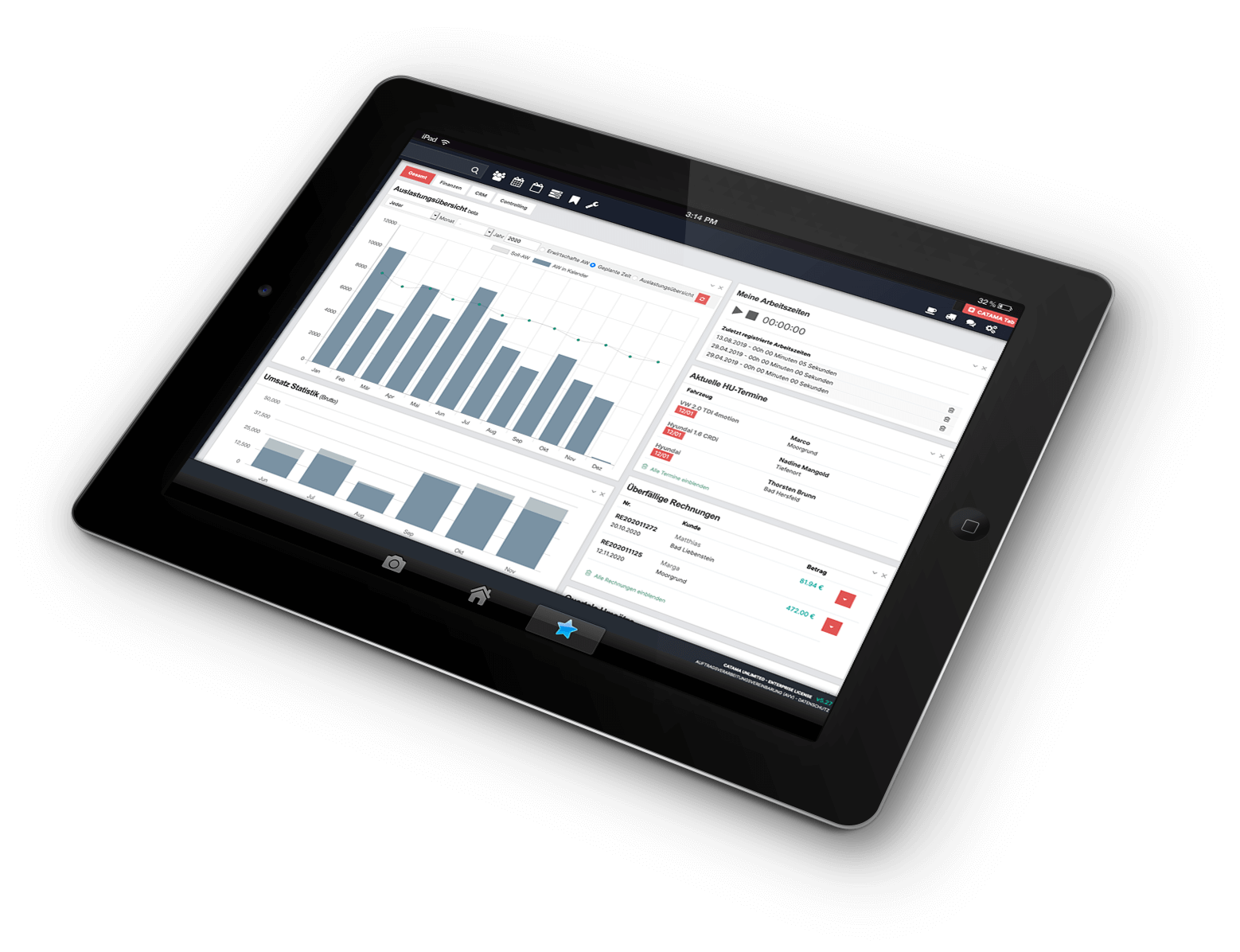
Your Finances at a Glance
While accounting records and processes transactions, this module focuses on management: analyzing data, monitoring payments, and ensuring liquidity.
Key Metrics & Reports
Revenue, parts ratio, capacity utilization, and key performance indicators for any time period you choose—all at the click of a button.
Payment Status & Open Items
Each document is automatically assigned a status. You can list open and overdue receivables with a single click.
Dunning & Workflows
Payment reminders and dunning stages with automated processes—for predictable incoming payments.
Revenue by Order & Division
Identify where profit is generated—by order, division, employee, or vehicle type.
Dashboards & Cash Flow
Live dashboards show you cash inflows and outflows so you can keep an eye on your liquidity.
Transfer to Accounting
Export data records for a specific period—e.g., in DATEV format for accounting.
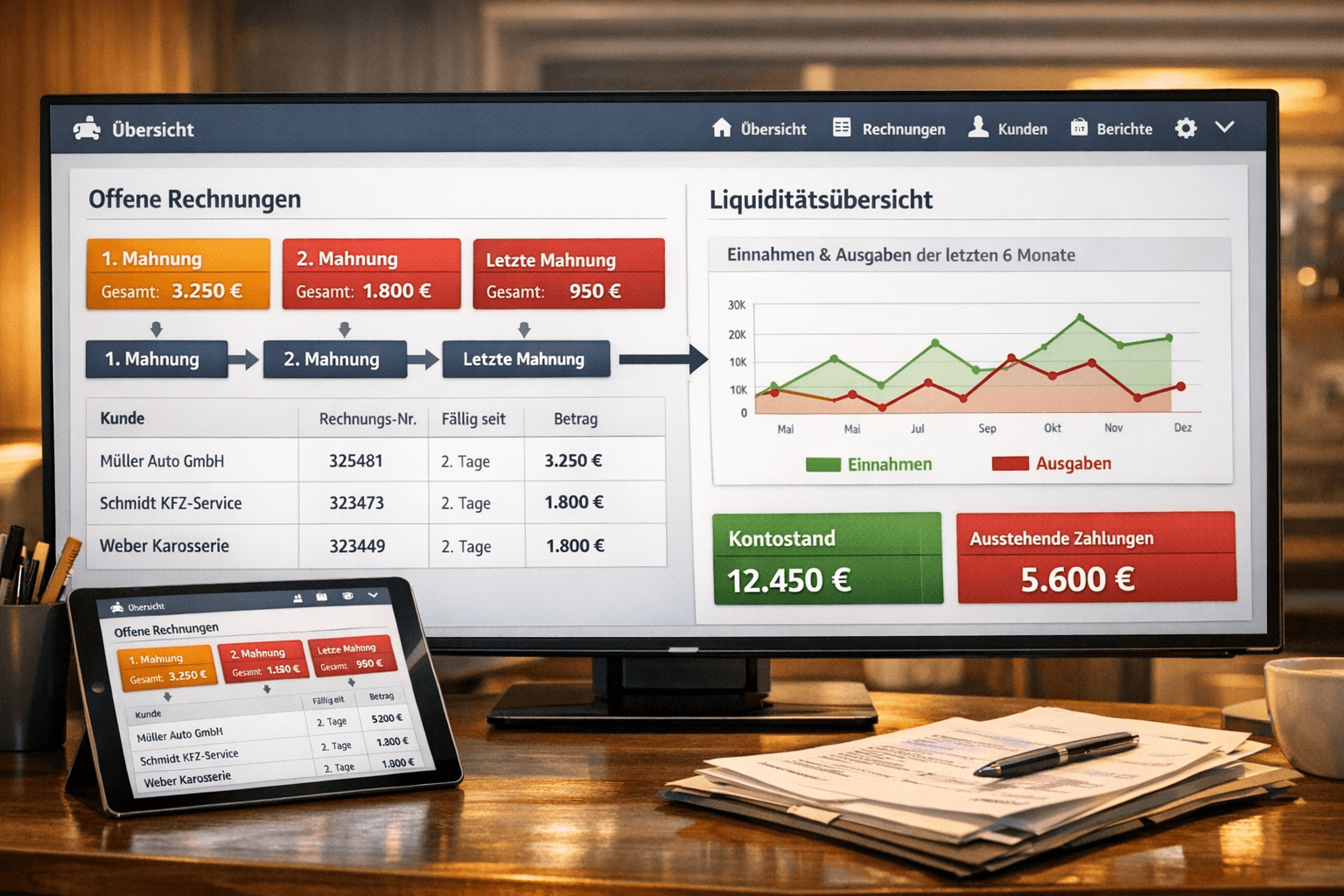
Keep open items and dunning under control
Set payment terms and deadlines, post incoming payments with a single click, and generate lists of open and overdue documents. Automated workflows for reminders and dunning stages improve your cash flow.
- Automatic document status (open/overdue/paid)
- Open Item Lists at the Click of a Button
- Multi-stage dunning process
- Quickly post incoming payments

Numbers That Drive Decisions
Which orders are profitable, and where is there potential? CATAMA automatically analyzes revenue, parts ratio, and capacity utilization to uncover hidden potential in the automotive retail and repair shop sectors.
- Revenue per order, department, and employee
- Capacity Utilization & Efficiency by Team
- Reports for custom time periods
- Data-Driven Decisions
Finance in CATAMA – A Brief Explanation
What’s the difference between finance and accounting?
Finance involves managing and analyzing key metrics, payment status, and liquidity. Bookkeeping records and exports data (GoBD, DATEV export).
Can I see open and overdue receivables?
Yes. Every document has a status; you can list open and overdue items with a single click and initiate the dunning process if needed.
What key metrics does CATAMA provide?
Among other things, revenue per order/division, capacity utilization, parts ratio, and success rates—all viewable on a dashboard and analyzable over specific time periods.
Can I export data?
Yes. You can export data records for a selected time period—for example, in DATEV format—for submission to your tax advisor.
More in the CATAMA ecosystem
Accounting
Enter GoBD-compliant receipts and transfer them to your tax advisor via DATEV export.
Automotive Invoicing Software
Invoices, payments, and open items—the data source for your financial analysis.
Your numbers, always at a glance
Try CATAMA free for 14 days and manage your revenue, payments, and cash flow with data-driven insights.