
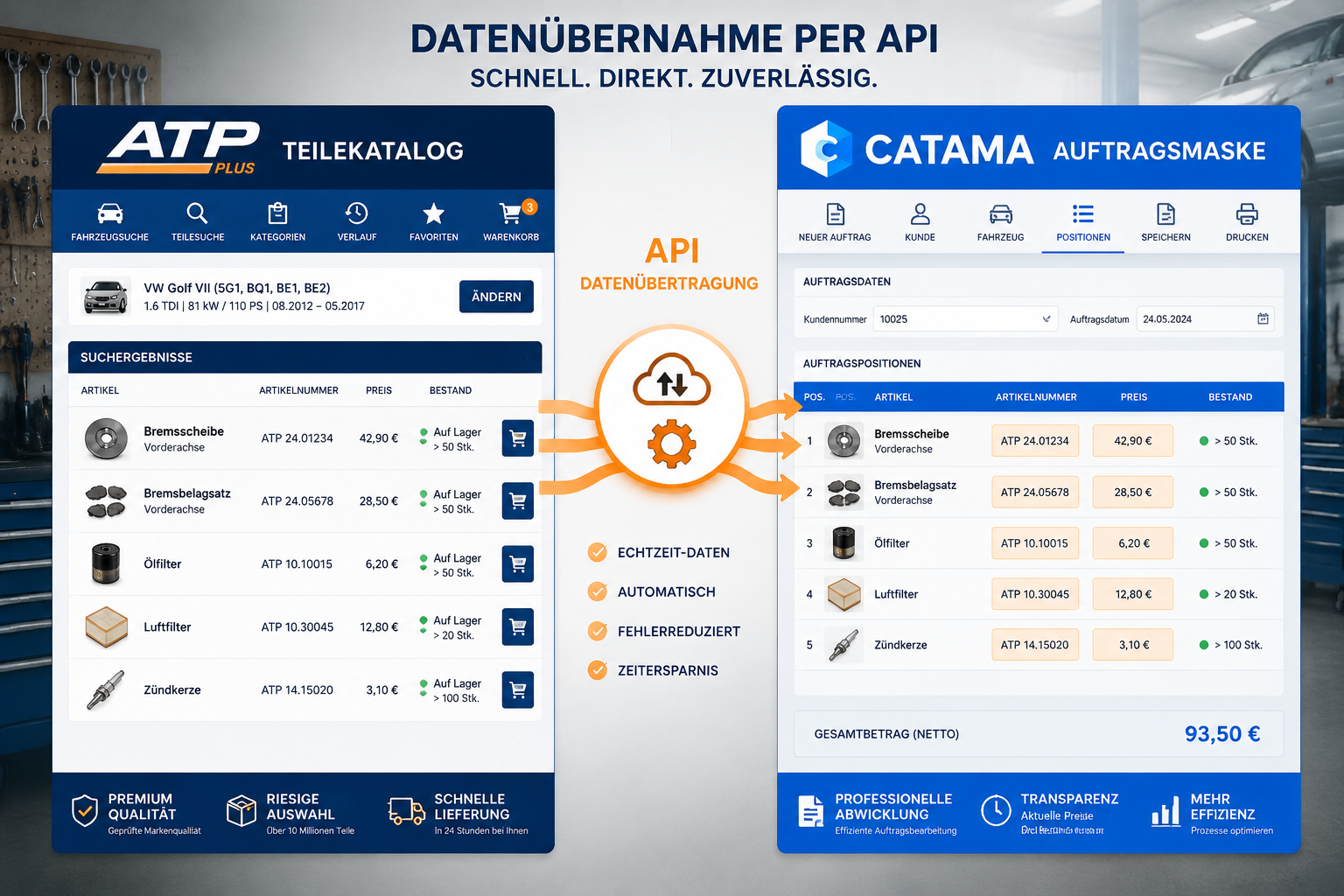
Up to 40 minutes per job are lost in automotive workshops when part numbers, prices and stock levels are transferred manually between the supplier catalogue and the workshop software. This is exactly where CATAMA with an Interface (API) to the AutoteilePilotPlus (ATP Plus) Parts Catalogue comes in: a direct data channel that moves article data into the job without any media break. What used to be copy-and-paste work now happens at the touch of a button. Workshops and dealers in the passenger car segment gain speed, avoid typing errors and calculate more precisely.
The following sections explain how the integration works, which specific processes benefit from it and what needs to be considered during setup.
Key Takeaways
- CATAMA with an Interface (API) to the AutoteilePilotPlus (ATP Plus) Parts Catalogue transfers article data, prices and availability directly into the workshop job.
- Manual input errors and duplicate data entry are eliminated, and average job processing measurably speeds up.
- The API works in the background in the cloud and requires no additional hardware on site.
- Workshops benefit from precise calculation, transparent margins and an audit-proof document trail.
- The integration fits seamlessly into existing CATAMA workflows – from estimate through job to invoice.
What the CATAMA interface to ATP Plus actually delivers
An API (Application Programming Interface) is nothing other than a standardised language in which two programs communicate with each other. In the case of CATAMA with an Interface (API) to the AutoteilePilotPlus (ATP Plus) Parts Catalogue, this means the workshop software queries the ATP Plus catalogue in real time and takes the returned article data straight into the open document.
From searching to finding in seconds
Instead of switching between a browser tab and the workshop software, the parts search starts directly from within the CATAMA job. The user selects the vehicle, passes the vehicle-specific data to ATP Plus and receives filtered results in return: article number, manufacturer, description, purchase price, RRP, availability and delivery time. One click and the part is added to the job as a line item.
That not only saves time, it also reduces one of the most common sources of error in everyday workshop life: incorrectly typed part numbers.
Exactly which data is transferred
| Data field | Benefit for the workshop |
|---|---|
| Article number (OE/IAM) | Unique identification, no mix-ups |
| Description | Clear wording on the invoice and the job |
| Purchase price | Real-time calculation of the margin |
| RRP / list price | Basis for the sales price calculation |
| Availability | Reliable appointment and delivery commitments |
| Manufacturer / brand | Transparency for customers and warranty |
| Images & documents | Visualisation during consultation and estimate |
Embedded in the overall process
The interface is not an isolated feature. It is part of the end-to-end workflow of the CATAMA automotive workshop software suite, which covers every step from creating the customer record and capturing the vehicle through to the invoice. The ATP Plus connection takes effect exactly where parts have to enter the process: in calculations, estimates, jobs and in ordering.
“You can tell a good interface by the fact that you never notice it. Data flows, the process runs, and the member of staff concentrates on the diagnosis – not on the keyboard.”
Why an API integration beats manual processes
Many businesses still work with a mixed model today: parts are searched for in the supplier’s web shop and the data is then transferred into the workshop software – sometimes by copy and paste, sometimes by CSV import, sometimes entirely manually. Every one of these steps costs time and carries the potential for error.
Sources of error that disappear with the API
- Transposed digits in part numbers lead to incorrect orders
- Out-of-date prices destroy the calculated margin
- Incorrect descriptions confuse customers and lead to complaints
- Manual VAT calculation causes rounding differences
- Stock data without real-time synchronisation results in delivery promises that cannot be kept
The direct API connection eliminates these weak points, because no human hand has to intervene between the source data and the target document.
Economic effect on job throughput
A practical example: a workshop with five vehicle receptions per day and an average of eight parts per job saves around 20 minutes daily – per member of staff – even with a saving of only 30 seconds per part. Extrapolated over a year, that produces a measurable productivity gain which feeds straight into the contribution margin. The article on how workshops save time and money with CATAMA shows more on this.
Comparison: manual workflow vs. API integration
| Step | Manual | With the ATP Plus API |
|---|---|---|
| Search for a part | External browser, switching tabs | Directly in the job |
| Transfer the data | Typing it out or copy and paste | One click |
| Check the price | Separate look at the terms | Visible immediately |
| Check the stock level | Phone call or web shop | Live in the document |
| Error rate | Typically 3-8% | Close to zero |
| Time per line item | 45-90 seconds | 5-15 seconds |
How CATAMA with an Interface (API) to the AutoteilePilotPlus (ATP Plus) Parts Catalogue works in detail
The technical architecture behind the integration is deliberately lean. CATAMA runs as a cloud-based solution, and ATP Plus supplies the catalogue data via secure web services. Communication takes place in encrypted form, and no additional installation in the workshop is required.
Authentication and access credentials
So that the API can do its work, the workshop owner stores their ATP Plus access credentials once in the CATAMA settings. From that moment on, the software accesses the catalogue on behalf of the business – including all individually negotiated terms. That matters, because it means every business sees its own purchase prices rather than some anonymous list price.
Vehicle reference via HSN/TSN or VIN
The heart of the parts search is the vehicle reference. CATAMA passes either the HSN/TSN key number or the vehicle identification number (VIN) to ATP Plus. As a result, the workshop is only shown parts that match the specific vehicle – no endless lists of hits, just relevant results.
Search logic and filter options
Within the list of hits, results can be narrowed down further:
- By manufacturer: brand preference according to the customer’s wishes
- By quality: OE, OEM or aftermarket
- By availability: available immediately or to order
- By price range: budget-oriented selection
Transfer into an estimate or job
Once the right part has been found, CATAMA transfers it into the current document with a single click. In doing so, it automatically:
- Creates the line item with all its data
- Stores the purchase price
- Calculates the sales price according to the calculation scheme
- Assigns the VAT correctly
- Generates a purchase order suggestion where required
Anyone who would like to know more about job processing will find further information under Jobs, invoices and delivery notes.
Practical benefits for workshops and the trade
Theory is one thing, everyday practicality another. The following scenarios show where CATAMA with an Interface (API) to the AutoteilePilotPlus (ATP Plus) Parts Catalogue makes the difference in day-to-day business.
Scenario 1: direct reception at the counter
A customer is standing at the reception desk with their car. The service adviser scans the vehicle registration document, CATAMA creates the vehicle record, the adviser selects “front brake pads” – and immediately sees all matching articles with prices and delivery times. Within two minutes the estimate is ready, the customer decides, and the job is in the system.
Scenario 2: workshop job with additional work
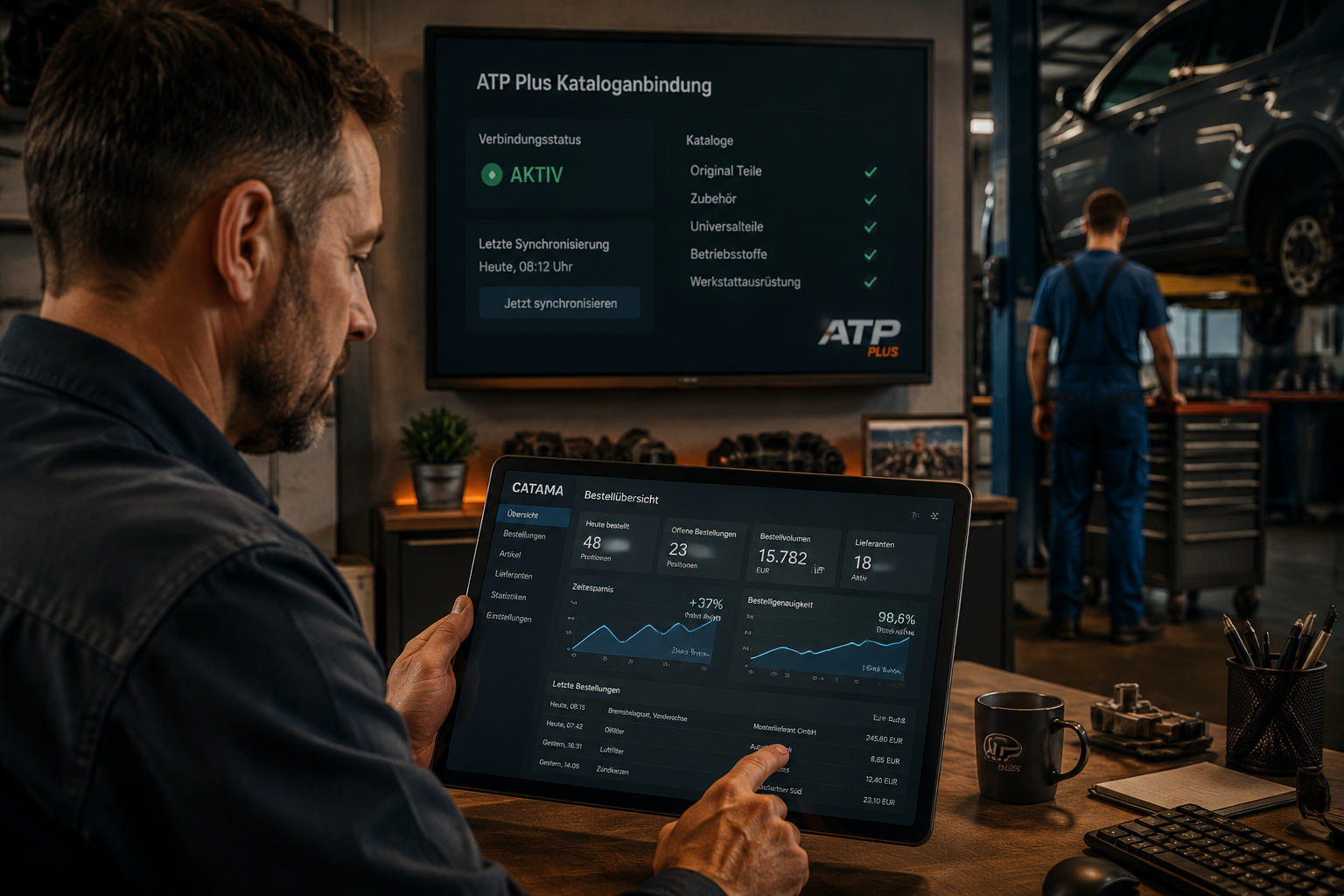
During a service inspection, the mechanic discovers a defective anti-roll bar. Instead of adding the part later, he calls up the job on the workshop tablet, searches for the matching anti-roll bar via the ATP Plus search and adds the line item. Workshop management sees in real time what is changing on the job and can inform the customer straight away.
Scenario 3: calculating a large order
A fleet customer asks for an estimate for 15 vehicles with a tyre change and service inspection. Quantities and terms can be calculated through quickly via the ATP Plus interface; the estimate is ready in a fraction of the time that would otherwise be needed.
Advantages at a glance
- Faster vehicle reception thanks to immediate parts and price availability
- Higher conversion rate in the estimate process
- Fewer complaints thanks to correct article details
- Better margin control thanks to purchase prices that are up to date
- Transparent orders with complete traceability
For dealers, the interface adds to the automotive software for the car trade exactly the component that is decisive in the sales conversation: parts that can be delivered, at the current price.
Setting up and commissioning the interface
The integration is designed so that even businesses without a dedicated IT department can start working productively quickly. Even so, there are a few points that should be clarified before it is first used.
Requirements
- An active CATAMA account in a suitable edition (CATAMA Enterprise or CATAMA Unlimited)
- A valid customer contract with AutoteilePilotPlus including access credentials for the API
- A stable internet connection in the workshop
- Browser-capable devices (PC, notebook, tablet)
Step-by-step setup
- Clarify the contract: have API access activated at ATP Plus
- Receive the credentials: user name, password and, where applicable, an API key
- Store them in CATAMA: under Settings > Interfaces
- Run a test query: search for a sample vehicle and check the hits
- Define the calculation rules: which mark-ups should apply automatically?
- Train the staff: a short briefing on how to use it within a job
The whole process is usually completed in under an hour. If any questions arise, CATAMA support will help with the configuration.
Recommended calculation logic
CATAMA makes it possible to define different mark-ups for different product groups. A typical configuration might look like this:
| Product group | Example purchase price | Mark-up | Sales price |
|---|---|---|---|
| Wear parts | 50 € | 35 % | 67.50 € |
| Body parts | 200 € | 25 % | 250 € |
| Electronics | 400 € | 20 % | 480 € |
| Small parts | 5 € | 80 % | 9 € |
These values are specific to each business and should be reviewed regularly. The hourly rate calculator for automotive workshops additionally provides a basis for the labour side of the calculation.
Interaction with other CATAMA interfaces
A workshop rarely works with just one parts supplier. That is why the ATP Plus connection is part of a broader interface ecosystem that CATAMA provides. Workshops can connect further catalogues in parallel and use whichever channel suits the situation.
Multi-supplier strategy
Anyone who additionally sources original spare parts through Mercedes-Benz, for example, can also use the Mercedes-Benz WebParts shopping basket import interface. Anyone working with traditional wholesalers will find a proven solution in the Stakis/Stahlgruber interface. An overview of all available connections is provided by the page Interfaces of the CATAMA software to suppliers and e-commerce.
Advantages of a uniform document structure
No matter which source a part comes from, all line items are presented identically in the CATAMA job. Customers see a clean invoice, accounting receives structured data, and reporting works across all suppliers. That is particularly important for the connection to financial accounting, for instance via the automotive invoicing program with a DATEV interface.
Reporting across all channels
With the right reports, it is possible to analyse:
- Which supplier delivers fastest?
- Where do we achieve the best margins?
- Which product groups are sourced through which channel?
- Which orders are still open?
This data is the basis for strategic supplier decisions.
Data security and availability
With a cloud-based interface, two questions arise: what happens to my data, and what if the internet goes down?
Encrypted transmission
All API calls between CATAMA and ATP Plus take place over encrypted connections (HTTPS/TLS). Access credentials are not stored in plain text. The privacy policy of the CATAMA automotive software governs how customer and business data is handled – in compliance with the GDPR.
High-availability data centre
CATAMA operates its infrastructure in a high-availability data centre with comprehensive data security. Backups, redundant systems and monitoring ensure a high level of resilience. The current operating status can be viewed transparently via the CATAMA System Status.
What to do if the internet fails?
Because the API query takes place online, an internet connection is required. Existing jobs containing parts that have already been transferred do, however, remain stored in the system and can continue to be processed as soon as the connection has been restored. For critical areas, a second internet connection (e.g. an LTE backup) is advisable in any case.
Frequently asked questions from practice
Does the interface also work on a tablet?
Yes. CATAMA is web-based and can be used on all modern devices. The direct search is particularly practical in the workshop on the tablet at the vehicle lift.
Are my individual ATP Plus terms taken into account?
Yes. The API returns the purchase prices that are stored for your account. Negotiated terms, bonus levels and promotional prices feed in directly.
What does the interface cost?
Depending on the CATAMA edition chosen, the ATP Plus integration is part of the range of functions. Details of the editions and terms can be found on the page CATAMA automotive software – solutions and prices 2026.
Can I use several supplier catalogues at the same time?
Yes, CATAMA supports parallel connections. This means ATP Plus, Partslink24 and WM Kat can be operated at the same time, for example.
How much training is involved?
Experience shows that after a short briefing (approx. 30 minutes) staff are able to use the interface productively. Operation follows the familiar CATAMA logic.
Conclusion and next steps
CATAMA with an Interface (API) to the AutoteilePilotPlus (ATP Plus) Parts Catalogue is more than a technical add-on. It is a lever that speeds up the entire reception and job process in the automotive workshop and raises its quality. Anyone still switching back and forth between a web shop and their workshop software today loses time, money and accuracy on every job. A direct API connection removes this friction.
Concrete next steps for interested businesses:
- Take stock: how much time currently goes into capturing parts manually? Where do errors arise?
- Check the ATP Plus contract: is API access already in place, or does it have to be activated?
- Choose a CATAMA edition: which CATAMA suite suits the size and requirements of the business?
- Plan a test phase: measure the effects over a defined pilot period.
- Involve the staff: even the best system only works if the team accepts it.
Anyone who still has questions about the specific implementation in their own business will find direct contacts in the CATAMA contact area. Experience shows that a well-configured interface pays for itself within a few months – through time saved, fewer errors and a much more relaxed job reception process.
