
Supplier Portal for Automotive Businesses
Handle purchase orders together with your suppliers: they log in with their own credentials, see only the orders addressed to them in the CATAMA automotive software, confirm delivery dates and report price changes straight back to you.
Cloud · Enabled per supplier · Data centre in Germany
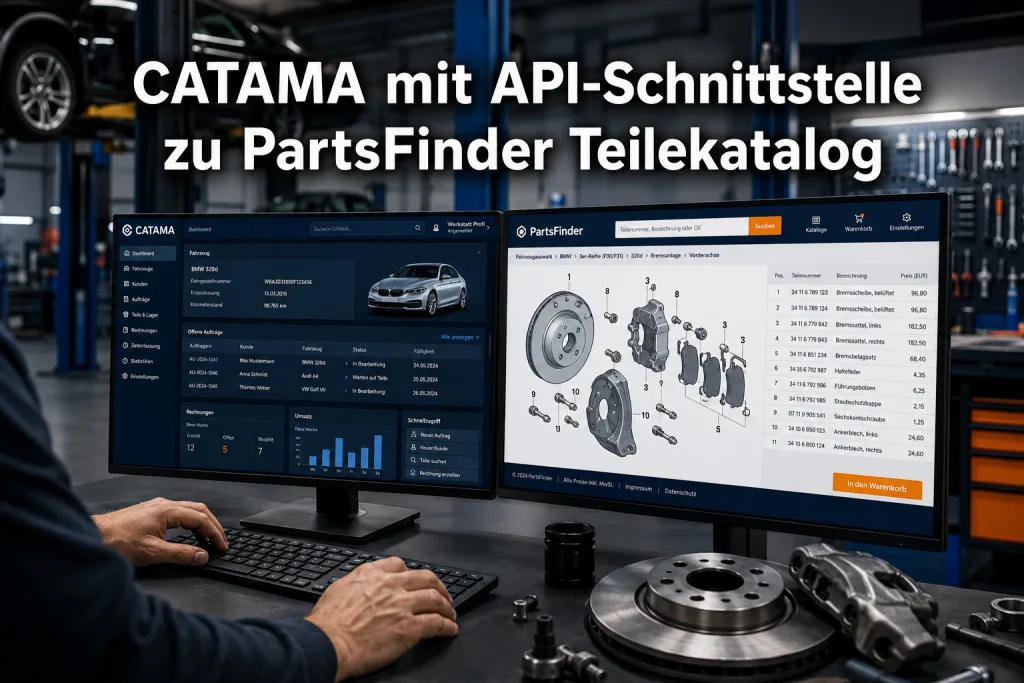
Your supplier works with you, not alongside you
The supplier portal is a separate area for your suppliers. Whatever happens there lands directly in your order management, with no mail attachments and no double entry.
Access per supplier
You issue username and password in the supplier record under Portal access. The Online login active checkbox enables it for that supplier only.
Only their own orders
A logged-in supplier sees exclusively the orders addressed to them. Search and filters keep things manageable with high volumes.
Status and delivery date
The supplier sets the order status from an approved selection and enters the expected delivery date.
Correct purchase prices
If a price has changed, the supplier corrects the purchase price on the individual position. You see the change right in the order.
Messages per order
Questions build up as a thread on the order, traceable for both sides and without a lost email chain.
Completed orders
Once an order is locked it stays read-only for the supplier. Messages remain possible, changes do not.

Order handling without the phone queue
When will it arrive, is the price still valid, is the part even available? Questions like these cost time every single day. In the portal the supplier maintains the answers, exactly where your team looks for them anyway.
- Expected delivery date on the order
- Positions including vehicle details
- Linked workshop appointment in view
- Price changes on the position itself
Access you govern
The portal is not an open door. Every account is issued individually and can be withdrawn at any time. Passwords are stored encrypted, and after several failed attempts the login locks itself.
- Enabled per supplier, not across the board
- Passwords stored encrypted
- Automatic lock after failed attempts
- Last login recorded
Supplier portal in brief
How do suppliers log in?
Through a separate address with username and password. You issue the credentials in the supplier record, and your supplier needs no CATAMA licence.
Can a supplier see data from other suppliers?
No. The portal only ever shows orders assigned to the supplier who is logged in.
Can the supplier change prices?
They can correct purchase prices on individual positions. The change is visible in the order and the decision stays with you.
Can access be withdrawn again?
Yes. The Online login active checkbox turns access on and off per supplier, and the login also locks itself temporarily after repeated failed attempts.
More in the CATAMA ecosystem
Suppliers & Manufacturers
Keep master data, terms and contacts for all your suppliers in one place.
Goods Receiving & Inventory
From the confirmed order to the stock entry, without a media break.
Bring your suppliers on board
Try CATAMA free for 5 days and let delivery dates be maintained where they come from.