
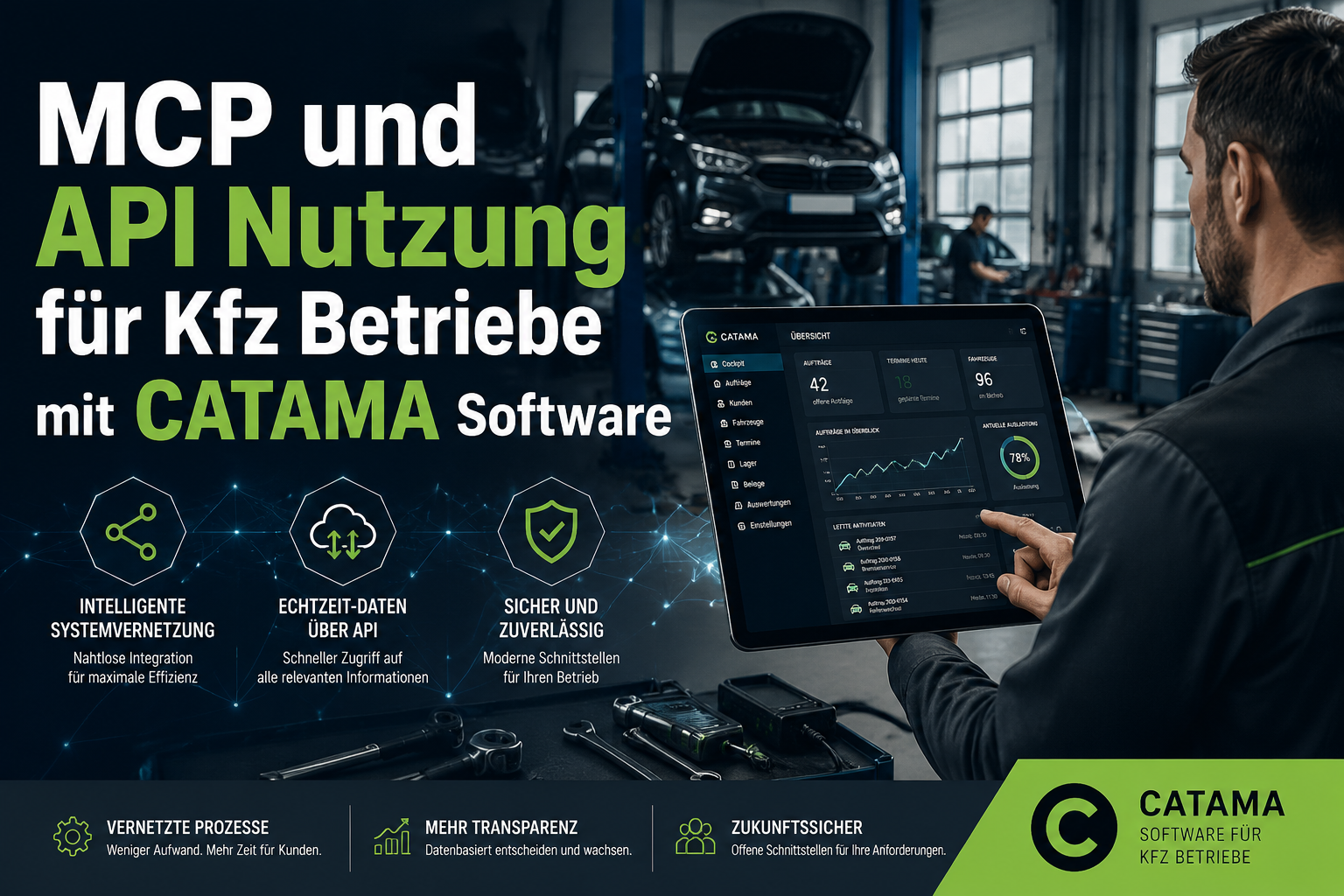
A workshop manager types into a chat window: „Which vehicles are due for their roadworthiness test in the next 14 days?“ – seconds later the finished list appears, complete with registration number, customer and phone number. No report generator, no filters, no Excel exports. That is exactly what is possible today when an automotive business builds on an open platform. MCP and API usage for car businesses with CATAMA software turns workshop data into a directly queryable, intelligent knowledge base – without the data ever leaving your own server.
Until now, reality in many workshops has looked different: the parts catalogue over here, accounting over there, a shop alongside it and a separate workshop planner on top. Isolated tools that have to be laboriously reconciled by hand. CATAMA bundles this world into one consistent system through open interfaces – and now goes one decisive step further: the Model Context Protocol (MCP) makes the software AI-capable.
Key takeaways
- CATAMA is API-first: invoices, stock, appointments and master data can be read and written programmatically via the REST API.
- The Model Context Protocol (MCP) makes every CATAMA instance AI-capable – workshop data can be queried in natural language through assistants such as Claude.
- Security by design: read-only operations, predefined tool parameters, no free-form SQL – data sovereignty stays with the business.
- More than 26 interfaces to parts catalogues, accounting, e-commerce and vehicle data – no more duplicate data entry.
- Future-proof: open standards (REST, JSON-RPC 2.0, MCP Streamable HTTP) instead of proprietary dead ends.
What is MCP – and why does it matter for workshops?
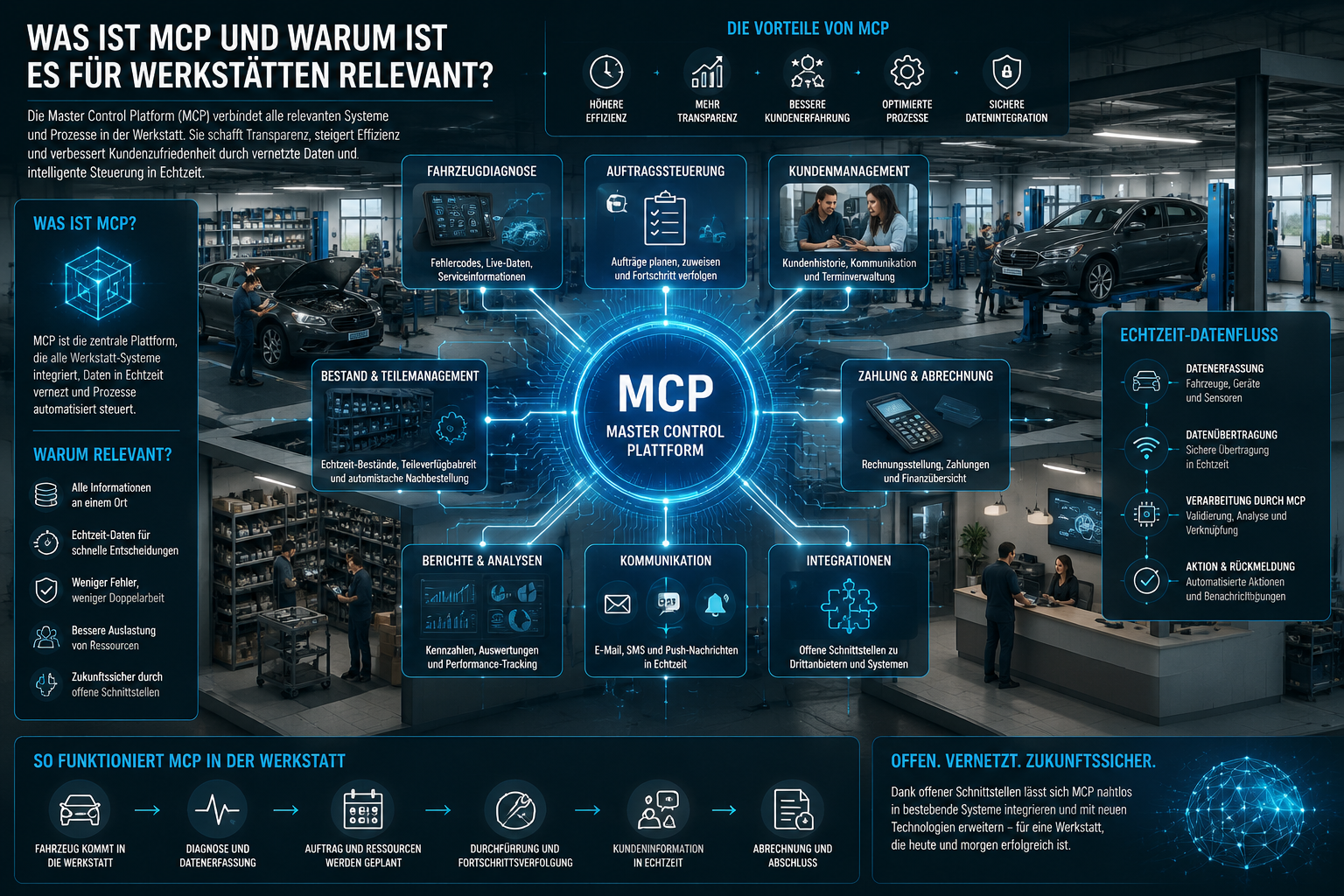
The Model Context Protocol is a standardised interface through which AI assistants can access business data securely and in a structured way. Instead of granting an AI direct database access (dangerous and uncontrollable), MCP defines clear, vetted tools that the assistant is allowed to call.
For automotive businesses that is a quantum leap: every CATAMA instance is simultaneously its own MCP server at /api/mcp. No additional cloud intermediary, no external data pool – the workshop remains master of its own data.
Practical benefits in daily workshop life
The questions that come up in day-to-day business can now be asked in natural language:
- „Which customers have a birthday in the next 10 days?“
- „Show me the complete service history for registration number M-AB 1234.“
- „What is the annual revenue from customer Müller GmbH?“
- „Which vehicles have a roadworthiness test due next month?“
Instead of building reports, setting filters or scrolling through lists, you simply phrase the question – and receive a structured answer.
Security by design
The AI never gets free access. It only translates free text into predefined, vetted tool parameters – strictly read-only. Write operations are excluded as a matter of principle.
The concept therefore meets two requirements that are central to MCP and API usage for car businesses: convenience and control. The AI acts like an extremely fast assistant that reads without error – but it cannot break anything.
The CATAMA MCP tools at a glance
CATAMA provides a whole range of clearly defined tools through the MCP interface. Each tool has a fixed purpose and fixed parameters:
| Tool | Function |
|---|---|
customer_search |
Filter customers (birthday, town, postcode, VIP status, follow-up, vehicles owned) |
customer_get |
Customer details including revenue and assigned vehicles |
customer_revenue |
Revenue analysis (net, by year, less credit notes) |
vehicle_get |
Vehicle details: VIN, registration number, HSN/TSN, mileage, roadworthiness test, service, warranty |
customer_invoices_list |
Invoice and workshop history per customer |
vehicle_invoices_list |
Complete job history per vehicle |
These tools are precisely what makes the difference: a question such as „Which VIP customers within a 50 km radius have not placed an order for more than 12 months?“ can be assembled from the available building blocks – without the AI having to improvise.
Anyone wanting to understand the underlying data models – how HSN, TSN and KBA type approval numbers are structured, for example – will find cleanly documented fields throughout CATAMA.
Connecting it in practice
Theory is one thing, the practical connection another. This is where it becomes clear how mature MCP and API usage for car businesses with CATAMA already is.
Claude Desktop via the mcp-remote bridge
The most common way in: Claude Desktop is connected to your own CATAMA instance through the mcp-remote bridge. Once it has been entered in the configuration file, the ordinary chat window is all you need to put questions to your workshop data.
Authentication runs through the existing CATAMA API token – as a bearer header or as a parameter. No new access administration, no additional accounts. Anyone already using API integrations already has the token.
The built-in CATAMA assistant
Even more elegant: the CATAMA interface itself contains an input field that delivers AI answers via webhook. The advantage: the MCP token never leaves the browser – the call is made server to server. For many workshops that is exactly the convenience they want: AI power in the familiar system, without external tools.
Orchestration with n8n
If you need more complex workflows – such as „every Monday, email scheduling a list of all vehicles due for a roadworthiness test“ – n8n serves as the orchestrator. The open protocols (JSON-RPC 2.0, MCP Streamable HTTP) are vendor-independent and future-proof.
A practical example: the workshop manager of a mid-sized business opens Claude in the morning and asks: „Which vehicles are due for a roadworthiness test in the next 14 days and belong to customers I have not seen for more than six months?“ The AI calls
vehicle_getwith a test-due filter, thencustomer_invoices_listto compare activity, and returns a neatly formatted table. The scheduler calls the customers – before the first coffee.
The REST API: data out and in
While MCP is the AI front end, the classic REST API remains the backbone of every integration. It can be used not only to read data but also to write it – booking appointments, creating articles or retrieving invoices. You will find more background in the overview of the automotive invoicing program with DATEV and e-invoicing.
Jobs and invoices
The /api/invoices/list endpoint supplies analyses by period, status and customer – including credit notes. Perfect for external reporting, business intelligence tools or your own dashboards. Anyone consolidating monthly KPIs from several branches saves every manual export.
Stock and article inventory
Via /api/inventory you can retrieve stock levels, create articles and maintain clean master data through lookup endpoints. That is particularly valuable for businesses with a connected web shop or several storage locations.
Workshop appointments
With /api/workshop-appointments you can determine free slots and book appointments automatically – from online appointment booking on your website, for instance. Anyone looking for an intelligent workshop planner gets the option, via the API, of embedding it seamlessly into their own channels.
The following applies throughout:
- Token-based authentication (bearer)
- A clear field reference with data types
- Defined error responses (HTTP codes plus structured JSON errors)
- Version-stable endpoints
The integration ecosystem: 26+ interfaces
MCP and API usage for car businesses is only part of the story. CATAMA also offers an ecosystem with more than 26 ready-made integrations to important industry partners. The interfaces overview provides a summary.
Parts catalogues
This is where CATAMA has particular depth:
- Stakis / Stahlgruber – including seamless Stakis 4.0 integration
- WMKat, PartsFinder, Bullkat, Atevis, Dolphin
- AAG, Easypart, Matthies, Auteon, PV Kompass, ATP Plus
Catalogue access by VIN, KBA number or registration number and shopping basket import straight into the job – duplicate data entry disappears completely.
Vehicle data and costing
- DAT / SilverDAT – damage costing, parts prices, Partslink import
- Audaris, RepDoc, Glavista
Accounting
- lexoffice – full integration with invoice and customer sync
- DATEV export for invoices, credit notes and goods receipts
E-commerce and communication
- Shopware 6 – article, order and category sync
- Spryng SMS, SMTP and email templates
- Google Calendar – appointment sync in both directions
CATAMA Network
For businesses spanning several branches, multiple CATAMA instances can be networked – with master data, stock and jobs organised centrally, decentrally or in a hybrid model.
Concrete added value for the automotive business
The question every owner cares about: what does this actually deliver? Can the investment in open interfaces be justified?
Time saved through automation
No more duplicate data entry. Parts from the catalogue land in the job automatically, appointments from the online form in the workshop planner, invoices automatically in the accounts. The article on how car repair shops save time and money with CATAMA provides detailed examples.
Fewer errors
Automatic article matching, price calculation and VAT logic instead of manual transfer. Every typo in a part number or a price costs money – sometimes hundreds of euros per transaction. APIs eliminate that source of error.
Better customer loyalty
Proactive customer contact becomes trivial: birthdays, roadworthiness test dates, service intervals – retrieved in seconds by AI query instead of a filtered list. Setting up an automatic appointment reminder closes the loop completely.
Data sovereignty
Data stays in your own instance – the AI only has controlled, read-only access. No data flowing to third parties. At a time of growing sensitivity around data protection, that is not to be underestimated. You will find the details in the information on our data centre and data security.
Future-proof
Open standards – REST, JSON-RPC 2.0, MCP – instead of proprietary dead ends. Integrate today and you will not have to rebuild everything in five years when the next AI provider enters the market.
Comparison: classic software vs. CATAMA with API/MCP
| Requirement | Classic workshop software | CATAMA with API/MCP |
|---|---|---|
| Querying data | Reports, filters, Excel export | A question in natural language |
| Parts catalogue connection | Manual entry or individual import tools | 12+ catalogues via shopping basket import |
| Accounting | CSV export, manual rework | Live sync with lexoffice/DATEV |
| Online appointments | A separate channel | Automatic booking via API |
| Using AI | Not provided for | MCP-capable, ready to use immediately |
| Data sovereignty | Frequently cloud-only | Your own instance, controlled AI access |
Example workflows from daily workshop life
Three concrete scenarios show how the building blocks can be combined.
Workflow 1: tyre change season
Ahead of the next tyre-change peak, the scheduler asks: „Which customers have tyres stored with us and have not yet booked a changeover appointment?“ The AI combines the customer list, stored tyre sets and the appointment book – and the call list is ready.
Workflow 2: roadworthiness test reminder
The REST API extracts every vehicle whose roadworthiness test falls due in the next 30 days. An n8n workflow turns that into personalised text messages via Spryng, complete with bookable slots from the workshop planner. The customer replies „Appointment 2“ – and the booking is made.
Workflow 3: management overview
The managing director opens the CATAMA assistant in the morning: „How did revenue last week compare with the week before, broken down by workshop and parts sales?“ An answer in seconds – with no BI tool and no Excel.
Getting started: how to approach API and MCP usage
If you have never worked with APIs, take it step by step.
- Activate an API token – in your CATAMA instance under the API settings.
- Run first read-only tests – with tools such as Postman or directly in the browser, to retrieve invoice lists.
- Try the MCP connection with Claude Desktop – configure it once and it is productive straight away.
- Build a first automation – appointment sync with Google Calendar, for example.
- Scale up – n8n workflows, your own dashboards, shop connections.
For most businesses the step is worthwhile after gaining initial experience with an automotive workshop ERP system. Anyone already maintaining cleanly structured data in CATAMA has done the homework.
Conclusion
CATAMA is not just administrative software – it is an open platform. API-first in its architecture and now AI- and MCP-ready in operation. Automotive businesses that build on open interfaces today automate routine work and gain time for what counts: the core business with customers and vehicles.
MCP and API usage for car businesses is not a technical playground for IT enthusiasts but a concrete competitive advantage. Anyone who can query data by voice instead of clicking through reports works faster. Anyone who lets parts, appointments and invoices flow automatically makes fewer mistakes. Anyone who uses open standards stays future-proof.
Next steps
- Request a demo: look at the right plan for your business in the CATAMA product overview.
- Test it free of charge: start a free trial instance via registration.
- Look at the API documentation: every customer gets access to the full API reference through their personal account.
- Test the MCP connection to Claude: configure it once – and your own workshop database becomes a knowledge base you can talk to.
- Advice: for individual requirements it is worth getting in direct contact with the CATAMA team.
The market is changing. Over the next few years, AI assistants will become the standard interface to business data. Set the course now and you will be a participant in the first real AI boom in the workshop sector, not a spectator.
