

CATAMA SOFTWARE

Manage and control your automotive repair shop or dealership with the CATAMA Enterprise Suite (ERP). Create quotes and invoices, organize your accounting, and print customer receipts in your own design. Utilize the comprehensive workshop planner and time-stamping modules for targeted planning and time analysis. Generate internal invoices, post clocked hours against orders, and, if desired, connect your suppliers or your own online shop to CATAMA.

CATAMA Software

Description

The CATAMA Enterprise Suite is the comprehensive planning, billing, and management software for medium-sized and large automotive workshops and businesses. Whether it's workshop planning, quote creation, invoicing, or inventory management, CATAMA is the complete suite for automotive companies that refuse to compromise when choosing their software.

functions

The CATAMA Enterprise Suite includes all the features of the PROFESSIONAL Edition. Benefit from comprehensive inventory management, intelligent functions for targeted acquisition and customer management, as well as professional invoicing and workshop planning to optimize your automotive workshop.

the Enterprise Suite is integration with various interfaces to e-commerce solutions or your suppliers. Integrate external shopping carts from the supplier interface or manage your webshop products directly within the suite. Utilize CATAMA AI for recognizing vehicle registration documents and supplier invoices. Create your own forms with CATAMA Forms to optimize your processes and use CATAMA Support Desk, the leading ticketing system, to ensure the best possible support for your customers.

CATAMA Enterprise Key Facts:

  • Various recording of invoices, credit notes, offers & delivery notes
  • Customer & vehicle setup + document linking
  • Order entry with stock items & labor values
  • Order entry with packages (combinations of articles, work orders + texts)
  • Order processing system with integration into goods receipt and order processing
  • Order entry with various items
  • Integration with supplier systems & webshops
  • Tire Management & Tire Storage
  • Inventory system & inventory recording
  • Time tracking & clocking in and out against orders
  • CATAMA Forms for form creation
  • CATAMA Support Desk – Ticketing system for customer support
  • CATAMA Dashboard as a central knowledge base

The Enterprise Suite features a comprehensive timestamping and logging system. This allows you to track and analyze your orders from acceptance to delivery to the customer.

CATAMA is designed as a multi-user license. Any number of users can use the CATAMA software simultaneously. The Enterprise Suite includes 3 users; additional users can be added at any time for €6 per user per month.

About the CATAMA software

CATAMA is the comprehensive business solution for managing and overseeing all business processes and tasks of your automotive company. The individual applications are optimally coordinated and geared towards the typical tasks of an automotive business. Thanks to its structure, CATAMA grows with you, your company, and your tasks, seamlessly integrating into your processes.
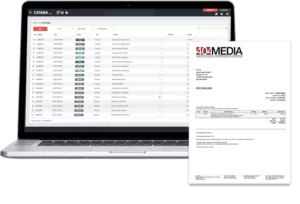
CATAMA Cloud Invoicing

CATAMA is flexible, user-friendly, and efficient. In addition to handling daily administrative tasks such as customer, vehicle, and order management, the software also manages numerous communication and marketing processes.

From acquisition and customer support , cost calculation, and vehicle sales to financial accounting and inventory, CATAMA supports your daily work in your automotive business with intelligent modules. Depending on the size and tasks of your company, you can choose between three editions of the CATAMA software. The feature overview provides you with a summary of the CATAMA versions and their differences.

If you have any questions about the individual versions, we are always happy to help .

Version overview

  • CATAMA Enterprise Suite

    139,- / Month

    The CATAMA Enterprise Suite is ideal for companies that refuse to compromise. Connect the system to external interfaces with suppliers, parts lists, webshops, or data sources, and take advantage of the comprehensive time tracking and controlling functions.

    Do you have a question about your order?
    Our support team is available by phone at 0800 848 9999 and by email at support@catama-software.de at any time.

Target groups

  • Independent or brand-affiliated car and commercial vehicle repair shops of all sizes and industries
  • Vehicle sales & car dealerships
  • tire dealer
  • Body shops and paint shops
  • Caravan and motorhome businesses
  • Fleet workshops
  • Fleet workshops
  • Used car dealer
AW & Item Management Details: Store pre-calculated products and labor values. Add them to documents with a single click.
Various Item Details : Record various non-inventory-managed items on documents. Enter prices, quantities, and any applicable discounts.
Text modules details : Capture recurring texts in the form of text modules that you can use on documents.
Vehicle Management Details : Record and manage your customers' vehicles as well as your own inventory. Link them to customers and documents.
Vehicle registration document scanner details: Upload the vehicle registration document and let CATAMA automatically evaluate the master data using OCR.
Mobile.de API Details: Import your vehicle inventory directly from Mobile.de and manage your inventory vehicles in CATAMA.
Package Details: Group items, work orders, miscellaneous items, and text positions into packages (e.g., assemblies). Add packages to documents in any combination.
Manufacturer & Supplier Details: Manage suppliers and manufacturers. Assign this item and define conditions for your customers based on these terms.
Manufacturer Parts List Details : Import, search, or use any manufacturer parts lists to create inventory items.
Goods receipt recording details: Record goods receipts, store supplier invoices and post inventory changes.
Inventory Management Details: Create inventories, print count lists, record and post stock adjustments.
DAT FIN Details Determine vehicle details and equipment features using the DAT FIN interface.
SilverDAT Details: Load your damage calculations from DAT directly into CATAMA for order and quotation processing.
Supplier API Details: Connect CATAMA directly to the predefined interface of the providers Stahlgruber v3, Wütschner or AAGOnline.
Development hours per month incl. details: You will receive 10 or 15 developer hours per month for the development of your own functions, as well as a technical consultant.
Prestashop Interface Details: Connect CATAMA to your Prestashop webshop and synchronize items and orders.
Tire Management Details: Store your customers' tires, generate receipts for storage and retrieval with a click, and manage your tire inventory.
Quote & Order Entry Details: Record quotes and orders with just a few clicks.
Workshop Order Details: Print workshop orders for specific jobs with one click.
Credit Note Details: Create credit notes for complete orders or individual items. Pay these out to the customer or credit the amount to the customer's account for settlement.
Delivery Notes & Confirmations Details: Generate delivery notes and order confirmations. Print or send them to customers or suppliers.
Proforma Invoices Details: Generate proforma invoices to declare the value of a shipment or delivery, and then use them for tax purposes.
Internal Invoicing Details: Create internal invoices for vehicles and record costs for internal expenses and repairs.
Controlled orders : Details of warranty claims and invoices.
Interim invoice details: Create interim invoices and automatically offset them against final invoices.
TSE POS Details: Create signed receipts and view cash register transactions. The TSE certificate is charged separately at €8.99.
Recurring invoice details: Create orders and invoices with just a few clicks and define them as recurring for simplified billing.
Digital Signatures Details: Obtain signatures for orders or quotes directly from your customers digitally.
Contact Management Details: Manage customer, manufacturer, and supplier addresses. Add them to documents with a single click, and generate reports and statistics.
CRM Details: Filter customers by MOT appointments, write circulars or set contacts for follow-up.
Email Connection Details Send any documents directly via CATAMA. Define text templates to simplify recurring messages.
Internal Conversation Details Team Communication 2.0 - Conduct context-related conversations directly within customer records and keep track of processes and upcoming tasks.
Terms and Conditions Details: Define and store customer-specific terms and conditions for items and products.
Dashboard Details The dashboard gives you an overview of all currently important areas (sales, open items, liabilities, etc.) of your company.
Task Management Details: Create tasks with deadlines. Define priorities and assign tasks to employees and colleagues for processing.
Vehicle Inspection & Vehicle Check Reminder Details: CATAMA informs you about upcoming vehicle inspection (HU/AU) appointments and various other inspection dates for trucks and caravans. Send your customers reminders with just a few clicks.
Teams & Groups Details Create accounts for employees, define teams and groups, and assign them rights and tasks.
Workshop Planner Details: Utilize the planning strengths of the CATAMA workshop planner for efficient planning of your business.
Employee Planning Details: Plan vacation days, sick leave, and general employee availability.
Time-stamping system details: Record working hours with the time-stamping system. Mark on-call duties and analyze times and efficiency.
Order Time Clocking Details: Assign receipts to employees and have them clock in and out against specific orders. This allows you to record and analyze the effort and revenue per order.
Time tracking via QR scan: Details. Clock in using the QR code on orders and receipts. Record employee attendance and easily document working hours and breaks.
Order Details: Capture orders for out-of-stock parts and products during order processing. Manage order status and goods receipt.
Ordering Information Details : CATAMA notifies you when minimum and maximum stock levels are reached. During order entry, it detects missing items/goods and offers order suggestions.
Goods Receipt & Inventory Details: Record incoming deliveries and perform inventory postings. You can manually post items and goods or let CATAMA do the job. The system then automatically posts previously entered orders. With just one click!
OCR Incoming Document Recognition Details: Upload incoming invoices; CATAMA AI OCR will recognize the supplier, document number, and amount.
CATAMA Forms Details: Create your own forms for documentation, customer surveys, or specific logging of your business processes. Integrate forms into your website for maximum efficiency.
Support Desk Details: With the CATAMA Support Desk, you can manage your customers' requests in one central location.
Telephone, email, and ticket support details: Contact our support team 24/7 via telephone, email, or ticket system. If you are unable to reach us, we will call you back at your preferred time thanks to our callback service.
VIP Service Details: Our Enterprise customers have a personal account manager available 24/7 to answer questions and resolve any issues. Furthermore, inquiries are prioritized.
Facilities &
Services
Number of users including details Each version already includes a number of free employee accounts. These employees can work with CATAMA simultaneously and independently.
Multiple Branch Details Manage multiple branches or locations within your instance.
Additional User Details: You can activate additional users in CATAMA at any time. Billing is per user/month. Users can, of course, be deactivated again at any time.
Setup (one-time fee) Details: Setup costs are incurred once for the initial setup of the CATAMA.
Data Import Service Details In addition to the setup, we can also transfer the data (customers, suppliers, items) from your previous invoicing system upon request, to make the transition as convenient as possible for you.
professional
99,- €
AW & Item Management Details: Store pre-calculated products and labor values. Add them to documents with a single click.
Various Item Details : Record various non-inventory-managed items on documents. Enter prices, quantities, and any applicable discounts.
Text modules details : Capture recurring texts in the form of text modules that you can use on documents.
Vehicle Management Details : Record and manage your customers' vehicles as well as your own inventory. Link them to customers and documents.
Vehicle registration document scanner details: Upload the vehicle registration document and let CATAMA automatically evaluate the master data using OCR.
Mobile.de API Details: Import your vehicle inventory directly from Mobile.de and manage your inventory vehicles in CATAMA.
Package Details: Group items, work orders, miscellaneous items, and text positions into packages (e.g., assemblies). Add packages to documents in any combination.
Manufacturer & Supplier Details: Manage suppliers and manufacturers. Assign this item and define conditions for your customers based on these terms.
Manufacturer Parts List Details : Import, search, or use any manufacturer parts lists to create inventory items.
Goods receipt recording details: Record goods receipts, store supplier invoices and post inventory changes.
Inventory Management Details: Create inventories, print count lists, record and post stock adjustments.
DAT FIN Details Determine vehicle details and equipment features using the DAT FIN interface.
SilverDAT Details: Load your damage calculations from DAT directly into CATAMA for order and quotation processing.
Supplier API Details: Connect CATAMA directly to the predefined interface of the providers Stahlgruber v3, Wütschner or AAGOnline.
Development hours per month incl. details: You will receive 10 or 15 developer hours per month for the development of your own functions, as well as a technical consultant.
Prestashop Interface Details: Connect CATAMA to your Prestashop webshop and synchronize items and orders.
Tire Management Details: Store your customers' tires, generate receipts for storage and retrieval with a click, and manage your tire inventory.
Quote & Order Entry Details: Record quotes and orders with just a few clicks.
Workshop Order Details: Print workshop orders for specific jobs with one click.
Credit Note Details: Create credit notes for complete orders or individual items. Pay these out to the customer or credit the amount to the customer's account for settlement.
Delivery Notes & Confirmations Details: Generate delivery notes and order confirmations. Print or send them to customers or suppliers.
Proforma Invoices Details: Generate proforma invoices to declare the value of a shipment or delivery, and then use them for tax purposes.
Internal Invoicing Details: Create internal invoices for vehicles and record costs for internal expenses and repairs.
Controlled orders : Details of warranty claims and invoices.
Interim invoice details: Create interim invoices and automatically offset them against final invoices.
TSE POS Details: Create signed receipts and view cash register transactions. The TSE certificate is charged separately at €8.99.
Recurring invoice details: Create orders and invoices with just a few clicks and define them as recurring for simplified billing.
Digital Signatures Details: Obtain signatures for orders or quotes directly from your customers digitally.
Contact Management Details: Manage customer, manufacturer, and supplier addresses. Add them to documents with a single click, and generate reports and statistics.
CRM Details: Filter customers by MOT appointments, write circulars or set contacts for follow-up.
Email Connection Details Send any documents directly via CATAMA. Define text templates to simplify recurring messages.
Internal Conversation Details Team Communication 2.0 - Conduct context-related conversations directly within customer records and keep track of processes and upcoming tasks.
Terms and Conditions Details: Define and store customer-specific terms and conditions for items and products.
Dashboard Details The dashboard gives you an overview of all currently important areas (sales, open items, liabilities, etc.) of your company.
Task Management Details: Create tasks with deadlines. Define priorities and assign tasks to employees and colleagues for processing.
Vehicle Inspection & Vehicle Check Reminder Details: CATAMA informs you about upcoming vehicle inspection (HU/AU) appointments and various other inspection dates for trucks and caravans. Send your customers reminders with just a few clicks.
Teams & Groups Details Create accounts for employees, define teams and groups, and assign them rights and tasks.
Workshop Planner Details: Utilize the planning strengths of the CATAMA workshop planner for efficient planning of your business.
Employee Planning Details: Plan vacation days, sick leave, and general employee availability.
Time-stamping system details: Record working hours with the time-stamping system. Mark on-call duties and analyze times and efficiency.
Order Time Clocking Details: Assign receipts to employees and have them clock in and out against specific orders. This allows you to record and analyze the effort and revenue per order.
Time tracking via QR scan: Details. Clock in using the QR code on orders and receipts. Record employee attendance and easily document working hours and breaks.
Order Details: Capture orders for out-of-stock parts and products during order processing. Manage order status and goods receipt.
Ordering Information Details : CATAMA notifies you when minimum and maximum stock levels are reached. During order entry, it detects missing items/goods and offers order suggestions.
Goods Receipt & Inventory Details: Record incoming deliveries and perform inventory postings. You can manually post items and goods or let CATAMA do the job. The system then automatically posts previously entered orders. With just one click!
OCR Incoming Document Recognition Details: Upload incoming invoices; CATAMA AI OCR will recognize the supplier, document number, and amount.
CATAMA Forms Details: Create your own forms for documentation, customer surveys, or specific logging of your business processes. Integrate forms into your website for maximum efficiency.
Support Desk Details: With the CATAMA Support Desk, you can manage your customers' requests in one central location.
Telephone, email, and ticket support details: Contact our support team 24/7 via telephone, email, or ticket system. If you are unable to reach us, we will call you back at your preferred time thanks to our callback service.
VIP Service Details: Our Enterprise customers have a personal account manager available 24/7 to answer questions and resolve any issues. Furthermore, inquiries are prioritized.
Facilities &
Services
Number of users including details Each version already includes a number of free employee accounts. These employees can work with CATAMA simultaneously and independently.
2
Multiple Branch Details Manage multiple branches or locations within your instance.
Additional User Details: You can activate additional users in CATAMA at any time. Billing is per user/month. Users can, of course, be deactivated again at any time.
6 EUR per month/user
Setup (one-time fee) Details: Setup costs are incurred once for the initial setup of the CATAMA.
799 EUR
Data Import Service Details In addition to the setup, we can also transfer the data (customers, suppliers, items) from your previous invoicing system upon request, to make the transition as convenient as possible for you.
599 EUR
Enterprise
139,- €
AW & Item Management Details: Store pre-calculated products and labor values. Add them to documents with a single click.
Various Item Details : Record various non-inventory-managed items on documents. Enter prices, quantities, and any applicable discounts.
Text modules details : Capture recurring texts in the form of text modules that you can use on documents.
Vehicle Management Details : Record and manage your customers' vehicles as well as your own inventory. Link them to customers and documents.
Vehicle registration document scanner details: Upload the vehicle registration document and let CATAMA automatically evaluate the master data using OCR.
Mobile.de API Details: Import your vehicle inventory directly from Mobile.de and manage your inventory vehicles in CATAMA.
Package Details: Group items, work orders, miscellaneous items, and text positions into packages (e.g., assemblies). Add packages to documents in any combination.
Manufacturer & Supplier Details: Manage suppliers and manufacturers. Assign this item and define conditions for your customers based on these terms.
Manufacturer Parts List Details : Import, search, or use any manufacturer parts lists to create inventory items.
Goods receipt recording details: Record goods receipts, store supplier invoices and post inventory changes.
Inventory Management Details: Create inventories, print count lists, record and post stock adjustments.
DAT FIN Details Determine vehicle details and equipment features using the DAT FIN interface.
SilverDAT Details: Load your damage calculations from DAT directly into CATAMA for order and quotation processing.
Supplier API Details: Connect CATAMA directly to the predefined interface of the providers Stahlgruber v3, Wütschner or AAGOnline.
Development hours per month incl. details: You will receive 10 or 15 developer hours per month for the development of your own functions, as well as a technical consultant.
Prestashop Interface Details: Connect CATAMA to your Prestashop webshop and synchronize items and orders.
Tire Management Details: Store your customers' tires, generate receipts for storage and retrieval with a click, and manage your tire inventory.
Quote & Order Entry Details: Record quotes and orders with just a few clicks.
Workshop Order Details: Print workshop orders for specific jobs with one click.
Credit Note Details: Create credit notes for complete orders or individual items. Pay these out to the customer or credit the amount to the customer's account for settlement.
Delivery Notes & Confirmations Details: Generate delivery notes and order confirmations. Print or send them to customers or suppliers.
Proforma Invoices Details: Generate proforma invoices to declare the value of a shipment or delivery, and then use them for tax purposes.
Internal Invoicing Details: Create internal invoices for vehicles and record costs for internal expenses and repairs.
Controlled orders : Details of warranty claims and invoices.
Interim invoice details: Create interim invoices and automatically offset them against final invoices.
TSE POS Details: Create signed receipts and view cash register transactions. The TSE certificate is charged separately at €8.99.
Recurring invoice details: Create orders and invoices with just a few clicks and define them as recurring for simplified billing.
Digital Signatures Details: Obtain signatures for orders or quotes directly from your customers digitally.
Contact Management Details: Manage customer, manufacturer, and supplier addresses. Add them to documents with a single click, and generate reports and statistics.
CRM Details: Filter customers by MOT appointments, write circulars or set contacts for follow-up.
Email Connection Details Send any documents directly via CATAMA. Define text templates to simplify recurring messages.
Internal Conversation Details Team Communication 2.0 - Conduct context-related conversations directly within customer records and keep track of processes and upcoming tasks.
Terms and Conditions Details: Define and store customer-specific terms and conditions for items and products.
Dashboard Details The dashboard gives you an overview of all currently important areas (sales, open items, liabilities, etc.) of your company.
Task Management Details: Create tasks with deadlines. Define priorities and assign tasks to employees and colleagues for processing.
Vehicle Inspection & Vehicle Check Reminder Details: CATAMA informs you about upcoming vehicle inspection (HU/AU) appointments and various other inspection dates for trucks and caravans. Send your customers reminders with just a few clicks.
Teams & Groups Details Create accounts for employees, define teams and groups, and assign them rights and tasks.
Workshop Planner Details: Utilize the planning strengths of the CATAMA workshop planner for efficient planning of your business.
Employee Planning Details: Plan vacation days, sick leave, and general employee availability.
Time-stamping system details: Record working hours with the time-stamping system. Mark on-call duties and analyze times and efficiency.
Order Time Clocking Details: Assign receipts to employees and have them clock in and out against specific orders. This allows you to record and analyze the effort and revenue per order.
Time tracking via QR scan: Details. Clock in using the QR code on orders and receipts. Record employee attendance and easily document working hours and breaks.
Order Details: Capture orders for out-of-stock parts and products during order processing. Manage order status and goods receipt.
Ordering Information Details : CATAMA notifies you when minimum and maximum stock levels are reached. During order entry, it detects missing items/goods and offers order suggestions.
Goods Receipt & Inventory Details: Record incoming deliveries and perform inventory postings. You can manually post items and goods or let CATAMA do the job. The system then automatically posts previously entered orders. With just one click!
OCR Incoming Document Recognition Details: Upload incoming invoices; CATAMA AI OCR will recognize the supplier, document number, and amount.
bookable as an add-on
CATAMA Forms Details: Create your own forms for documentation, customer surveys, or specific logging of your business processes. Integrate forms into your website for maximum efficiency.
Support Desk Details: With the CATAMA Support Desk, you can manage your customers' requests in one central location.
Telephone, email, and ticket support details: Contact our support team 24/7 via telephone, email, or ticket system. If you are unable to reach us, we will call you back at your preferred time thanks to our callback service.
VIP Service Details: Our Enterprise customers have a personal account manager available 24/7 to answer questions and resolve any issues. Furthermore, inquiries are prioritized.
Facilities &
Services
Number of users including details Each version already includes a number of free employee accounts. These employees can work with CATAMA simultaneously and independently.
3
Multiple Branch Details Manage multiple branches or locations within your instance.
Additional User Details: You can activate additional users in CATAMA at any time. Billing is per user/month. Users can, of course, be deactivated again at any time.
6 EUR per month/user
Setup (one-time fee) Details: Setup costs are incurred once for the initial setup of the CATAMA.
1799,- EUR
Data Import Service Details In addition to the setup, we can also transfer the data (customers, suppliers, items) from your previous invoicing system upon request, to make the transition as convenient as possible for you.
599 EUR
Unlimited
from €499
AW & Item Management Details: Store pre-calculated products and labor values. Add them to documents with a single click.
Various Item Details : Record various non-inventory-managed items on documents. Enter prices, quantities, and any applicable discounts.
Text modules details : Capture recurring texts in the form of text modules that you can use on documents.
Vehicle Management Details : Record and manage your customers' vehicles as well as your own inventory. Link them to customers and documents.
Vehicle registration document scanner details: Upload the vehicle registration document and let CATAMA automatically evaluate the master data using OCR.
Mobile.de API Details: Import your vehicle inventory directly from Mobile.de and manage your inventory vehicles in CATAMA.
Package Details: Group items, work orders, miscellaneous items, and text positions into packages (e.g., assemblies). Add packages to documents in any combination.
Manufacturer & Supplier Details: Manage suppliers and manufacturers. Assign this item and define conditions for your customers based on these terms.
Manufacturer Parts List Details : Import, search, or use any manufacturer parts lists to create inventory items.
Goods receipt recording details: Record goods receipts, store supplier invoices and post inventory changes.
Inventory Management Details: Create inventories, print count lists, record and post stock adjustments.
DAT FIN Details Determine vehicle details and equipment features using the DAT FIN interface.
SilverDAT Details: Load your damage calculations from DAT directly into CATAMA for order and quotation processing.
Supplier API Details: Connect CATAMA directly to the predefined interface of the providers Stahlgruber v3, Wütschner or AAGOnline.
Development hours per month incl. details: You will receive 10 or 15 developer hours per month for the development of your own functions, as well as a technical consultant.
Prestashop Interface Details: Connect CATAMA to your Prestashop webshop and synchronize items and orders.
Tire Management Details: Store your customers' tires, generate receipts for storage and retrieval with a click, and manage your tire inventory.
Quote & Order Entry Details: Record quotes and orders with just a few clicks.
Workshop Order Details: Print workshop orders for specific jobs with one click.
Credit Note Details: Create credit notes for complete orders or individual items. Pay these out to the customer or credit the amount to the customer's account for settlement.
Delivery Notes & Confirmations Details: Generate delivery notes and order confirmations. Print or send them to customers or suppliers.
Proforma Invoices Details: Generate proforma invoices to declare the value of a shipment or delivery, and then use them for tax purposes.
Internal Invoicing Details: Create internal invoices for vehicles and record costs for internal expenses and repairs.
Controlled orders : Details of warranty claims and invoices.
Interim invoice details: Create interim invoices and automatically offset them against final invoices.
TSE POS Details: Create signed receipts and view cash register transactions. The TSE certificate is charged separately at €8.99.
Recurring invoice details: Create orders and invoices with just a few clicks and define them as recurring for simplified billing.
Digital Signatures Details: Obtain signatures for orders or quotes directly from your customers digitally.
Contact Management Details: Manage customer, manufacturer, and supplier addresses. Add them to documents with a single click, and generate reports and statistics.
CRM Details: Filter customers by MOT appointments, write circulars or set contacts for follow-up.
Email Connection Details Send any documents directly via CATAMA. Define text templates to simplify recurring messages.
Internal Conversation Details Team Communication 2.0 - Conduct context-related conversations directly within customer records and keep track of processes and upcoming tasks.
Terms and Conditions Details: Define and store customer-specific terms and conditions for items and products.
Dashboard Details The dashboard gives you an overview of all currently important areas (sales, open items, liabilities, etc.) of your company.
Task Management Details: Create tasks with deadlines. Define priorities and assign tasks to employees and colleagues for processing.
Vehicle Inspection & Vehicle Check Reminder Details: CATAMA informs you about upcoming vehicle inspection (HU/AU) appointments and various other inspection dates for trucks and caravans. Send your customers reminders with just a few clicks.
Teams & Groups Details Create accounts for employees, define teams and groups, and assign them rights and tasks.
Workshop Planner Details: Utilize the planning strengths of the CATAMA workshop planner for efficient planning of your business.
Employee Planning Details: Plan vacation days, sick leave, and general employee availability.
Time-stamping system details: Record working hours with the time-stamping system. Mark on-call duties and analyze times and efficiency.
Order Time Clocking Details: Assign receipts to employees and have them clock in and out against specific orders. This allows you to record and analyze the effort and revenue per order.
Time tracking via QR scan: Details. Clock in using the QR code on orders and receipts. Record employee attendance and easily document working hours and breaks.
Order Details: Capture orders for out-of-stock parts and products during order processing. Manage order status and goods receipt.
Ordering Information Details : CATAMA notifies you when minimum and maximum stock levels are reached. During order entry, it detects missing items/goods and offers order suggestions.
Goods Receipt & Inventory Details: Record incoming deliveries and perform inventory postings. You can manually post items and goods or let CATAMA do the job. The system then automatically posts previously entered orders. With just one click!
OCR Incoming Document Recognition Details: Upload incoming invoices; CATAMA AI OCR will recognize the supplier, document number, and amount.
CATAMA Forms Details: Create your own forms for documentation, customer surveys, or specific logging of your business processes. Integrate forms into your website for maximum efficiency.
Support Desk Details: With the CATAMA Support Desk, you can manage your customers' requests in one central location.
Telephone, email, and ticket support details: Contact our support team 24/7 via telephone, email, or ticket system. If you are unable to reach us, we will call you back at your preferred time thanks to our callback service.
VIP Service Details: Our Enterprise customers have a personal account manager available 24/7 to answer questions and resolve any issues. Furthermore, inquiries are prioritized.
Facilities &
Services
Number of users including details Each version already includes a number of free employee accounts. These employees can work with CATAMA simultaneously and independently.
Unlimited
Multiple Branch Details Manage multiple branches or locations within your instance.
Additional User Details: You can activate additional users in CATAMA at any time. Billing is per user/month. Users can, of course, be deactivated again at any time.
Unlimited
Setup (one-time fee) Details: Setup costs are incurred once for the initial setup of the CATAMA.
1799,- EUR
Data Import Service Details In addition to the setup, we can also transfer the data (customers, suppliers, items) from your previous invoicing system upon request, to make the transition as convenient as possible for you.
599 EUR

We are here for you!

Do you have a question about the capabilities of the CATAMA Enterprise Suite?

Do you have a question about the possibilities of the CATAMA Enterprise Suite? We look forward to your inquiry and are available by phone or email