
Picture the scene: it is Monday morning, 7:30 a.m. Your workshop opens in 30 minutes and you have already been in the office for an hour – not to plan the day, but to sort out Friday’s chaos. Handwritten invoices that still have to be entered into the system. Till receipts that do not match the accounts. And then the call from the tax adviser: „Your cash register data does not meet the GoBD requirements.“ Does that sound familiar?
The legal position has been clear since 2020: every electronic cash register in Germany must be equipped with a certified technical security device (TSE).[5] For many workshop operators and vehicle dealers that means not just another compliance hurdle but also an opportunity for digital transformation. The right automotive software with a TSE cash register does not merely simplify the legal requirements; it revolutionises the way the whole business is organised – from appointment scheduling to automatic invoicing.
In this guide you will learn how modern software solutions simplify your office work, which legal requirements you have to meet in Germany and Austria, and why integrating TSE cash register systems with your workshop software is the key to greater efficiency and legal certainty.
Key takeaways
- TSE has been mandatory since 2020: electronic cash register systems in Germany must have a certified technical security device – breaches can attract fines of up to 25,000 euros[5]
- Integrated solutions save time: modern automotive software with a TSE cash register combines workshop planning, invoicing and audit-proof settlement in a single system
- Automation reduces errors: digital invoicing programs eliminate manual transfer errors and ensure complete, audit-proof documentation
- Country-specific requirements matter: Germany relies on the TSE under the KassenSichV, Austria uses the RKSV with an A-Trust signature – professional software covers both markets[1]
- Return on investment within a few months: thanks to time saved on invoicing and avoided compliance penalties, the investment typically pays for itself in 3-6 months
Why automotive businesses can no longer work without TSE-compliant cash register systems in 2026
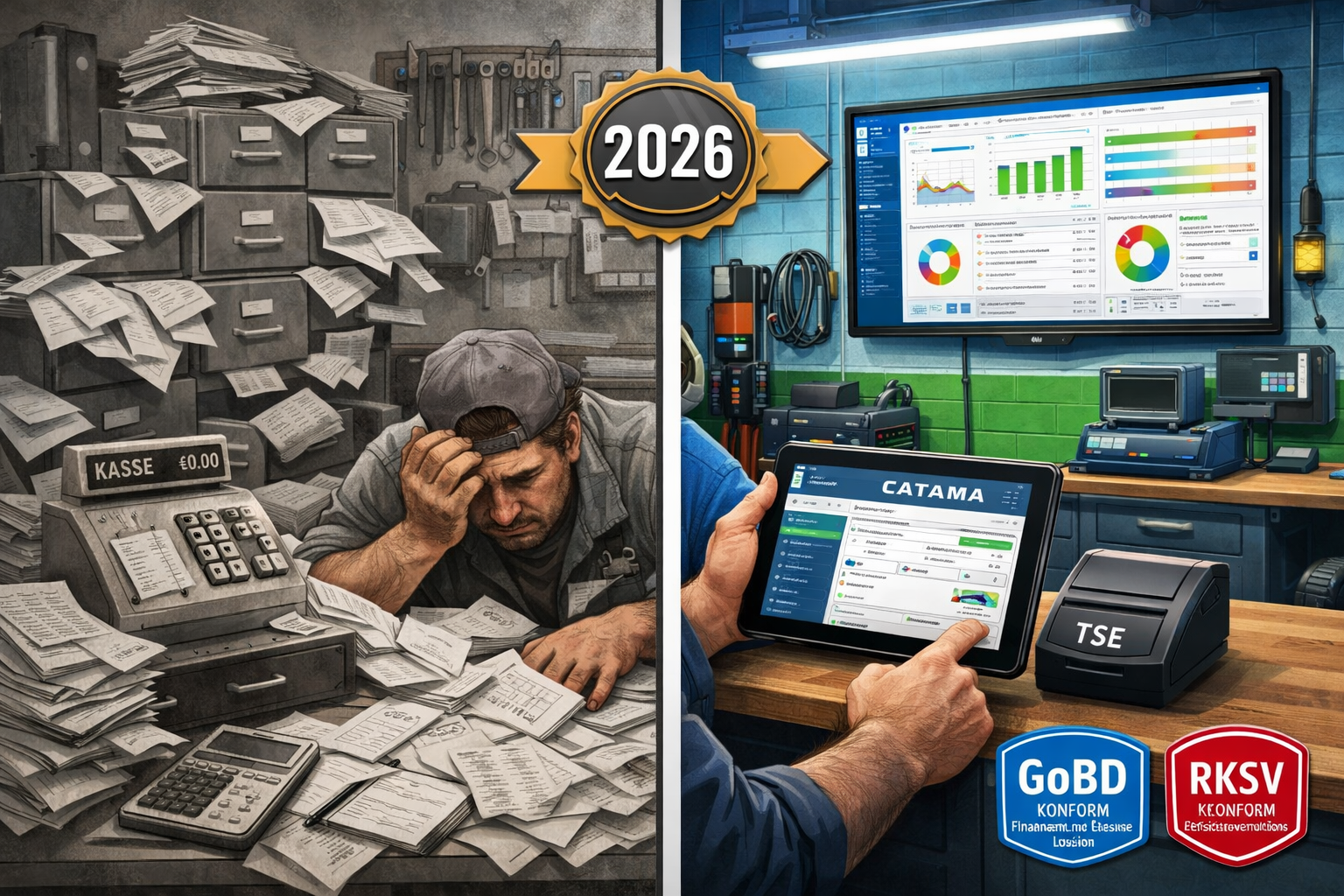
The days when a simple cash register was enough for workshop operations are definitively over. Since January 2020 the German Cash Register Security Ordinance (KassenSichV) has required all electronic cash register systems to be fitted with a certified TSE.[5] This rule is not merely a recommendation – it is a legal obligation with painful consequences for non-compliance.
Understanding the legal framework
In Germany, the principles for the proper management and retention of books, records and documents in electronic form (GoBD), together with the KassenSichV, govern the requirements for digital cash register systems.[5] The TSE acts as a tamper-proof storage unit that signs every transaction cryptographically and stores it immutably.
In Austria, the Cash Register Security Ordinance (RKSV) applies. It pursues similar goals but is implemented differently in technical terms: here, signature creation units from A-Trust are used.[1] For businesses operating in both markets that means the software has to support both standards.
💡 Practical tip: many workshop owners underestimate how complex the TSE requirements are. It is not enough simply to buy a TSE module – the entire cash register system has to be certified and able to export the data in the correct DSFinV-K format.[5]
Tighter controls and drastic penalties
The tax authorities have significantly increased the intensity of their inspections. TSE compliance is now checked as a matter of routine during audits. Breaches can be expensive: fines of up to 25,000 euros are possible.[5] The financial consequences often go further still: if a business cannot produce proper cash records, the tax office may estimate its revenue – usually not in the entrepreneur’s favour.
A current example shows how urgent this is: since January 2026, taxi companies in Germany have had to prove that they have installed TSE-compliant cash register systems – otherwise their licence will not be renewed.[3] Transition periods do exist because of supply bottlenecks (proof of order by 30 June 2026, installation by 30 September 2026 in Munich),[3] but the direction of travel is clear: the authorities are enforcing the rules consistently.
The receipt obligation: every transaction documented
Alongside the TSE requirement, an obligation to issue receipts has also applied since 2020: a receipt must be created for every transaction, either digitally or on paper.[5] For workshops that means even small cash payments for spare parts or services must be documented. Professional automotive software with an integrated TSE cash register automates this process completely.
The challenges of traditional cash register systems in the workshop and in trade
Many automotive businesses still work with fragmented systems: a separate till for cash payments, another program for invoices, Excel spreadsheets for stock management and handwritten notes for appointments. These isolated tools cause massive inefficiencies.
Manual data entry as a time sink
A typical scenario: a customer comes in for a service. The mechanic notes the work carried out on a workshop job sheet. Later, somebody has to transfer that information into the invoicing program. The invoice is printed, the customer pays cash, and the amount is typed into the till. At the end of the month all cash takings have to be reconciled with the invoices.
The result? On average 15-20 hours a week are lost to administrative work – time that is missing from productive workshop activity. Efficient automotive workshop ERP software eliminates this duplicated data entry completely.
Sources of error and compliance risks
Manual processes inevitably let errors creep in: incorrectly transferred amounts, forgotten line items, inconsistent customer data. Errors like these can become a problem during a tax audit. If cash takings do not match the invoices, the tax office becomes suspicious.
More critical still: many older cash register systems do not meet current requirements. They can neither integrate TSE modules nor produce the prescribed data exports in DSFinV-K format.[5] An upgrade then becomes unavoidable.
A lack of transparency and analysis
Without integrated systems you lose the overview: which services are the most profitable? Which spare parts turn over quickly and which gather dust in the store? How is revenue developing compared with last year? Questions like these are hard to answer with isolated tools.
Modern automotive software with a TSE cash register, by contrast, offers real-time dashboards with all the key figures at a glance. That makes data-based decisions possible instead of gut feeling.
Core functions of modern automotive software with a TSE cash register
What makes a really good software solution for automotive businesses? It is about far more than a TSE-compliant till. The best systems integrate every business process seamlessly – from booking the appointment to the accounts.
An integrated cash register system with TSE certification
The heart of it all is of course the TSE-compliant till. Modern solutions such as CATAMA offer certified TSE modules that integrate seamlessly into the overall software.[4] At CATAMA the TSE certificate is included – at no extra cost and with complete legal certainty.[4]
The till also works offline: should the internet connection be interrupted, all transactions are stored locally and synchronised automatically as soon as the connection is restored.[2] That guarantees uninterrupted operation even when there are technical problems.
Important functions:
- ✅ Automatic receipt issue (digital or printed)
- ✅ Cryptographic signing of every transaction
- ✅ Immutable storage of all till transactions
- ✅ DSFinV-K export for tax audits[5]
- ✅ End-of-day totals and Z reports
- ✅ Multi-user capability with individual access rights
Automatic invoicing and digital document management
The biggest efficiency gain comes from automatic invoicing. As soon as a workshop job is completed, the system generates the invoice automatically – including all labour items, spare parts and recorded times.[2]
A professional automotive invoicing program offers:
- Template management: invoice templates created once can be reused for recurring services
- Automatic price calculation: working times are multiplied by the stored hourly rate, spare parts are costed using current purchase prices and margins
- Audit-proof archiving: all invoices are stored automatically in line with the GoBD and can be found at any time[2]
- E-invoicing capability: from 2027 the e-invoice will be mandatory in B2B – modern systems already support XRechnung and ZUGFeRD today
OCR-supported vehicle capture
A genuine game changer is OCR technology (optical character recognition). Instead of typing vehicle data in by hand, the employee simply photographs the vehicle registration document. The software automatically extracts all the relevant data: manufacturer, model, HSN/TSN numbers, chassis number and more.[4]
That not only saves time but also eliminates typing errors in critical vehicle data. Particularly practical: the HSN/TSN lookup directly returns the matching spare parts and technical specifications.
Workshop planning and time recording
Integrated workshop planning visualises all appointments, ramps and mechanics at a glance. Jobs can be rescheduled by drag and drop, resources assigned and bottlenecks spotted early.
Time recording runs directly against individual jobs: mechanics start and stop the clock on a tablet or terminal, and the hours flow automatically into the billing.[2] That eliminates retrospective time estimates and ensures precise costing.
Inventory and warehouse management
For businesses with their own parts store, integrated inventory management is indispensable. The system handles:
- Real-time stock control: every parts sale automatically reduces the stock level
- Automatic reorder suggestions: when minimum stock levels are undercut
- Supplier integration: direct connections to Stakis, Stahlgruber and other wholesalers
- Stocktaking functions: simplified inventories using a barcode scanner
- Tyre management: dedicated modules for storing and administering customer tyres
Mobile functionality
Modern cloud-based automotive workshop software works on every device: desktop PC, tablet, smartphone. That makes it possible to:
- Process jobs directly at the vehicle
- Document damage and repairs with photos
- Obtain customer approvals by digital signature
- Access vehicle histories while out and about
- Organise work flexibly within the team
Country-specific requirements: Germany vs. Austria
Although both countries pursue similar goals – preventing VAT fraud through tamper-proof cash register systems – the technical implementations differ considerably.
Germany: the TSE under the Cash Register Security Ordinance
In Germany the technical security device (TSE) is the central element. It consists of three components:[5]
- Security module: generates cryptographic signatures
- Storage medium: stores all transaction data immutably
- Standardised digital interface: enables standardised data exports
The TSE can be implemented as a hardware module (USB stick, SD card) or as a cloud solution. Important: the German Federal Office for Information Security (BSI) must have certified the TSE.
Additional obligations in Germany:
- An obligation to issue a receipt for every transaction[5]
- Registration of the till with the tax office
- Keeping a register of the cash register systems in use
- Retention of the data for 10 years
- Provision of the data in DSFinV-K format during audits[5]
Austria: the RKSV with an A-Trust signature
Austria relies on the Cash Register Security Ordinance (RKSV). Instead of a TSE, signature creation units are used here, typically from A-Trust.[1] Every transaction is given a qualified electronic signature.
Particularities in Austria:
- Registration of the till with FinanzOnline
- Monthly zero receipts (monthly receipt)
- Start-up receipt and annual receipt
- The tax administration’s receipt check app for verification
- A QR code on every receipt containing encrypted transaction data
Software solutions for both markets
Businesses operating in both countries, or planning to expand, need software that supports both standards. Professional providers such as CATAMA offer country-specific configurations that implement the correct compliance requirements automatically.[1]
Based on the business address or a manual setting, the software recognises which set of rules applies and adapts:
- The receipt formats
- The signature procedures
- The export formats
- The reporting obligations
accordingly.
Implementation: how to make the move to automotive software with a TSE cash register
Switching to an integrated system may seem overwhelming at first. With the right planning and support, however, implementation runs smoothly – and the benefits become noticeable after just a few weeks.
Phase 1: needs analysis and software selection (weeks 1-2)
Step 1: define your requirements
Before deciding on a solution you should clarify your specific requirements:
- How many workstations and users do you need?
- Which functions are indispensable? (workshop planning, tyre management, vehicle trading and so on)
- Do you need interfaces to existing systems? (accounting, suppliers)
- Do you operate in Germany, Austria or both countries?
- How many transactions do you process each month?
Step 2: compare providers
Make use of free trial versions. Reputable providers such as CATAMA offer free trial periods in which you can test the software thoroughly.
What to look out for:
- ✅ TSE certification for Germany and/or RKSV compliance for Austria
- ✅ Cloud-based with offline functionality
- ✅ An intuitive user interface (your staff have to work with it!)
- ✅ Comprehensive support and training
- ✅ Regular updates and continued development
- ✅ Transparent pricing with no hidden costs
- ✅ Positive customer reviews from within the industry
Phase 2: data migration and system setup (weeks 3-4)
Step 3: transfer master data
Migrating your existing data is critical. Professional providers support you with:
- Customer data: import from Excel, CSV or existing systems
- Vehicle data: past repairs and service intervals
- Article master data: spare parts, services, price lists
- Supplier data: terms and order history
💡 Practical tip: use the opportunity to clean up your data. Remove obsolete customer records, consolidate duplicates and update contact details.
Step 4: order and install the TSE hardware
The TSE hardware has to be ordered from the provider. At CATAMA the TSE certificate is included at no extra cost.[4] Installation is usually straightforward – either as a USB stick, an SD card or a cloud TSE.
Step 5: configure the system
- Create user accounts with individual access rights
- Create invoice templates in your corporate design
- Define payment methods (cash, card, bank transfer and so on)
- Set up tax rates and posting accounts
- Store price lists and costing bases
Phase 3: training and test operation (weeks 5-6)
Step 6: train your staff
Success depends largely on your employees accepting the system. Invest in thorough training:
- Basic training: a system overview and the basic functions for everyone
- Role-specific training: going deeper for the workshop, reception and administration
- Hands-on training: practical exercises with test data
- Documentation: providing manuals and video tutorials
Many providers offer online training, webinars or on-site sessions.
Step 7: start parallel operation
Before switching over completely, parallel operation is advisable: run both systems side by side for one or two weeks. That allows you to:
- Compare the results for quality assurance
- Identify configuration errors
- Let staff get used to the system without time pressure
- Switch over individual areas step by step
Phase 4: go-live and optimisation (from week 7)
Step 8: complete changeover
After successful parallel operation comes the full changeover. Plan it for a quiet moment (the start of the month, for example, and not just before public holidays).
Go-live checklist:
- ✅ All staff trained and prepared
- ✅ TSE activated and tested
- ✅ Till registration with the tax office completed
- ✅ Backup of the legacy system created
- ✅ The provider’s support hotline on standby
- ✅ Test receipts printed and verified
- ✅ Interfaces to suppliers tested
Step 9: continuous optimisation
In the first few weeks you will discover potential for improvement:
- Adapting workflows to your specific processes
- Fine-tuning permissions and user accounts
- Creating additional templates and automations
- Integrating further functions (automatic appointment reminders, for example)
Use the reporting functions to measure the efficiency gains. Many businesses report invoicing that is 60% faster and 40% time savings on administrative tasks.[2]
Cost-benefit analysis: is the investment worthwhile?
The question of return on investment (ROI) is a fair one. Let us look at the figures realistically.
Investment costs
One-off costs:
- Software setup: €0-500 (many providers waive this)
- Data migration: €0-300 (depending on the volume of data)
- Hardware (TSE module): €0-150 (often included in the subscription)
- Training: €0-400 (online training is usually free)
Ongoing costs (monthly):
- Software licence: €49-199 (depending on the range of functions)[4]
- TSE certificate: included at CATAMA[4]
- Cloud storage: usually included
- Support: usually included
Total investment in the first year: approximately €800-2,500
Potential savings and added value
Time saved:
- 15 hours a week less administrative effort through automation
- At a notional hourly rate of €40: €600 saved per week
- Per year: around €31,200 of working time freed up
Fewer errors:
- Avoiding transfer errors: an estimated 2-3% of invoices
- With annual revenue of €100,000: €2,000-3,000 less spent on corrections and goodwill
Compliance certainty:
- Avoiding fines (of up to €25,000)[5]
- No estimated revenue during tax audits
- Legally sound archiving: priceless when it matters
Better liquidity:
- Faster invoicing means faster incoming payments
- On average payment terms 5-7 days shorter
- With annual revenue of €100,000: around €1,400-2,000 in liquidity benefits
Customer satisfaction:
- More professional communication through digital receipts
- Faster service handling
- Transparent pricing
- In the long term: greater customer loyalty and more recommendations
ROI calculation
On a conservative calculation:
Annual costs: €1,500 (software plus TSE)
Annual savings: €31,200 (time saved) + €2,500 (fewer errors) + €1,700 (liquidity) = €35,400
ROI = (benefit – cost) / cost × 100 = (35,400 – 1,500) / 1,500 × 100 = 2,260%
The investment typically pays for itself within 2-3 weeks. After that the system generates value continuously.
Best practice: how to get the most out of your automotive software
The software is installed and the staff are trained – but how do you use the system to best effect? Here are proven strategies from practice.
1. Use automation consistently
Modern systems offer numerous automation options that often go unused:
Automatic appointment reminders: configure the system so that customers are reminded automatically about upcoming services, roadworthiness tests or tyre changes. That increases utilisation and improves service.[4]
Recurring invoices: for maintenance contracts or regular services you can set up automatic invoice runs.
Reorder suggestions: let the system generate reorder proposals automatically when stock levels fall below defined thresholds.
Automatic backups: make sure daily backups are stored automatically in the cloud.
2. Integrate every business process
The greatest benefit arises when all processes really are mapped in the system:
- Appointment bookings (no longer in a separate calendar)
- Vehicle acceptance with a digital checklist
- Workshop planning and resource allocation
- Time recording directly against the job
- Parts ordering with automatic stock updates
- Invoicing and payment posting
- Reminders and receivables management
Every isolated tool running alongside reduces efficiency.
3. Train continuously
Software keeps developing. Regular updates bring new functions. Establish:
- Monthly team meetings: short sessions in which new features are presented
- A power user concept: designate one employee as the internal software expert
- Access to training resources: use the provider’s webinars, video tutorials and documentation
4. Analyse your data
One of the greatest strengths of digital systems is the availability of data. Use the reporting functions:
Important KPIs for automotive businesses:
- Average job value
- Utilisation by mechanic and by ramp
- Revenue by type of service (repair, maintenance, parts sales)
- Stock turnover for spare parts
- Job throughput times
- Customer satisfaction and return rate
Set up monthly reports and derive concrete measures from them. Which services are particularly profitable? Where is there room for improvement?
5. Use mobile functions
The cloud-based architecture makes mobile working possible. Take advantage of it:
- Tablets in the workshop: mechanics can process jobs, document photos and record times directly at the vehicle
- Smartphones for field work: collecting and delivering vehicles with mobile job processing
- Home working for administration: invoice checking and bookkeeping are possible from home too
6. Look after your master data
The quality of your reports depends on the quality of your data:
- Keep customer data current: use every customer contact to update the records
- Document vehicle histories in full: every repair, every part replaced
- Maintain article master data: correct categorisation, current prices, supplier links
- Clean up data regularly: remove duplicates quarterly, archive inactive customers
Common mistakes during roll-out – and how to avoid them
Reports from workshop operators reveal typical stumbling blocks.
❌ Mistake 1: inadequate preparation
Problem: the business switches over from one day to the next without sufficient planning.
Consequence: chaos in day-to-day business, frustrated staff, annoyed customers.
Solution: allow at least 4-6 weeks of lead time. Use test phases and parallel operation.
❌ Mistake 2: not involving staff
Problem: management decides alone and the staff are presented with a fait accompli.
Consequence: resistance to the new system, a sabotaged roll-out.
Solution: involve your staff early. Gather feedback, take concerns seriously, communicate the benefits.
❌ Mistake 3: too many functions at once
Problem: every available module is activated and used immediately.
Consequence: people are overwhelmed and confused, and use the system inefficiently.
Solution: start with the core functions (job capture, invoicing, till). Add further modules step by step.
❌ Mistake 4: neglecting data migration
Problem: legacy data is not transferred, or is transferred incorrectly.
Consequence: loss of important customer histories, duplicated work.
Solution: invest time in careful data migration. Use the provider’s professional support.
❌ Mistake 5: no continuous optimisation
Problem: after the roll-out the system is never adjusted again.
Consequence: potential goes unused and workflows stay suboptimal.
Solution: establish regular reviews (quarterly). Ask: „What is going well? What could go better?“
Future trends: how automotive software is developing
Digitalisation in the automotive sector never stands still. Which developments will shape the next few years?
Artificial intelligence and predictive maintenance
AI-supported diagnosis: future systems will analyse vehicle data and predict maintenance needs proactively. „Your customer drives a 2018 BMW 320d with 145,000 km – statistical probability of turbocharger damage in the next 6 months: 23%. Suggest an appointment?“
Automatic price optimisation: machine learning analyses your job data and proposes optimal pricing in order to maximise profitability while remaining competitive.
Extended e-invoicing functionality
From 2027 the e-invoice will be mandatory in B2B in Germany. Modern systems are already preparing:
- Automatic generation of XRechnung and ZUGFeRD
- Direct transmission to customer portals
- Automated processing of incoming e-invoices
- Integration with the PEPPOL network for Europe-wide exchange
You will find more on this in our guide to e-invoicing for automotive businesses.
Blockchain for vehicle histories
Tamper-proof, decentralised storage of vehicle data could increase confidence in used cars. Every workshop that works on the vehicle enters its repairs into a blockchain – immutably and traceably for everyone.
Augmented reality for workshop planning
AR glasses could display repair instructions directly in a mechanic’s field of vision while they work on the vehicle. The software supplies the right information based on the vehicle data and the current job.
Complete process automation
The vision: a customer books an appointment online. The system automatically plans the optimal ramp and the right mechanic. When the vehicle is handed over, all the data is captured by OCR. Diagnosis runs automatically and spare parts are ordered automatically. On completion the customer receives a digital invoice, pays by app, and the TSE-compliant till posts everything automatically. In 6 months the customer is reminded automatically about the next service.
Sounds like science fiction? The technology already exists today. It is only a question of time before solutions like this become standard.
A practical example: how Müller’s workshop saves €35,000 a year with CATAMA
Let us look at a concrete example: Müller’s workshop in Munich, a medium-sized business with 8 employees and 4 ramps.
The starting position in 2024
Challenges:
- Paper-based job capture with subsequent transfer into the invoicing program
- A separate till that was not TSE-compliant
- Excel-based workshop planning
- No digital customer communication
- Frequent invoice errors (a correction rate of around 5%)
- Administrative workload: around 20 hours a week
Financial situation:
- Annual revenue: €850,000
- An average of 180 jobs per month
- Administrative costs (staff): around €52,000 a year
Implementation in January 2025
The owner, Thomas Müller, opted for the CATAMA Enterprise Suite with an integrated TSE till.
Results after 12 months (2026)
Time saved:
- Administrative effort reduced to 8 hours a week (a 60% reduction)
- Working time saved: 624 hours a year
Better quality:
- Invoice error rate: down from 5% to 0.3%
- Corrections and goodwill cases avoided: around €4,250
Higher revenue:
- Through better capacity planning: 8% more jobs
- Additional revenue: €68,000
- Additional profit (at a 15% margin): €10,200
Customer satisfaction:
- The net promoter score rose from 42 to 67
- A higher recommendation rate
- Estimated value: priceless
Compliance:
- Zero objections during the 2026 tax audit
- Fine risk avoided: potentially €25,000
The overall balance
Direct benefit: €28,080 (time) + €4,250 (fewer errors) + €10,200 (extra revenue) = €42,530
Thomas Müller: „My only regret is that I did not switch over sooner. The investment had already paid for itself after 5 weeks. My staff work more calmly because the administrative stress is gone. And I can finally sleep at night again, because I know everything is watertight if there is a tax audit.“
Checklist: is your current solution still up to date?
Answer the following questions honestly.
Legal certainty:
- ☐ Is your till TSE-certified (Germany) or RKSV-compliant (Austria)?
- ☐ Can you generate the DSFinV-K export for tax audits?
- ☐ Are all documents archived automatically in line with the GoBD?
- ☐ Is your system ready for the e-invoicing obligation from 2027?
Efficiency:
- ☐ Are invoices generated automatically from jobs?
- ☐ Do you have to enter data several times into different systems?
- ☐ Can you capture vehicle data automatically by OCR?
- ☐ Is time recording linked directly to billing?
Mobility and flexibility:
- ☐ Can you access your data from anywhere?
- ☐ Does the system also work offline?
- ☐ Can mechanics process jobs directly at the vehicle?
- ☐ Can the software be used on tablets and smartphones?
Integration:
- ☐ Are the till, invoicing program and workshop planning in one system?
- ☐ Are there interfaces to your parts suppliers (Stakis, Stahlgruber)?
- ☐ Is a connection to your accounting software possible?
- ☐ Are stock levels updated automatically when something is sold?
Reporting and controlling:
- ☐ Do you have real-time access to key figures?
- ☐ Can you analyse revenue by type of service?
- ☐ Can you see the utilisation of your resources at a glance?
- ☐ Do you receive automatic reports and statistics?
Customer communication:
- ☐ Can customers receive digital invoices and receipts?
- ☐ Are there automatic appointment reminders?
- ☐ Is digital customer approval for repairs possible?
- ☐ Can customers view their vehicle history?
Your score
16-20 ticks: congratulations! Your solution is state of the art.
