
Tour of the Automotive Software: An Overview of All Features
CATAMA is the comprehensive business solution for your automotive business. This tour shows you the software in action—screen by screen, from the dashboard to invoicing and the workshop, all the way to the cash register, support, and team.
No cancellation required · Data center in Germany · Support 0800 848 9999

CATAMA in Action—Step by Step
See what a typical workday in CATAMA looks like—from the dashboard through invoicing, the workshop, and inventory to the cash register, support, and team.
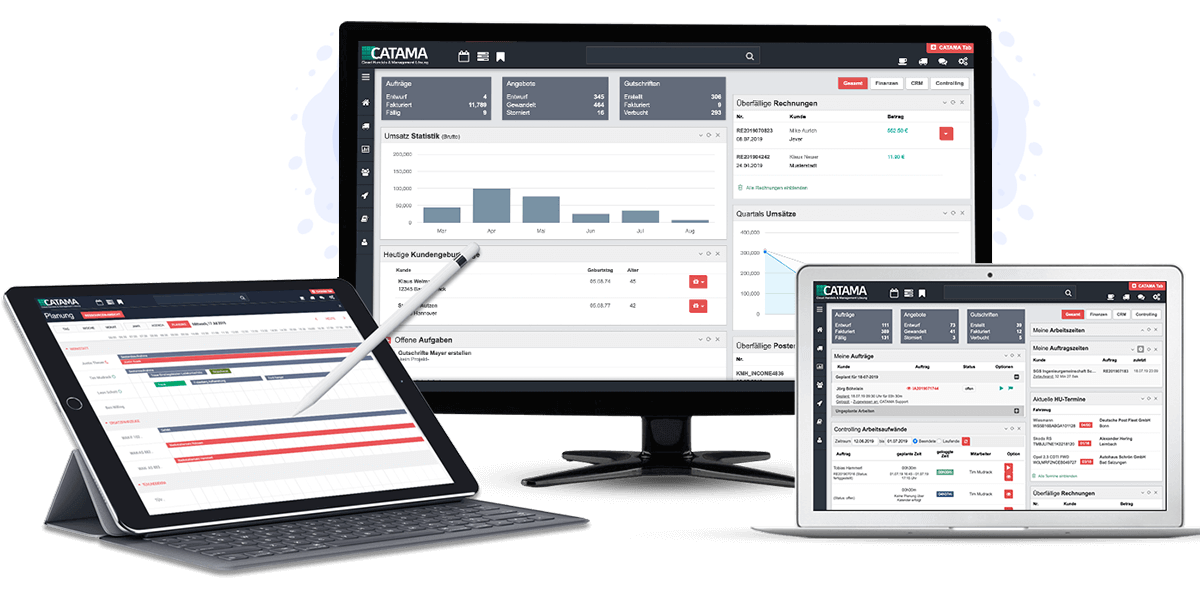
Dashboard & Central Overview
After logging in, you’ll immediately see what’s important today: upcoming appointments, open invoices, and sales—the central full-text search takes you anywhere with a single click.
- Today’s Service & Workshop Appointments
- Open Items, Including Payment Reminders
- Sales & Document Statistics
- Central full-text search
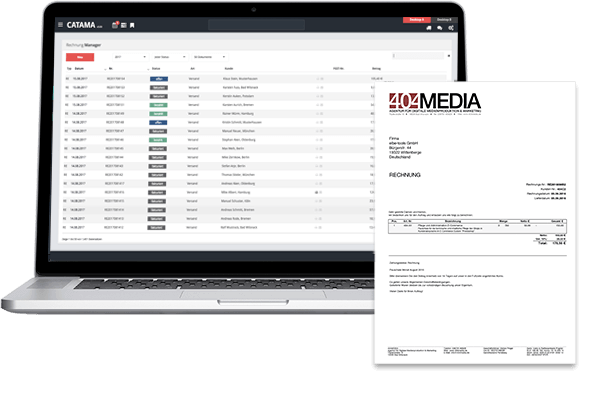
Quotes, Orders, & Invoices
Create documents directly in the editor—with items and labor rates, linked to the vehicle and customer—and convert a quote into an order or invoice with a single click.
- Quotes, Orders, Invoices & Credit Memos
- Item & Labor Values in the Editor
- Automatic Email Delivery
- GoBD Cash Book with Daily Closing
Warehouse, Inventory, & Vehicles
Centrally manage items, work orders, and vehicles; post inventory transactions; generate inventory counts; and send vehicles in stock—including photos—directly to mobile.de.
- Item & Work Value Management
- Inventory & Purchasing Count Lists
- Customer & Inventory Vehicles
- mobile.de Synchronization
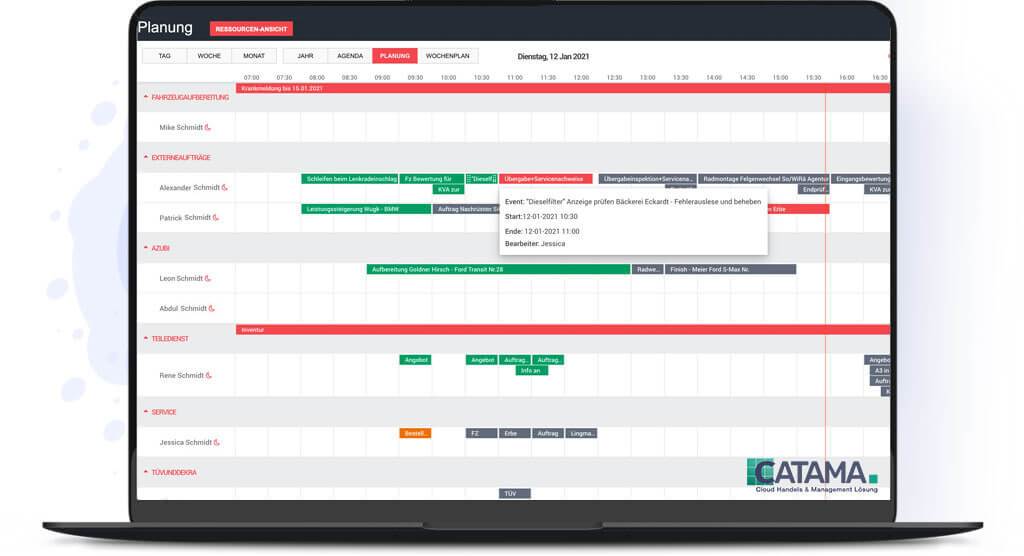
Workshop & Scheduler
Plan workload and appointments clearly, assign resources such as workstations and employees, and keep track of your workshop’s capacity at all times.
- Appointment & Workload Planning
- Resources (Workstations, Employees)
- Appointment Series & Automatic Reminders
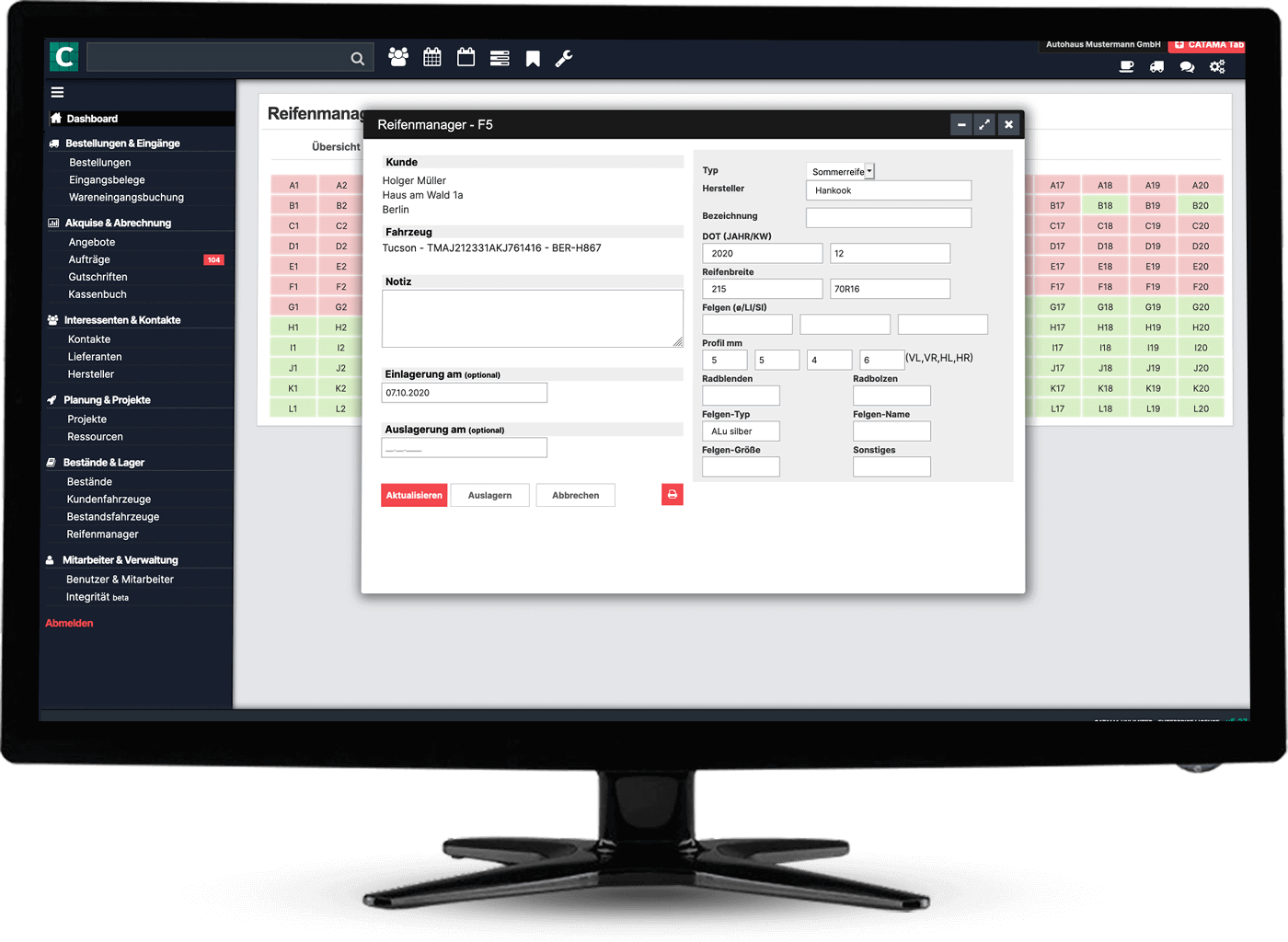
Tire Manager & Storage
Manage tire sets and wheels, store them seasonally, and locate any set in seconds by storage location, customer, or vehicle.
- Tires & Wheels with DOT & Tread Depth
- Storage Location Management
- Customer & Vehicle Assignment
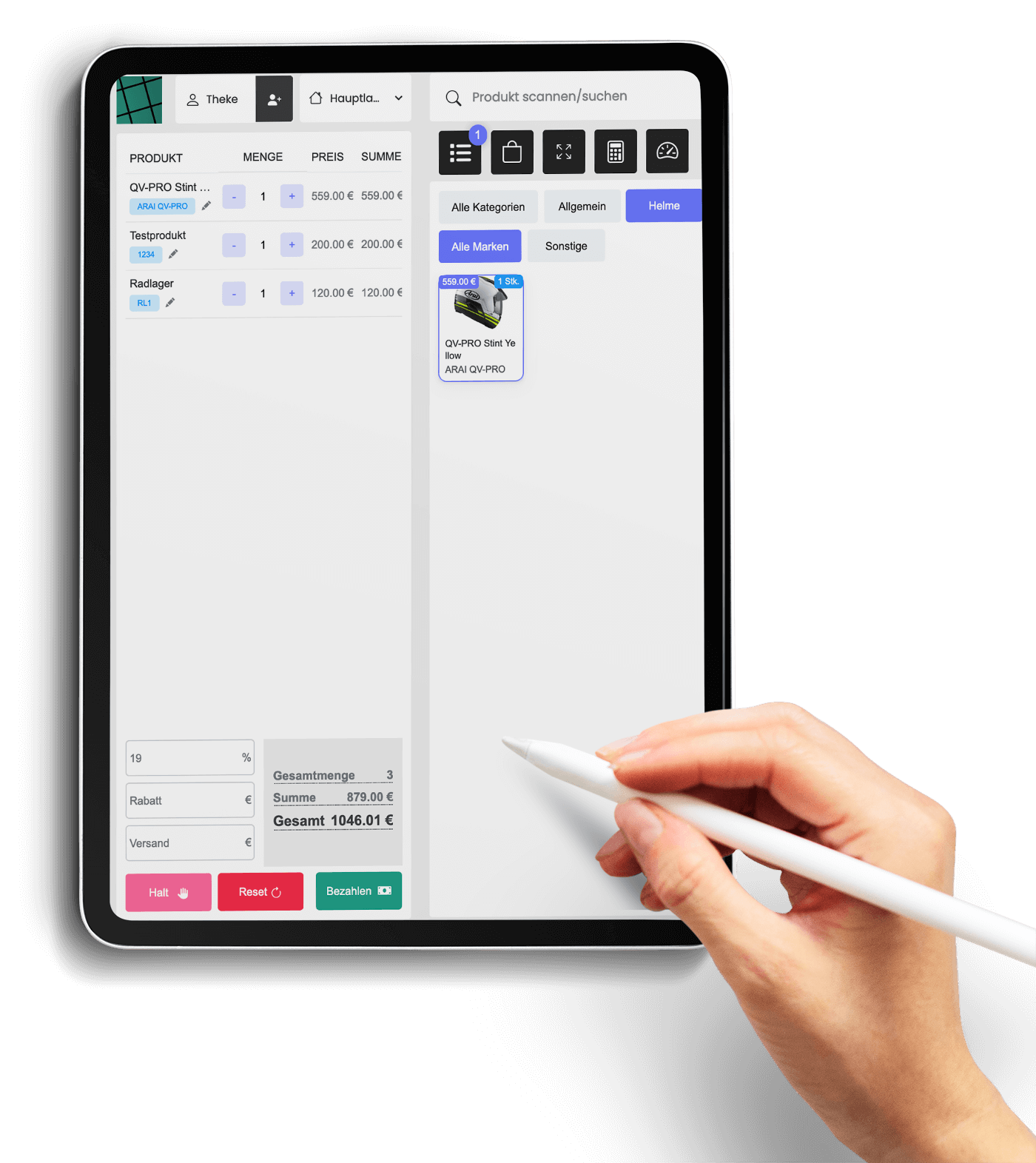
Cash Register & Cash Book
Process payments directly from the order, maintain a GoBD-compliant cash book with daily closings, and export transactions to your tax advisor.
- Cash Sales & Order Cash Register
- GoBD Cash Book & Daily Closing
- DATEV Export
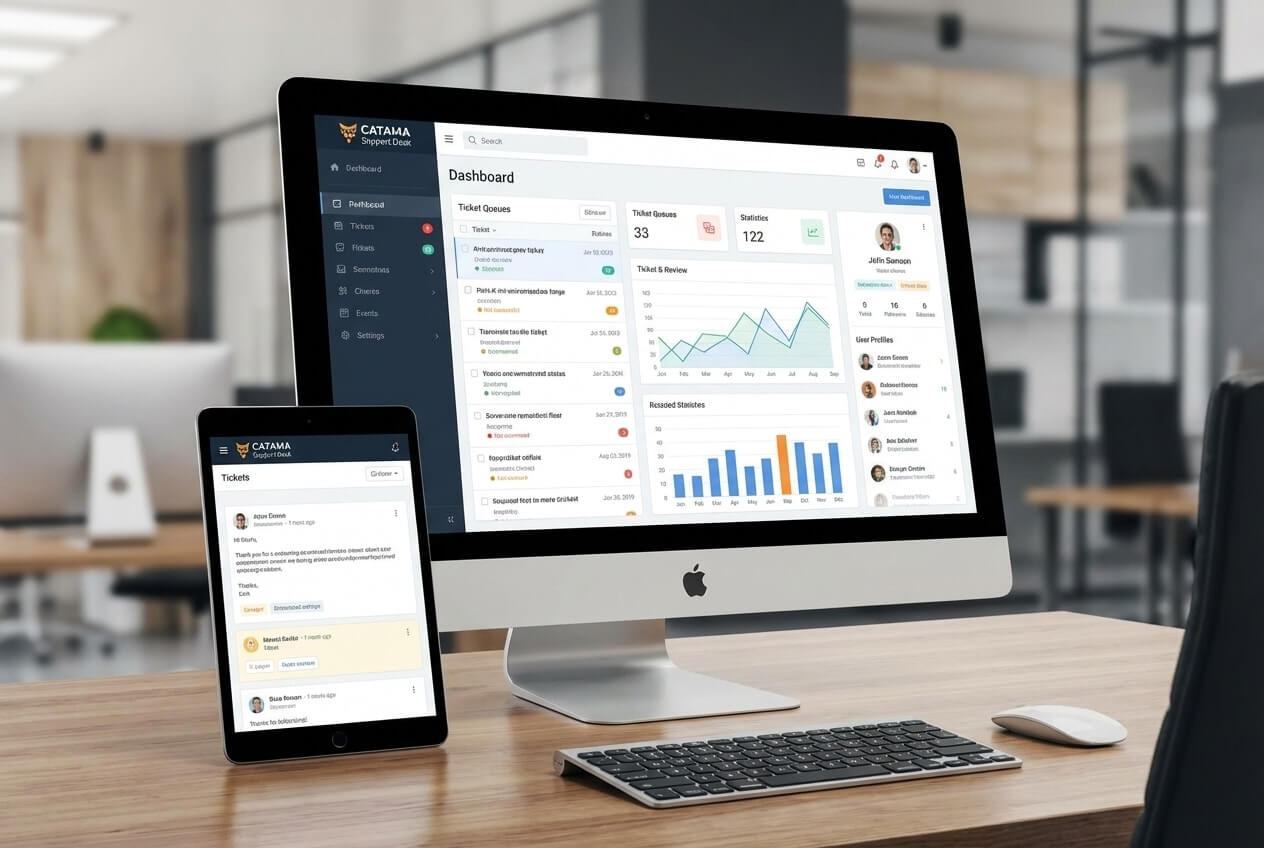
Support Desk & Tickets
Consolidate customer inquiries on a ticket board, respond to emails using text templates, and give customers insight into the status via their own portal.
- Kanban-Style Ticket Board
- Inbox & Text Templates
- Dedicated Customer Portal
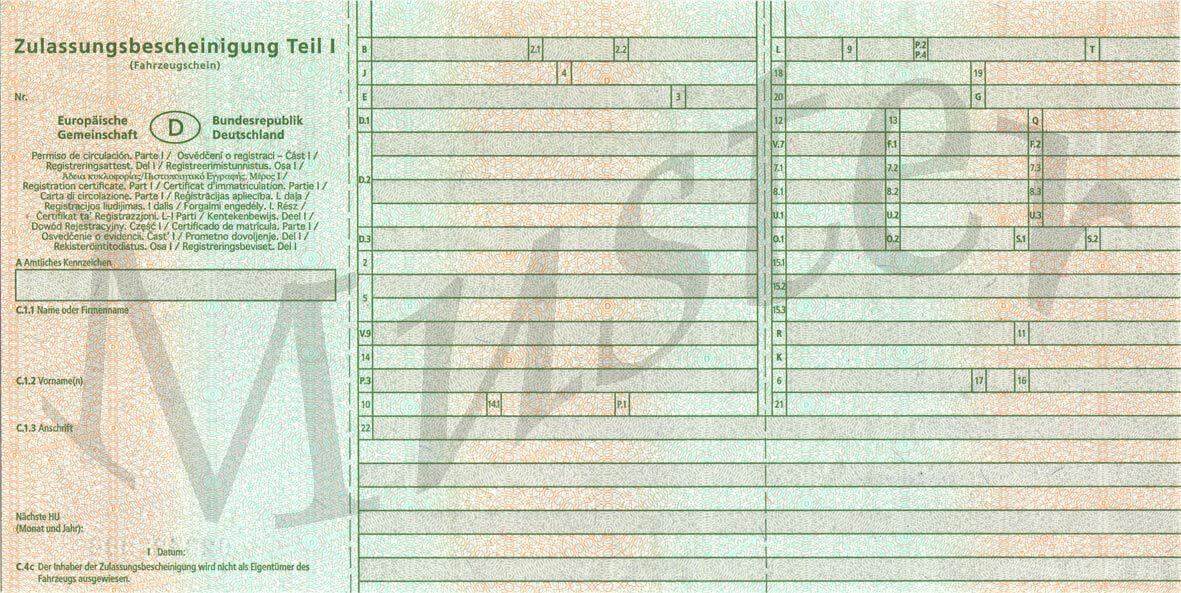
Vehicle Registration Scanner
Take a photo of the vehicle registration certificate—CATAMA automatically extracts the data and creates records for the customer and vehicle. Incoming invoices are also captured via OCR.
- Vehicle Registration Certificate Scan for Customer & Vehicle
- Automatically Read Incoming Invoices
- AI-powered reports

User & Team Management
CATAMA is designed as a multi-user solution: Create as many accounts as you like, organize employees into teams, assign tasks, and communicate via internal chat.
- Any number of user accounts
- Teams, Groups & Tasks
- Internal Team Chat
See CATAMA in action at your business
Try the CATAMA Suite for 14 days free of charge and with no obligation—upon request, we’ll walk you through the software live in a personalized presentation.