CATAMA Ticket System

Support Desk

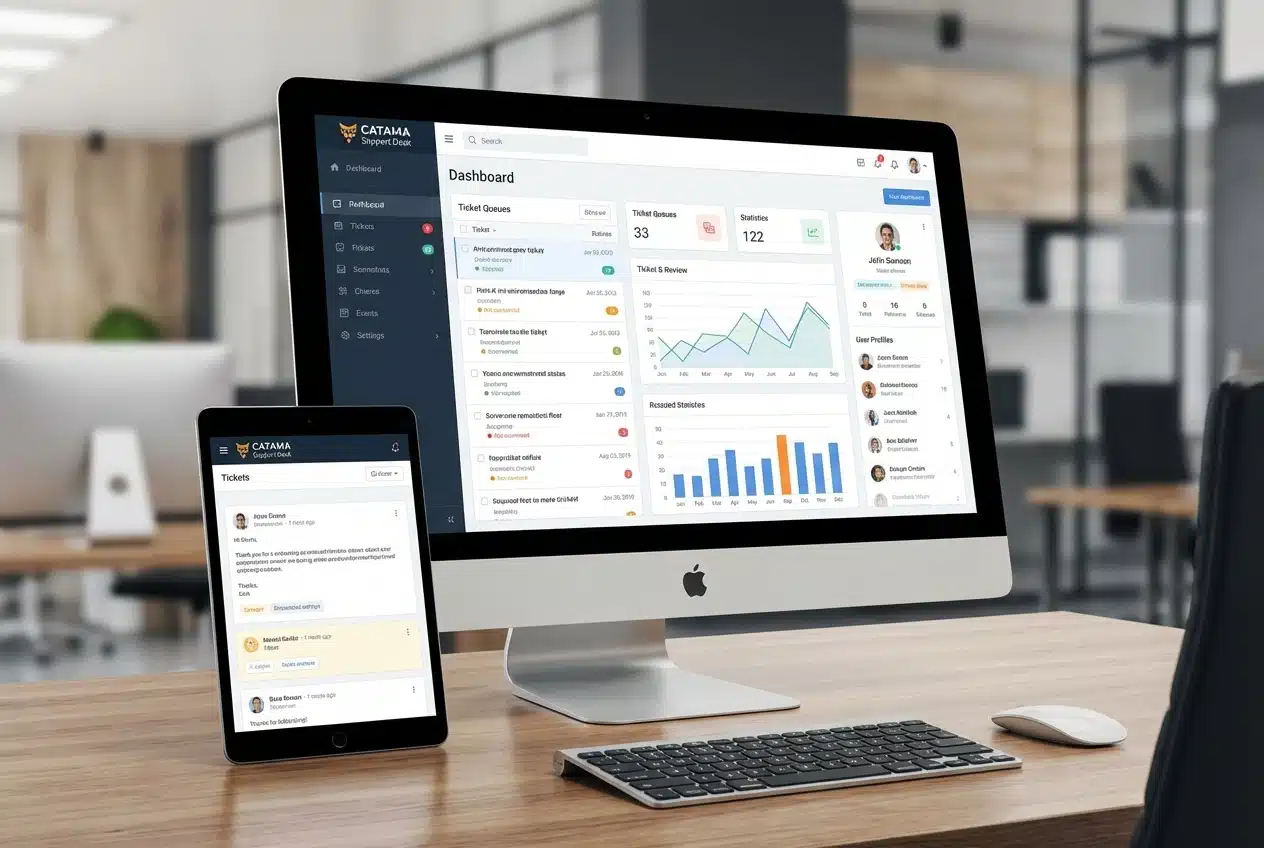
The CATAMA Support Desk is your one-stop solution for efficient customer service management. Seamlessly integrated into your CATAMA installation, it offers all the features you need for modern, professional support.

Billing software and workshop scheduling tools for auto repair shops and automotive dealerships

CATAMA Support Desk

Centralized Ticket Management

The Support Desk automatically retrieves emails from your IMAP mailbox and creates tickets from them. Replies are added as comments to the existing ticket, creating a complete communication history. Your employees can respond directly from within the system without having to switch between different programs.

Flexible Kanban Board

Organize your tickets visually on a clear Kanban board. Move tickets between status columns using drag-and-drop, and keep track of progress at all times. Ideal for agile teams that need to respond quickly.

Customer Portal for Self-Service

Your customers will have access to their own portal, where they can:

  • Be able to create new tickets
  • View the status of your requests
  • Respond to answers and provide additional information
  • View a complete history of all tickets
  • Upload and share files

The portal takes the pressure off your team, as customers can submit inquiries and track their status on their own—without having to make phone calls or send additional emails.

CATAMA Support Desk

Smart automation

Billing software and workshop scheduling tools for auto repair shops and automotive dealerships

SLA Management

Define service level agreements for different priority levels. The system automatically monitors response and resolution times and alerts you when these thresholds are about to be exceeded. This helps you meet your quality commitments and keep track of critical tickets.

Pre-written text blocks for faster responses

Create reusable response templates (canned responses) for frequently asked questions. Your employees can insert these with just a few clicks or using keyboard shortcuts, saving valuable time when handling standard inquiries.

Smart Assignment

Tickets are automatically assigned to the appropriate team or employee—based on category, priority, or customer assignment. Bulk actions allow you to process multiple tickets at once, such as for mass assignments or status updates.

Comprehensive Overview and Reporting

The dashboard provides a real-time overview of all key metrics:

  • Number of open, closed, and overdue tickets
  • Distribution by status and priority
  • Unassigned tickets that require attention
  • Tickets awaiting customer feedback
  • Personal ticket overview for each employee

Detailed reports help you analyze the performance of your support team and identify areas for improvement.

Seamless CATAMA integration

The Support Desk is seamlessly integrated into your existing CATAMA installation:

  • CRM integration: Tickets are automatically linked to customer data from the CATAMA CRM
  • Consistent design: The system integrates seamlessly into the CATAMA interface
  • Permissions Management: Use the existing user management and group permissions
  • Branch Management: Multi-branch capable for companies with multiple locations
  • No extra costs: Use your existing CATAMA infrastructure

Features in Detail

Ticket Management

  • Automatic ticket numbering
  • Categorization and tagging
  • Priorities (Low, Normal, High, Urgent)
  • Flexible status workflows
  • Due dates and reminders
  • Attachments and File Management
  • Complete ticket history
  • Internal notes for team communication

Communication

  • Two-way email integration (IMAP/SMTP)
  • Automatic email-to-ticket conversion
  • Threading: Replies are automatically grouped
  • HTML emails with custom branding
  • Email templates for every occasion
  • Automatic notifications

Customer Management

  • Self-service portal for end customers
  • Secure login with password protection
  • Link to CATAMA CRM customers
  • Ticket Overview for Customers
  • Uploading comments and attachments by customers

Team Features

  • Role system: Support Admin and Support Agent
  • Personal Dashboards
  • Assigning tickets to employees or teams
  • Internal notes (not visible to customers)
  • Bulk Actions for Mass Editing
  • Activity Log: Who changed what and when?

Security and Privacy

The Support Desk was developed in accordance with the highest security standards:

  • Encrypted password storage
  • Secure email connections (TLS/SSL)
  • Separate access rights for employees and customers
  • GDPR-compliant data storage
  • Spam protection via email filters
  • Audit trail for all changes
Billing software and workshop scheduling tools for auto repair shops and automotive dealerships
Photo cars

Benefits for Your Business

For your support team

  • Centralized management of all inquiries in one place
  • No more lost emails
  • Faster processing with text modules
  • Clear responsibilities and workflows
  • Less time required thanks to automation
  • Better teamwork through shared information

For your customers

  • Transparency: Check the status at any time
  • Self-service: Create tickets on your own
  • Faster response times
  • Complete communication history
  • Easy file sharing
  • Professional appearance

On behalf of your management

  • Measurable Service Quality
  • Optimized resource utilization
  • Higher customer satisfaction
  • Reduced support costs
  • Scalable as ticket volume grows
  • Compliance with Service Level Agreements

Typical use cases

Technical Support

Manage technical inquiries, bug reports, and maintenance requests in an organized manner. Prioritize critical issues and ensure that no ticket falls through the cracks.

Customer Service

Respond efficiently to product inquiries, complaints, and general questions. Use pre-written templates for frequently asked questions and provide your customers with first-class service.

Sales inquiries

Systematically track incoming inquiries and ensure quick response times. No lead will ever be lost again because an email was overlooked.

Internal Support

You can also use the system for internal inquiries, handling complaints, tracking warranty orders, facility management, or HR matters. Its flexible configuration adapts to your needs.

CATAMA Software

We're here for you!

Do you have a question about the features of the CATAMA Support Desk?

Do you have a question about the features of the CATAMA Support Desk? We look forward to hearing from you and are available by phone or email at any time.