
Imagine this: It’s Monday morning, 7:30 a.m. Your shop opens in 30 minutes, and you’ve already been sitting in the office for an hour—not to plan the day, but to sort through the mess from Friday. Handwritten invoices that you still need to enter into the system. Cash register receipts that don’t match the accounting records. And then the call from your tax advisor: “Your cash register data doesn’t meet GoBD requirements.” Does this sound familiar?
Since 2020, the legal situation has been clear: Every electronic cash register in Germany must be equipped with a certified technical security device (TSE).[5] For many auto repair shop owners and car dealers, this represents not only another compliance hurdle, but also an opportunity for digital transformation. The right automotive software with a TSE-compliant cash register not only simplifies compliance with legal requirements but also revolutionizes the entire business organization—from scheduling to automatic invoicing.
In this guide, you’ll learn how modern software solutions can simplify your office work, what legal requirements you must meet in Germany and Austria, and why integrating TSE POS systems with your workshop software is the key to greater efficiency and legal compliance.
Key Takeaways
- Mandatory since 2020: Electronic point-of-sale systems in Germany must be equipped with a certified technical security device—violations are subject to fines of up to 25,000 euros[5]
- Integrated solutions save time: Modern automotive software combined with the TSE Kasse point-of-sale system brings together workshop scheduling, invoicing, and POS-compliant billing in a single system
- Automation reduces errors: Digital invoicing software eliminates manual data entry errors and ensures complete, audit-proof documentation
- Note country-specific requirements: Germany relies on TSE in accordance with the KassenSichV, while Austria uses RKSV with an A-Trust signature—professional software covers both markets[1]
- ROI within a few months: Thanks to time savings in invoicing and the avoidance of compliance penalties, the investment typically pays for itself within 3–6 months
Why Auto Repair Shops Will No Longer Be Able to Operate Without TSE-Compliant Point-of-Sale Systems by 2026
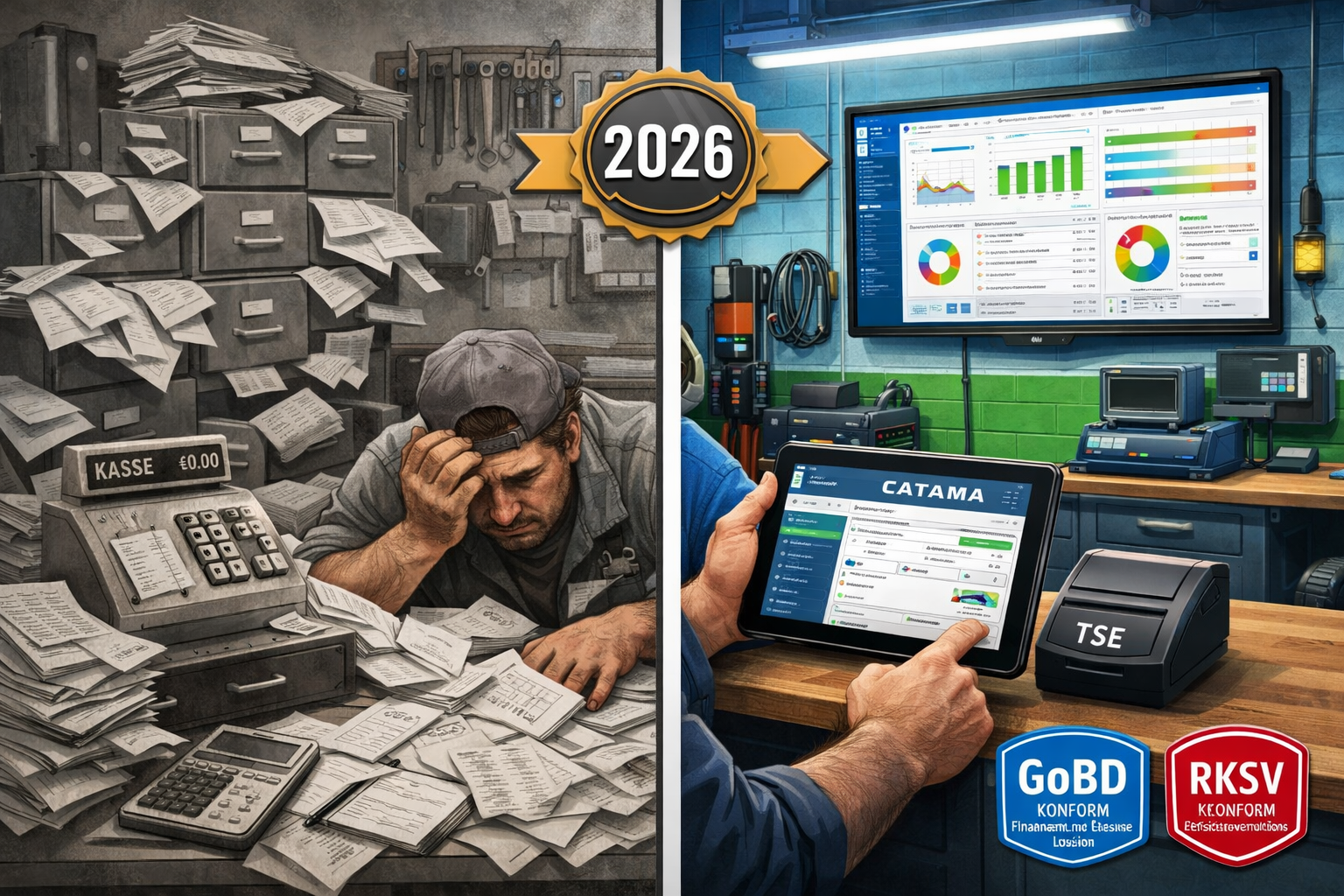
The days when a simple cash register was sufficient for a repair shop are well and truly over. Since January 2020, the Point-of-Sale Security Regulation (KassenSichV) has required that all electronic point-of-sale systems be equipped with a certified TSE.[5] This regulation is not merely a recommendation—it is a legal requirement with serious consequences for non-compliance.
Understanding the legal framework
In Germany, the Principles for the Proper Maintenance and Storage of Books, Records, and Documents in Electronic Form (GoBD), together with the KassenSichV, govern the requirements for digital point-of-sale systems.[5] The TSE serves as a tamper-proof storage unit that cryptographically signs each transaction and stores it in an unalterable format.
In Austria, the Cash Register Security Regulation (RKSV) applies, which pursues similar goals but is implemented differently from a technical standpoint. A-Trust’s signature creation devices are used here.[1] For businesses operating in both markets, this means that the software must support both standards.
💡 Practical tip: Many shop owners underestimate the complexity of TSE requirements. It’s not enough to simply purchase a TSE module—the entire POS system must be certified and able to export data in the correct DSFinV-K format.[5]
Stricter inspections and severe penalties
Tax authorities have significantly stepped up the intensity of their audits. Compliance with the TSE is now routinely checked during tax audits. Violations can be costly: fines of up to 25,000 euros are possible.[5] But the financial consequences often go even further: If a business cannot provide proper cash register records, the tax office may estimate the sales—usually not in the business owner’s favor.
A recent example illustrates the urgency of the situation: Starting in January 2026, taxi companies in Germany must prove that they have installed TSE-compliant point-of-sale systems—otherwise, their licenses will not be renewed.[3] Although there are transition periods due to supply bottlenecks (proof of order by June 30, 2026; installation by September 30, 2026 in Munich)[3], the direction is clear: The authorities are consistently enforcing the rules.
Requirement to provide receipts: Every transaction is documented
In addition to the TSE requirement, a receipt issuance requirement has also been in effect since 2020: A receipt must be issued for every transaction—either digitally or on paper.[5] For repair shops, this means that even small cash payments for parts or services must be documented. Professional automotive software with an integrated TSE point-of-sale system fully automates this process.
The Challenges of Traditional Point-of-Sale Systems in Auto Repair Shops and Retail
Many auto repair shops still rely on fragmented systems: a separate cash register for cash payments, a different program for invoices, Excel spreadsheets for inventory management, and handwritten notes for appointments. These siloed solutions lead to massive inefficiencies.
Time-consuming manual data entry
A typical scenario: A customer comes in for a service. The mechanic records the work performed on a service order. Later, someone has to enter this information into the invoicing software. The invoice is printed, the customer pays in cash, and the amount is entered into the cash register. At the end of the month, all cash register receipts must be reconciled with the invoices.
The result? On average, 15–20 hours per week are lost to administrative tasks—time that could be spent on productive workshop work. Efficient automotive workshop ERP software completely eliminates this duplicate data entry.
Sources of error and compliance risks
Errors inevitably creep into manual processes: incorrectly entered amounts, omitted items, and inconsistent customer data. Such errors can become a problem during tax audits. If cash register receipts do not match the invoices, the tax authorities will become suspicious.
Even more critical: Many older POS systems do not meet current requirements. They cannot integrate TSE modules or generate the required data exports in the DSFinV-K format.[5] An upgrade is therefore unavoidable.
Lack of transparency and analysis capabilities
Without integrated systems, it’s hard to get the big picture: Which services are the most profitable? Which parts sell quickly, and which ones are gathering dust in the warehouse? How is revenue trending compared to last year? It’s difficult to answer these kinds of questions using siloed solutions.
In contrast, modern automotive software integrated with the TSE Kasse point-of-sale system provides real-time dashboards that display all key metrics at a glance. This enables data-driven decisions rather than relying on gut instinct.
Key features of modern automotive software with the TSE Kasse point-of-sale system
What makes a truly good software solution for auto repair shops? It’s about much more than just a TSE-compliant point-of-sale system. The best systems seamlessly integrate all business processes—from scheduling appointments to bookkeeping.
Integrated POS system with TSE certification
At the heart of the system is, of course, the TSE-compliant POS terminal. Modern solutions such as CATAMA offer certified TSE modules that integrate seamlessly into the overall software.[4] TSE certificates cost around 8.99 euros per month —a manageable investment for complete legal compliance.[4]
The POS system also works offline: if the internet connection is lost, all transactions are stored locally and automatically synced once the connection is restored.[2] This ensures uninterrupted operation, even in the event of technical issues.
Key features:
- ✅ Automatic receipt issuance (digital or printed)
- ✅ Cryptographic signing of every transaction
- ✅ Tamper-proof storage of all cash register transactions
- ✅ DSFinV-K Export for Tax Audits[5]
- ✅ Daily closing receipts and Z-reports
- ✅ Multi-user capability with customizable access rights
Automated invoicing and digital document management
The greatest efficiency gains come from automatic invoicing. As soon as a workshop order is completed, the system automatically generates the invoice—including all work items, replacement parts, and time entries.[2]
A professional auto repair invoicing program offers the following:
- Template Management: Once created, invoice templates can be used for recurring services
- Automatic price calculation: Labor hours are multiplied by the stored hourly rate, and replacement parts are calculated using current purchase prices and margins
- Audit-proof archiving: All invoices are automatically stored in compliance with GoBD standards and can be retrieved at any time[2]
- E-invoicing capability: Starting in 2027, e-invoicing will be mandatory in the B2B sector—modern systems already support XRechnung and ZUGFeRD
OCR-based vehicle detection
Optical Character Recognition ( OCR) technology is a real game-changer. Instead of manually entering vehicle data, the employee simply takes a photo of the vehicle registration certificate. The software automatically extracts all relevant data: manufacturer, model, HSN/TSN numbers, chassis number, and more.[4]
This not only saves time but also eliminates typing errors in critical vehicle data. A particularly handy feature: The HSN/TSN query directly provides the correct replacement parts and technical specifications.
Workshop Scheduling and Time Tracking
Integrated workshop planning provides an at-a-glance view of all appointments, lifts, and mechanics. Using drag-and-drop, you can reschedule jobs, assign resources, and identify bottlenecks early on.
Time tracking is linked directly to individual jobs: Mechanics start and stop the timer using a tablet or terminal, and the hours are automatically included in the billing.[2] This eliminates the need for retroactive time estimates and ensures accurate calculations.
Merchandise Management and Inventory Control
For businesses with their own parts inventory, an integrated inventory management system is essential. The system manages:
- Real-time inventory management: Every part sold automatically reduces the inventory level
- Automatic reorder suggestions: When stock falls below minimum levels
- Supplier integration: Direct connection to Stakis, Stahlgruber, and other wholesalers
- Inventory Functions: Simplified Inventory Counts with Barcode Scanners
- Tire Management: Specialized modules for the storage and management of customer tires
Mobile functionality
Modern cloud-based auto shop software works on all devices: desktop PCs, tablets, and smartphones. This allows you to:
- Job processing right at the vehicle
- Photographic documentation of damage and repairs
- Customer approvals via digital signature
- Access vehicle history on the go
- Flexible work arrangements within the team
Country-specific requirements: Germany vs. Austria
Although both countries have similar goals—preventing sales tax fraud through tamper-proof point-of-sale systems—the technical implementations differ significantly.
Germany: TSE under the Cash Register Security Regulation
In Germany, the technical safety device (TSE) is the central element. It consists of three components:[5]
- Security module: Generates cryptographic signatures
- Storage medium: Stores all transaction data in a way that cannot be altered
- Unified digital interface: Enables standardized data exports
The TSE can be implemented as a hardware module (USB flash drive, SD card) or a cloud solution. Important: The TSE must be certified by the Federal Office for Information Security (BSI).
Additional requirements in Germany:
- Requirement to issue a receipt for every transaction[5]
- Reporting the cash register to the tax office
- Maintaining a list of the point-of-sale systems in use
- Retention of data for 10 years
- Provision of data in DSFinV-K format during audits[5]
Austria: RKSV with A-Trust signature
Austria relies on the Cash Register Security Regulation (RKSV). Instead of TSE, signature creation devices are used here, typically from A-Trust.[1] Each transaction is accompanied by a qualified electronic signature.
Special features in Austria:
- Registering the cash register with FinanzOnline
- Monthly zero-amount documents (monthly document)
- Initial receipt and annual receipt
- Tax Authority's Receipt Verification App
- A QR code on every receipt containing encrypted transaction data
Software solutions for both markets
Companies that operate in both countries or wish to expand there need software that supports both standards. Professional providers such as CATAMA offer country-specific configurations that automatically implement the correct compliance requirements.[1]
The software determines which set of rules to apply based on the operating address or manual settings, and adjusts:
- Document formats
- Signature Methods
- Export formats
- Reporting Requirements
accordingly.
Implementation: How to Successfully Switch to Automotive Software with the TSE Kasse Cash Register
The switch to an integrated system may seem overwhelming at first. However, with the right planning and support, the implementation will go smoothly—and you’ll start to see the benefits within just a few weeks.
Phase 1: Needs Analysis and Software Selection (Weeks 1–2)
Step 1: Define requirements
Before deciding on a solution, you should clarify your specific requirements:
- How many workstations/users do you need?
- Which features are essential? (Workshop scheduling, tire management, vehicle sales, etc.)
- Do you need interfaces to existing systems? (Accounting, suppliers)
- Do you work in Germany, Austria, or both countries?
- How many transactions do you process each month?
Step 2: Compare providers
Take advantage of free trial versions. Reputable providers like CATAMA offer free trial periods during which you can thoroughly test the software.
What to look out for:
- ✅ TSE certification for Germany and/or RKSV compliance for Austria
- ✅ Cloud-based with offline functionality
- ✅ Intuitive user interface (Your employees will be using it!)
- ✅ Comprehensive support and training options
- ✅ Regular updates and ongoing development
- ✅ Transparent pricing with no hidden costs
- ✅ Positive customer reviews from the industry
Phase 2: Data Migration and System Setup (Weeks 3–4)
Step 3: Transfer master data
Migrating your existing data is critical. Professional providers can help with this:
- Customer data: Import from Excel, CSV, or existing systems
- Vehicle Data: Past Repairs and Service Intervals
- Product Master Data: Replacement Parts, Services, Price Lists
- Supplier Information: Terms and Conditions and Order History
💡 Practical tip: Take this opportunity to clean up your data. Remove outdated customer data, consolidate duplicates, and update contact information.
Step 4: Order and install TSE hardware
The TSE hardware must be ordered from the provider. With CATAMA, the TSE certificate costs approximately €8.99 per month.[4] Installation is usually straightforward—either as a USB drive, SD card, or cloud-based TSE.
Step 5: Configure the system
- Create user accounts with custom access rights
- Create invoice templates using your corporate design
- Define payment methods (cash, debit card, bank transfer, etc.)
- Set up tax rates and accounting accounts
- Store price lists and pricing formulas
Phase 3: Training and Trial Operation (Weeks 5–6)
Step 6: Train employees
Success depends largely on your employees' acceptance. Invest in thorough training:
- Basic Training: System Overview and Basic Functions for Everyone
- Role-specific training: Advanced training for the workshop, reception, and administration
- Hands-on training: Practical exercises using test data
- Documentation: Provision of manuals and video tutorials
Many providers offer online courses, webinars, or in-person training sessions.
Step 7: Start parallel operation
Before making the full switch, we recommend running both systems in parallel for 1–2 weeks. This allows you to:
- Comparison of Quality Assurance Results
- Identification of configuration errors
- Helping employees get used to the new system without time pressure
- Gradual transition of individual departments
Phase 4: Go-Live and Optimization (starting in Week 7)
Step 8: Complete transition
Once parallel operation is successful, the full switchover will take place. Plan this for a quiet time (e.g., the beginning of the month, not right before holidays).
Go-Live Checklist:
- ✅ All employees have been trained and are ready
- ✅ TSE enabled and tested
- ✅ Cash register registration with the tax office completed
- ✅ Backup of the legacy system created
- ✅ The provider's support hotline is available
- ✅ Test documents printed and verified
- ✅ Interfaces with suppliers have been tested
Step 9: Continuous Optimization
In the first few weeks, you will discover opportunities for improvement:
- Customizing workflows to fit your specific processes
- Fine-tuning permissions and user accounts
- Creation of additional templates and automations
- Integration of additional features (e.g., automatic appointment reminders)
Use the reporting features to measure efficiency gains. Many businesses report a 60% increase in billing speed and a 40% reduction in time spent on administrative tasks.[2]
Cost-Benefit Analysis: Is It Worth the Investment?
The question of return on investment (ROI) is a valid one. Let’s take a realistic look at the numbers.
Capital costs
One-time costs:
- Software setup: €0–500 (many providers do not charge for this)
- Data migration: €0–300 (depending on data volume)
- Hardware (TSE module): €0–150 (often included in the subscription)
- Training: €0–400 (online training courses are usually free)
Recurring costs (monthly):
- Software license: €49–199 (depending on the feature set)[4]
- TSE certificate: €8.99 per register[4]
- Cloud storage: usually included
- Support: usually included
Total investment in the first year: approx. €800–€2,500
Potential savings and added value
Time savings:
- 15 fewer hours of administrative work per week thanks to automation
- Based on an hourly rate of €40: €600 in savings per week
- Annually: approximately €31,200 in freed-up work time
Error reduction:
- Prevention of data entry errors: estimated at 2–3% of invoices
- For an annual turnover of €100,000: €2,000–€3,000 less in corrections and goodwill cases
Compliance and Security:
- Avoiding fines (up to €25,000)[5]
- No revenue estimates during tax audits
- Legally compliant archiving: Priceless in an emergency
Improved liquidity:
- Faster invoicing = faster payment
- Payment terms that are, on average, 5–7 days shorter
- For an annual turnover of €100,000: approx. €1,400–€2,000 in cash flow benefits
Customer satisfaction:
- More Professional Communication Through Digital Receipts
- Faster service processing
- Transparent pricing
- In the long term: greater customer loyalty and higher referral rates
ROI Calculation
Based on a conservative estimate:
Annual cost: €1,500 (software + TSE)
Annual savings: €31,200 (time savings) + €2,500 (error reduction) + €1,700 (cash flow) = €35,400
ROI = (Benefits – Costs) / Costs × 100 = (35,400 – 1,500) / 1,500 × 100 = 2,260%
The investment typically pays for itself within 2–3 weeks. After that, the system continues to generate added value.
Best Practices: How to Get the Most Out of Your Automotive Software
The software is installed, the employees are trained—but how can you get the most out of the system? Here are some proven strategies from real-world experience.
1. Make consistent use of automation
Modern systems offer numerous automation options that often go unused:
Automatic appointment reminders: Configure the system to automatically remind customers of upcoming inspections, vehicle inspections, or tire changes. This increases capacity utilization and improves service.[4]
Recurring invoices: You can set up automatic invoicing cycles for maintenance contracts or recurring services.
Order recommendations: Have the system automatically generate order recommendations when inventory levels fall below defined thresholds.
Automatic data backup: Make sure that daily backups are automatically saved to the cloud.
2. Integrate all business processes
The greatest benefit is realized when all processes are truly mapped within the system:
- Appointment scheduling (no longer in a separate calendar)
- Vehicle intake with a digital checklist
- Workshop Planning and Resource Allocation
- Time tracking directly on the job
- Parts ordering with automatic inventory updates
- Invoicing and payment posting
- Billing and Accounts Receivable Management
Any standalone system running in parallel reduces efficiency.
3. Provide ongoing training
Software is constantly evolving. Regular updates bring new features. Make sure to:
- Monthly team meetings: Short sessions in which new features are presented
- Power User Concept: Designate an employee as an internal software expert
- Access to training resources: Take advantage of the provider’s webinars, video tutorials, and documentation
4. Analyze your data
One of the greatest strengths of digital systems is data availability. Take advantage of the reporting features:
Key KPIs for automotive businesses:
- Average order value
- Utilization by Mechanic/Lift
- Revenue by service type (repairs, maintenance, parts sales)
- Operating speed for replacement parts
- Order processing times
- Customer satisfaction and return rate
Set up monthly reports and use them to identify specific actions to take. Which services are particularly profitable? Where is there room for improvement?
5. Take advantage of mobile features
The cloud-based architecture enables remote work. Take advantage of it:
- Tablets in the workshop: Mechanics can process jobs, take photos for documentation, and track time right at the vehicle
- Smartphone for Field Service: Vehicle Pickup/Delivery with Mobile Order Processing
- Working from Home for Administrative Staff: Auditing and Bookkeeping Can Also Be Done from Home
6. Maintain your master data
The quality of your analyses depends on the quality of your data:
- Keep customer data up to date: Use every customer interaction to update your data
- Fully document vehicle histories: every repair, every part replacement
- Maintaining product master data: Correct categorization, up-to-date prices, supplier links
- Regular data cleansing: Remove duplicates quarterly and archive inactive customers
Common Mistakes During Implementation – and How to Avoid Them
Based on feedback from workshop operators, the following typical challenges can be identified:
❌ Mistake 1: Insufficient preparation
Problem: The company is making the switch overnight without adequate planning.
The result: chaos in day-to-day operations, frustrated employees, and angry customers.
Solution: Allow at least 4–6 weeks for the implementation. Utilize test phases and parallel operation.
❌ Mistake 2: Not involving employees
Problem: Management makes decisions on its own, and employees are presented with a fait accompli.
Consequence: Resistance to the new system; sabotage of its implementation.
Solution: Involve employees early on. Seek feedback, address concerns, and communicate the benefits.
❌ Mistake 3: Too many features at once
Problem: All available modules are activated and used immediately.
Consequences: Overwhelm, confusion, inefficient use.
Solution: Start with core functions (order entry, invoicing, point-of-sale). Gradually add additional modules.
❌ Mistake 4: Neglecting data migration
Problem: Legacy data is not being transferred or is being transferred incorrectly.
Consequence: Loss of important customer records, duplication of effort.
Solution: Invest time in careful data migration. Take advantage of professional support from the provider.
❌ Mistake 5: Failure to continuously optimize
Problem: Once the system is implemented, it is not further customized.
Consequence: Potential goes untapped, and workflows remain suboptimal.
Solution: Schedule regular reviews (quarterly). Ask: “What’s going well? What could be improved?”
Future Trends: How Automotive Software Is Evolving
Digitalization in the automotive industry is constantly evolving. What trends will shape the coming years?
Artificial Intelligence and Predictive Maintenance
AI-powered diagnostics: Future systems will analyze vehicle data and proactively predict maintenance needs. “Your customer drives a 2018 BMW 320d with 145,000 km on the odometer—the statistical probability of turbocharger failure in the next 6 months is 23%. Would you like to schedule an appointment?”
Automatic price optimization: Machine learning analyzes your order data and suggests optimal pricing to maximize profitability while maintaining competitiveness.
Advanced e-invoicing functionality
Starting in 2027, e-invoicing will become mandatory for B2B transactions in Germany. Modern systems are already preparing for this:
- Automatic generation of XRechnung and ZUGFeRD
- Direct transmission to customer portals
- Automated processing of incoming e-invoices
- Integration with the PEPPOL network for Europe-wide data exchange
For more information, see our guide to e-billing for auto repair shops.
Blockchain for Vehicle History
Tamper-proof, decentralized storage of vehicle data could boost confidence in used cars. Every repair shop that works on the vehicle records the repairs on a blockchain—in a way that cannot be altered and is transparent to everyone.
Augmented Reality for Workshop Planning
AR glasses could display repair instructions directly in a mechanic’s field of view while they are working on a vehicle. The software provides the relevant information based on vehicle data and the current job order.
Full process automation
The vision: A customer schedules an appointment online. The system automatically assigns the optimal lift and the appropriate mechanic. When the vehicle is received, all data is captured via OCR. Diagnostics run automatically, and replacement parts are ordered automatically. Upon completion, the customer receives a digital invoice; payment is made via app, and the TSE-compliant cash register processes the transaction automatically. The customer is automatically reminded of the next inspection in 6 months.
Sound like science fiction? The technology for this already exists today. It’s only a matter of time before such solutions become standard.
Case Study: How Müller Auto Repair Shop Saves €35,000 a Year with CATAMA
Let’s look at a specific example: Müller Auto Repair in Munich, a medium-sized business with 8 employees and 4 lifts.
Initial Situation in 2024
Challenges:
- Paper-based order entry with subsequent transfer to the invoicing program
- Separate, non-TSE-compliant cash register
- Excel-based workshop scheduling
- No digital customer communication
- Common errors in invoices (approx. 5% correction rate)
- Time required for administrative tasks: approx. 20 hours/week
Financial situation:
- Annual revenue: €850,000
- An average of 180 orders per month
- Administrative costs (staff): approx. €52,000 per year
Implementation: January 2025
Owner Thomas Müller chose the CATAMA Enterprise Suite with an integrated TSE cash register.
Investment:
- Software license: €149/month
- TSE Certificate: €8.99/month
- Setup and training: €1,799 (one-time fee)
- Tablets for the workshop: €1,200 (3 devices)
Total investment in Year 1: approx. €4,900
Results after 12 months (2026)
Time savings:
- Administrative workload reduced to 8 hours per week (60% reduction)
- Time saved: 624 hours/year
Quality improvement:
- Invoice error rate: down from 5% to 0.3%
- Savings from corrections and goodwill cases: approx. €4,250
Increase in revenue:
- Through improved capacity planning: 8% more orders
- Additional revenue: €68,000
- Additional profit (at a 15% margin): €10,200
Customer satisfaction:
- The NPS (Net Promoter Score) rose from 42 to 67
- Referral rate increased
- Estimated value: priceless
Compliance:
- No findings during the 2026 tax audit
- Avoided risk of a fine: potentially €25,000
Overall balance
Cost: €3,900
Direct benefits: €28,080 (time savings) + €4,250 (error reduction) + €10,200 (additional revenue) = €42,530
Net savings: €38,630 in the first year
ROI: 991%
Thomas Müller: “My only regret is that I didn’t make the switch sooner. The investment paid for itself in just five weeks. My employees are more relaxed because the administrative stress is gone. And I can finally sleep at night again, knowing that everything is in order in case of a tax audit.”
Checklist: Is your current solution still up to date?
Please answer the following questions honestly:
Legal certainty:
- ☐ Is your cash register TSE-certified (Germany) or RKSV-compliant (Austria)?
- ☐ Can you generate the DSFinV-K export for tax audits?
- ☐ Are all documents automatically archived in compliance with GoBD?
- ☐ Is your system ready for the mandatory e-invoicing requirement starting in 2027?
Efficiency:
- ☐ Are invoices generated automatically from orders?
- ☐ Do you have to enter data multiple times into different systems?
- ☐ Can you automatically capture vehicle data using OCR?
- ☐ Is time tracking directly linked to payroll?
Mobility & Flexibility:
- ☐ Can you access your data from anywhere?
- ☐ Does the system work offline?
- ☐ Can mechanics work on jobs right at the vehicle?
- ☐ Can the software be used on tablets and smartphones?
Integration:
- ☐ Are the point-of-sale system, invoicing software, and workshop scheduling all integrated into a single system?
- ☐ Do you have interfaces with your parts suppliers (Stakis, Stahlgruber)?
- ☐ Can it be integrated with your accounting software?
- ☐ Are inventory levels automatically updated when a sale is made?
Analysis & Management:
- ☐ Do you have real-time access to key metrics?
- ☐ Can you analyze revenue by service type?
- ☐ Can you see your resource utilization at a glance?
- ☐ Do you receive automatic reports and statistics?
Customer communication:
- ☐ Can customers receive digital invoices and receipts?
- ☐ Are there automatic appointment reminders?
- ☐ Is digital customer approval for repairs possible?
- ☐ Can customers view their vehicle history?
Analysis:
16–20 correct answers: Congratulations! Your solution is up to date.
**11–15 hooks
