
Importing Parts Lists for Kawasaki – Efficiency Through Automated Parts Management Processes
Imagine this: A customer calls and urgently needs a replacement part for their Kawasaki. In the past, this meant flipping through a catalog, typing in part numbers, and manually entering prices—a time-consuming process prone to errors. With the Kawasaki parts list import feature in CATAMA software, this tedious work is a thing of the past. Digital transformation in auto repair shops is no longer a luxury, but a necessity to remain competitive. Integrating manufacturer parts lists directly into your shop software not only saves time, but also dramatically reduces error rates and improves customer satisfaction.
In this article, you’ll learn how the parts list import feature for Kawasaki works in CATAMA, what specific benefits it offers your business, and how you can make the most of this feature.
Key Takeaways
- ⚡ Time savings: The automated parts list import for Kawasaki eliminates manual data entry and reduces administrative workload by up to 70%
- 💰 Automatic price updates: Kawasaki spare part prices are automatically synchronized, preventing calculation errors
- 🔄 Seamless integration: Direct import of original Kawasaki parts lists into the CATAMA database without any data loss
- 📊 Improved inventory management: Complete product master data, including descriptions, item numbers, and prices, for accurate inventory tracking
- ✅ Error reduction: Digital processes significantly minimize typos and mix-ups with part numbers
Why Importing Parts Lists Is Essential for Kawasaki
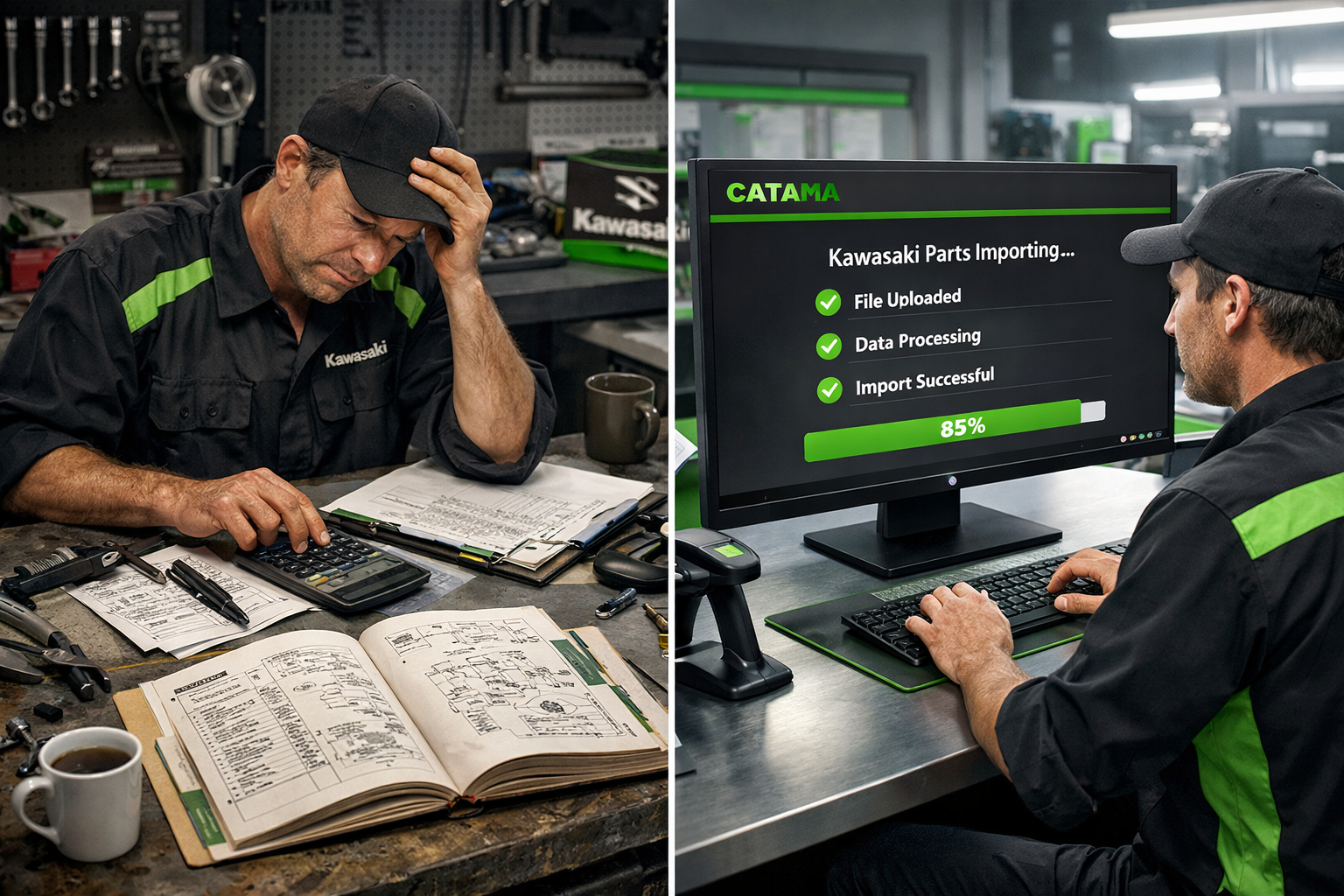
The Challenges of Traditional Spare Parts Processes
Workshops that service Kawasaki motorcycles are familiar with the problem: managing spare parts can turn into an administrative nightmare. Traditionally, mechanics and workshop staff had to manually enter part numbers from printed catalogs or PDF files into their systems.
An experienced workshop manager from Munich recently reported: “We used to spend an average of 15–20 minutes per Kawasaki repair just searching for and entering spare parts. With 10 Kawasaki jobs per week, that amounted to over three hours of pure administrative work—time we couldn’t use productively.”
This manual approach carries several risks:
- Typos in part numbers lead to incorrect orders
- Outdated prices in manual lists cause costing issues
- Time wasted due to repeated data entry
- Inconsistent product names make searching more difficult
- Lack of transparency regarding availability and delivery times
The Digital Transformation in the Automotive Industry
The automotive industry is undergoing a fundamental digital transformation. Modern auto repair shops need industry-specific software that automates and streamlines administrative processes. The parts list import feature for Kawasaki is a prime example of digital process automation that delivers measurable efficiency gains.
According to a recent industry analysis, garages can reduce their administrative workload by an average of 60–70% through digital workshop management[1]. This time saved can be directly invested in productive activities such as repairs and customer service.
CATAMA Software: Importing Parts Lists for Kawasaki in Practice
How does the automated import work?
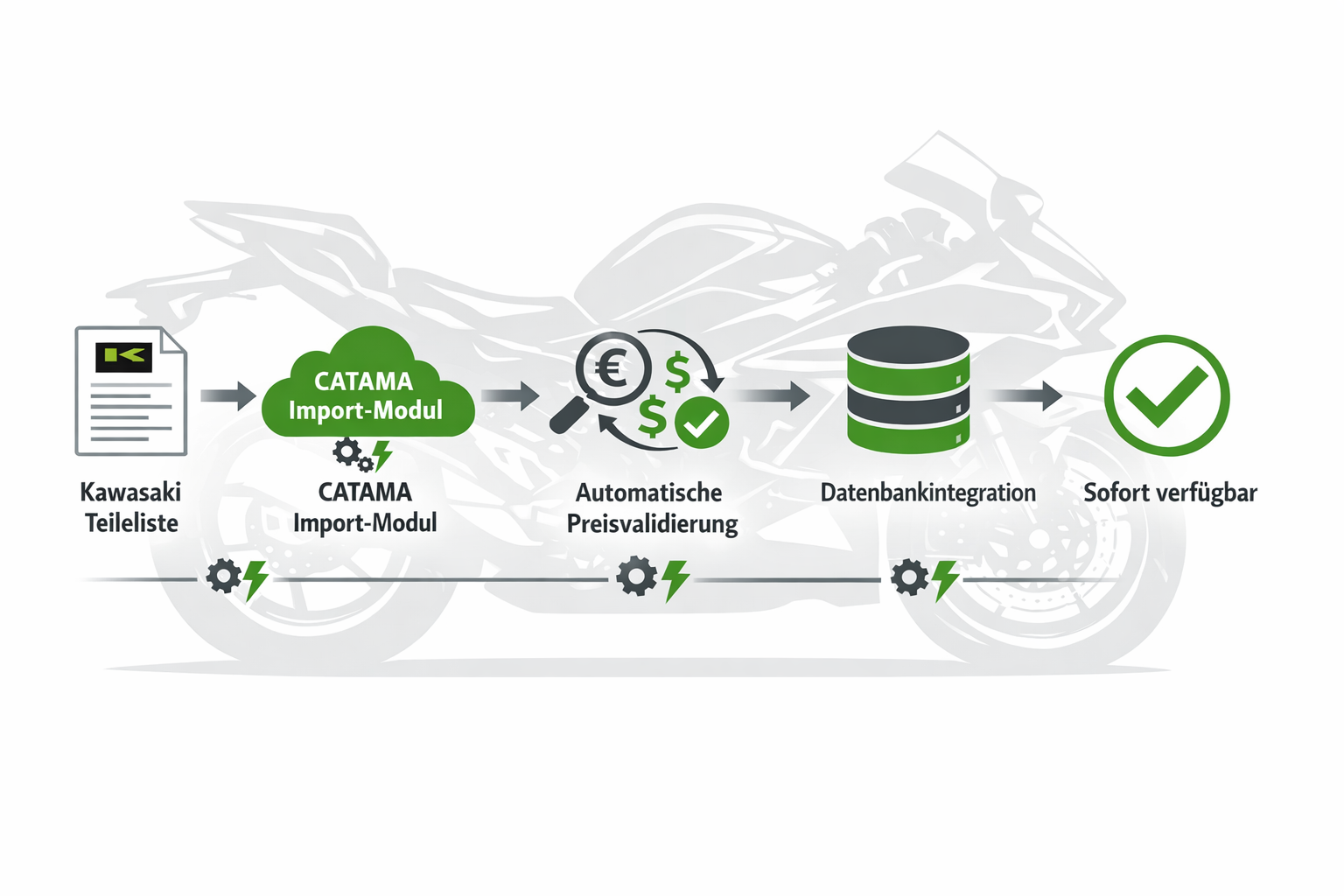
The parts list import feature for Kawasaki in CATAMA is a well-designed process that combines maximum efficiency with minimal risk of errors. The software supports various standard formats, such as CSV and Excel, enabling the integration of original Kawasaki parts lists[1][2].
The import process in detail:
- Preparation: Kawasaki parts lists are provided in a compatible format (CSV, Excel)
- Import Module: The import function is launched via the CATAMA interface
- Mapping: Automatic mapping of data fields (part number, description, price, etc.)
- Validation: The system checks the data for completeness and consistency
- Integration: The Kawasaki items are imported into the central product database
- Price Update: Automatic Updates for Future Imports
The CATAMA Enterprise Suite offers this functionality as an integral part of its comprehensive workshop management solution.
Automatic price updates – Always up-to-date pricing
One particularly valuable feature is the automatic price update function. When Kawasaki updates its price lists, they can simply be imported again. CATAMA identifies existing items based on their part numbers and automatically updates the prices.
Benefits of automatic price updates:
- ✅ No more manual price updates required
- ✅ Always up-to-date calculation bases
- ✅ Avoiding price discrepancies during billing
- ✅ Transparency for customers through accurate cost estimates
- ✅ Reduction in post-calculation adjustments and complaints
This feature is particularly important for repair shops that regularly service Kawasaki vehicles and want to ensure professional digital order processing.
Integration into workshop workflows
The parts list import for Kawasaki is not a standalone feature, but is seamlessly integrated into the overall CATAMA workflow optimization. Once the Kawasaki items are in the system, they are available for use in various processes:
Creating cost estimates: When preparing quotes, mechanics can access the complete Kawasaki parts database directly. Searching by part number or description immediately returns the correct items with current prices.
Order Processing: During the repair, any required Kawasaki parts can be directly assigned to the order. The system automatically takes inventory levels into account and can generate order suggestions as needed.
Automatic invoicing: Once the work is complete, all Kawasaki parts used are automatically included in the invoice—with the correct descriptions, part numbers, and current prices[8].
Inventory Management: Imported Kawasaki items can be linked to the inventory management system to monitor minimum stock levels and place reorders in a timely manner.
Specific benefits for your repair shop
Time Savings in the Workshop: Measurable Efficiency Gains
Implementing the parts list import for Kawasaki results in measurable time savings:
| Process | Before importing | With import | Time savings |
|---|---|---|---|
| Search for part number | 3–5 min. | 10–20 sec. | 85% |
| Create an item | 2–3 min. | Automatically | 100% |
| Check the price | 1–2 min. | Automatically | 100% |
| Get a Quote | 15 min. | 5 min. | 67% |
| Create an invoice | 10 min. | 3 min. | 70% |
These time savings really add up: A repair shop handling 10 Kawasaki jobs per week saves over 200 hours a year thanks to automated import—that’s more than a full month of work!
Error Reduction and Quality Assurance
Manual data entry is prone to errors. A study shows that an error rate of 3–5% is common when part numbers are entered manually. With 1,000 parts entered per year, that amounts to 30–50 incorrect entries, which can lead to:
- Incorrect orders
- Delayed repairs
- Dissatisfied customers
- Additional costs
Importing parts lists for Kawasaki reduces the error rate to nearly zero, since the data is sourced directly from the manufacturer.
ROI Calculation: When Will the Investment Pay Off?
Investing in professional workshop software with a parts list import feature pays for itself quickly. Here is an example calculation:
Costs:
- CATAMA Software (e.g., Professional Suite): approx. €100–150/month
- Setup and training: one-time fee of approximately €500
Monthly savings:
- Time saved (approx. 17 hours at an hourly rate of €50): €850
- Mistakes avoided (approx. 2–3 incorrect orders at €100 each): €250
- Improved customer satisfaction (estimated): €200
- Total: approx. €1,300 per month
ROI: You'll see a return on your investment as early as the first month! Starting in the second month, the software generates real added value of over €1,000 per month.
Technical Implementation and Best Practices
Step-by-Step: Setting Up Parts List Import for Kawasaki
Setting up the parts list import in CATAMA is straightforward, especially with the support of the CATAMA team:
1. Prepare the data source
Obtain the latest Kawasaki parts lists in a compatible format (CSV or Excel). These can often be obtained directly from the manufacturer or a wholesaler.
2. Configure import mapping
In CATAMA, you define once which columns in the Kawasaki list correspond to which fields in CATAMA:
- Part Number → Item Number
- Description → Product Name
- Price → Retail price
- EAN/GTIN → Barcode
- Weight, dimensions, etc.
3. Run a test
Start by importing a small dataset to verify the configuration. CATAMA offers a preview feature that shows how the data is interpreted.
4. Import the complete list
Once validation is complete, you can import the complete Kawasaki parts list. Depending on the size of the list, this may take a few minutes.
5. Schedule regular updates
Set up a process to import updated parts lists on a quarterly basis or as needed and update prices.
The CATAMA support team assists with initial setup and data migration[1], so that even businesses without in-depth IT knowledge can benefit from this feature.
Integration with other CATAMA modules
The parts list import feature for Kawasaki is most effective when used in conjunction with other CATAMA functions:
Interfaces with suppliers: While CATAMA already offers interfaces with Stakis, Partslink24, and other systems, the Kawasaki import expands these capabilities to include brand-specific parts lists.
Workshop Scheduler: Imported Kawasaki parts can be scheduled directly into the Workshop Scheduler for jobs, including an availability check.
Automotive Invoicing Software: As a comprehensive automotive invoicing solution, CATAMA uses the imported data to generate professional invoices with all the necessary details.
DATEV Interface: For accounting purposes, Kawasaki items are automatically assigned to the correct accounting accounts and can be exported via the DATEV interface.
Scalability for businesses of various sizes
The parts list import feature for Kawasaki is available in various CATAMA editions:
Small and medium-sized businesses (CATAMA Professional Suite): Ideal for repair shops with regular Kawasaki business that require full workflow integration.
Large businesses and chains (CATAMA Enterprise): For multi-location businesses with centralized parts management and complex requirements.
Custom Requirements (CATAMA Unlimited): Tailored solutions with dedicated support for specific import requirements.
Comparison: Manual vs. Automated Parts Management
Traditional methods and their limitations
Many repair shops still use outdated methods:
Paper catalogs: Physical Kawasaki catalogs quickly become outdated, are bulky, and don’t have a search function. Looking up part numbers can take minutes.
Excel lists: Excel spreadsheets that are maintained manually require constant manual updates, are prone to errors, and do not integrate with billing systems.
Simple inventory management systems: Basic systems without an import function require manual entry of each individual Kawasaki part.
These methods result in:
- 🔴 Time-consuming
- 🔴 Prone to errors
- 🔴 Outdated information
- 🔴 Inconsistent data maintenance
- 🔴 Lack of integration
The CATAMA Solution: Cloud-based workshop software
In contrast, CATAMA, as cloud-based workshop software, offers a modern alternative:
✅ Centralized data management: All Kawasaki parts in a single, unified database
✅ Automatic updates: Prices and availability always up to date
✅ Full integration: Seamless connection to all workshop processes
✅ Error minimization: Virtually no data entry errors thanks to automated import
✅ Scalability: Grows with your business
✅ Access from anywhere: Cloud-based, available on all devices
Case Study: Transforming a Motorcycle Repair Shop
A medium-sized motorcycle repair shop in Stuttgart specializes in Japanese brands, particularly Kawasaki. Before implementing CATAMA, the three-person team spent about two hours a day on administrative tasks related to replacement parts.
Before CATAMA:
- Manually enter part numbers from PDF catalogs
- Please call the dealer for pricing
- Enter each part number individually into the old system
- Common mistakes when placing orders
- Delayed order processing
After implementing CATAMA with the parts list import:
- Complete Kawasaki parts list with 15,000 items imported in 30 minutes
- Automatic price updates when manufacturers make changes
- Find part numbers in seconds
- Error rate close to zero
- Order processing 60% faster
Result: The workshop was able to increase its capacity by 25% without hiring additional staff. The time saved was invested in customer service and more complex repairs.
Data Protection and Compliance at CATAMA
GDPR-compliant data processing
As a German software solution, CATAMA places great emphasis on data protection and GDPR compliance. Although the imported Kawasaki parts lists primarily contain product data, strict security standards still apply:
- 🔒 Encrypted data transmission: All imports are conducted over secure connections
- 🔒 Data centers in Germany: Data is stored exclusively in German data centers
- 🔒 Regular backups: Automatic data backups prevent data loss
- 🔒 Access controls: Role-based permissions for employees
- 🔒 Audit trails: Traceability of all data changes
Future-proofing through continuous development
CATAMA is continuously developing its software. The roadmap for 2026 includes innovative features such as AI-powered process optimization and expanded interfaces[1]. The parts list import feature for Kawasaki is being continuously improved:
Planned expansions:
- Automatic detection of parts list formats
- AI-powered price validation and plausibility checking
- Integration of availability and delivery time information
- Advanced mapping options for complex data structures
- Mobile import features for field staff
Getting Started: How to Get Started with CATAMA
Free trial and consultation
Interested workshops can try out CATAMA with no obligation. The free trial allows you to thoroughly evaluate the software, including its import functions.
What to expect during the trial period:
- Full access to all features of the selected edition
- Option to import your own Kawasaki parts lists
- Personal introduction by the CATAMA team
- Configuration support
- No obligations or hidden costs
Onboarding and Training
CATAMA offers comprehensive support to help you get started:
1. Needs Assessment: A CATAMA expert will analyze your specific requirements regarding Kawasaki parts management and other processes.
2. Data migration: The support team will help you import your existing data and the Kawasaki parts lists[1].
3. Training: Your employees will be trained in how to use the software, with a focus on the features that are relevant to you.
4. Go-Live Support: During the initial phase, the team is available to answer questions and assist with optimizing workflows.
5. Ongoing Support: Even after onboarding, CATAMA offers a variety of support options, ranging from a ticket system to a dedicated contact person.
Pricing Models and Investment
CATAMA offers transparent pricing models for businesses of various sizes. The current prices for 2026 are clearly structured:
Flexible licensing models:
- Monthly billing with no long-term contract
- Scalable user licenses
- Different editions depending on the range of features
- Transparent pricing with no hidden costs
Investing in CATAMA with parts list import for Kawasaki is not an expense, but an investment that quickly pays for itself through time savings, reduced errors, and improved customer satisfaction.
Frequently Asked Questions About Importing Parts Lists
Which file formats are supported for the Kawasaki import?
CATAMA supports standard formats such as CSV and Excel[1][2]. If your Kawasaki parts list is in a different format, the support team can help with the conversion.
How often should Kawasaki parts lists be updated?
We recommend updating them quarterly or whenever the manufacturer makes significant price changes. The import process is so efficient that even more frequent updates are possible without any issues.
Will existing items be overwritten or updated?
CATAMA uses the part number to determine whether an item already exists. Existing items are updated (e.g., price), and new items are added. Your customizations are preserved.
Can I define my own markups on imported prices?
Yes, CATAMA allows you to define pricing schemes that automatically calculate markups on purchase prices. This also works for imported Kawasaki parts.
What happens to quotes that have already been created when prices are updated?
Quotes that have already been created and sent will retain their original prices. Only new quotes will use the updated prices—this helps you avoid price discrepancies.
Conclusion: Increased efficiency through smart automation
The parts list import feature for Kawasaki in the CATAMA software is more than just a handy function—it is a prime example of how digital transformation delivers concrete, measurable benefits for automotive businesses. The combination of automated import and intelligent price update functionality eliminates time-consuming manual processes and drastically reduces the potential for errors.
Key findings:
🎯 Massive time savings: Up to 200 hours per year with average use
💰 Fast ROI: Your investment pays for itself within the first month
✅ Error minimization: Virtually zero data entry errors thanks to automated import
📈 Scalability: Grows with your business and your needs
🔒 Security: GDPR-compliant with German data centers
For workshops that regularly service Kawasaki vehicles, this feature is a real game-changer. It allows you to focus on what matters most: providing excellent service to your customers and high-quality repairs.
Your next steps
Are you ready to take your workshop administration to the next level? Here’s your action plan:
- Try it for free: Take advantage of our no-obligation trial and try out the parts list import feature for yourself.
- Schedule a consultation: Contact the CATAMA team for a personalized needs assessment and demonstration.
- Prepare your data: Gather your current Kawasaki parts lists and consider which other processes you would like to digitize.
- Engage your team: Discuss the benefits with your employees and prepare them for the digital transformation.
- Get started: Implement CATAMA and see how much time and stress you can save with automated processes.
The future of workshop management is digital, automated, and efficient. With CATAMA and the parts list import feature for Kawasaki, you’re perfectly equipped to succeed in this future. Start your digital transformation today!
