
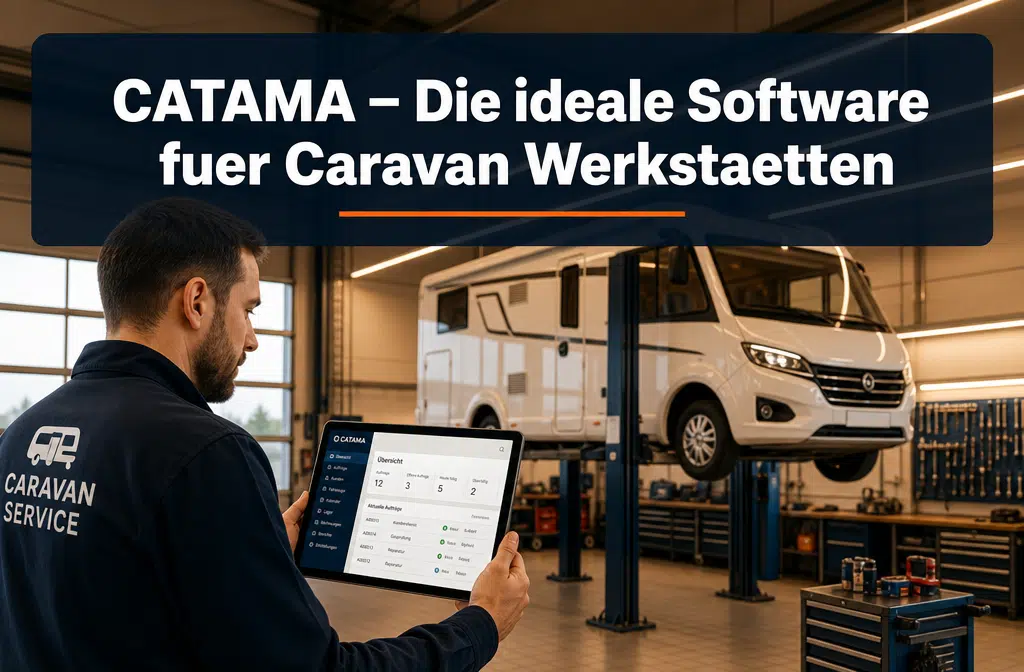
CATAMA is cloud-based industry software specifically tailored to the operations of automotive and RV businesses. As software for RV dealers and repair shops, it combines repair orders, customer management, vehicle history, inventory management, and invoicing into a single system. This eliminates the need to juggle different tools, giving businesses significantly more time for their actual core business: servicing vehicles and customers.
Key facts:
- Industry-specific focus instead of a one-size-fits-all solution: CATAMA systematically maps caravan-specific requirements such as custom modifications, equipment details, and vehicle histories.
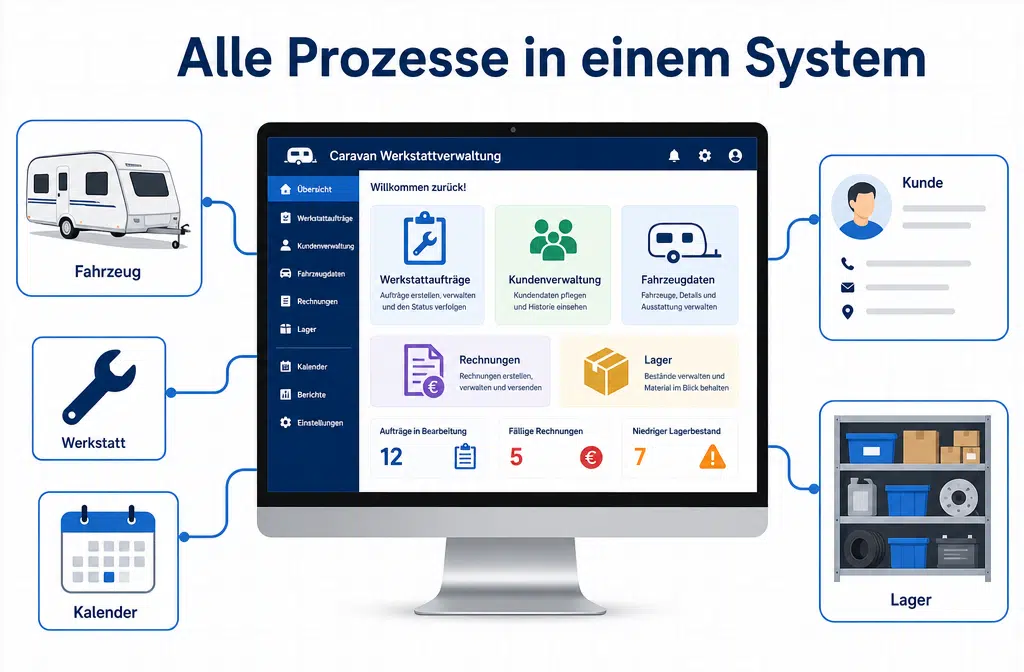
- Centralized system: The workshop, sales, inventory, accounting, and customer communication all come together in a single interface.
- Seasonal Management: Scheduling and resource planning help effectively manage peak periods during the RV season.
- Scalable: CATAMA is suitable for small one-person workshops as well as for chains with multiple locations.
- Cloud solution: No local server required, access from anywhere, automatic updates.
- CRM features: Reminders for inspections, retrofits, and service intervals help build customer loyalty.
- Interfaces: Integration with accounting software, parts suppliers, and other systems is possible.
- Training and Support: CATAMA offers introductory training and ongoing support for new users, free of charge.
What makes CATAMA so special for RV dealers?
CATAMA stands out from generic workshop solutions thanks to its clear industry focus on automotive and RV businesses. While standard ERP systems often require cumbersome customization, the workflows of an RV workshop are already built into CATAMA.
Specifically, this means:
- Vehicle data for complex vehicles: Motorhomes and travel trailers have significantly more features that must be documented than a passenger car. Body type, floor plan, gas and electrical systems, custom modifications, accessories—all of this can be recorded in a structured manner in CATAMA and retrieved at any time.
- End-to-end process chain: From the initial customer inquiry through intake, workshop scheduling, and parts ordering all the way to invoicing and post-sales support, everything is handled within a single system. There are no data silos between paper, Excel, and separate accounting systems.
- Seasonal trends: The caravan industry experiences distinct seasonal peaks (spring before the travel season and fall for winter storage). CATAMA supports planning for these peak periods with workshop scheduling and appointment scheduling features that provide visibility into capacity.
Rule of thumb: If you use more than five different tools for your workshop, inventory, customers, and invoices, you’re wasting several hours a week on duplicate data entry and searching. CATAMA consolidates these processes in one place.
For more information on the general benefits of industry-specific solutions, see the guide to industry-specific software for auto repair shops.
What features does CATAMA offer specifically for RV repair shops?
CATAMA covers the entire value chain of a RV repair shop—from intake to delivery. The following functional areas are particularly relevant for RV repair shops:
Workshop Orders and Order Management
Each job is created centrally, linked to a vehicle and a customer, and progresses through defined status stages. The team can see at any time what stage each job is at—whether parts are on order, whether the customer has been notified, or whether the final inspection is still pending. For more details on workshop scheduling and time tracking, see the relevant guide.
Vehicle Management with Caravan-Specific Features
A comprehensive file can be maintained for each vehicle, including the floor plan, body type, installed accessories, gas system inspections, leak tests, and the complete repair history. During follow-up visits, all this information is immediately available.
Customer Management and CRM
Customer data, communication history, pending quotes, and past orders are all accessible in one place. Automatic reminders for upcoming inspections or service intervals ensure that no point of contact is missed. If you’d like to learn more about the benefits of centralized vehicle and customer management, you can find additional information there.
Parts and Inventory Management
Availability and inventory levels are visible directly within the order process. This reduces downtime because missing parts can be identified and ordered early on. Automotive inventory management and warehouse management are directly integrated into the workflow.
Professional Documents and Billing
Quotes, cost estimates, order confirmations, delivery notes, and invoices are generated directly from the system—with a consistent layout, legally compliant, and ready in just a few clicks. E-invoices in the XRechnung format are also supported.
| Functional area | Benefits for Caravan Repair Shops |
|---|---|
| Workshop orders | Clear order status, fewer follow-up questions within the team |
| Vehicle record | Caravan-specific features and history documented |
| CRM & Reminders | Automated service intervals and follow-ups |
| Inventory Management | Real-time inventory, reduced downtime |
| Document creation | Standardized quotes, invoices, and delivery notes |
| Workshop Scheduler | Capacity planning for seasonal peaks |
Can I use CATAMA for small workshops as well?
Yes. CATAMA is specifically designed for small businesses. The software offers various editions that differ in terms of features and price. Even a one-person operation can start with the entry-level version and upgrade to more comprehensive packages as needed.
When CATAMA is a good fit for small workshops:
- The company regularly manages workshop orders and requires detailed documentation.
- There are repeat customers for whom the vehicle's history is important (typical for RV rental companies).
- Invoices and quotes should look professional and consistent.
When it might still be too early:
- The business only receives occasional individual orders and can manage with a simple invoice template.
Is CATAMA better suited for large or small caravan repair shops?
CATAMA is suitable for businesses of all sizes because the system has a modular design. Smaller businesses use the core functions (orders, customers, invoices), while larger businesses can also enable branch management functions, advanced inventory management, and interfaces with suppliers.
An overview of the licensing models:
| Edition | Target audience | Focus |
|---|---|---|
| Professional Suite | Medium-sized businesses | Advanced Planning, Inventory Management |
| Enterprise Suite | Large businesses, chain stores | Full-featured, multi-site |
| Unlimited | Specific requirements | Customized adjustments |
Details on all packages and prices can be found in the CATAMA product overview.
How does CATAMA compare in price to other workshop systems?
CATAMA charges monthly license fees, the exact amount of which depends on the selected package and the number of users. Current prices are available on the CATAMA website. In general, CATAMA falls within the mid-range price segment for industry-specific workshop software.
An important point to consider when comparing prices: The license price alone doesn’t tell the whole story unless you look at the total cost. With many standard solutions, significant customization costs are added to map caravan-specific processes. With CATAMA, these features are already included.
Common mistake: Businesses often compare only the monthly base price and overlook hidden costs for setup, training, interfaces, or additional modules. It’s worth comparing all items in a comprehensive cost analysis.
How much does a CATAMA software license cost per month?
The exact monthly costs vary depending on the edition and the number of users. CATAMA publishes its current prices on the pricing page. Generally speaking, the entry-level version is significantly less expensive than the Enterprise edition, and you can try CATAMA for free before making a decision.
What alternatives are there to CATAMA for caravan repair shops?
There are several workshop software solutions on the market that are generally suitable for automotive businesses. These include systems such as KSR EDV, Werbas, and general ERP solutions. The key difference is that most of these systems were developed primarily for the traditional passenger car sector and only partially address the specific requirements of the recreational vehicle industry.
Selection criteria:
- Are there specific fields for caravan data (floor plan, body type, gas system)?
- Is leak test documentation included?
- Can custom modifications and accessories be recorded in a structured manner?
- How well does seasonal capacity planning work?
- Is there industry-specific support?
CATAMA stands out as software for RV dealers and repair shops because these requirements are built into the system from the start and do not need to be added later through costly custom programming.
Does CATAMA also handle complex warranty claims?
Yes. Warranty claims are part of day-to-day business in the recreational vehicle industry because vehicles often consist of components from multiple manufacturers (base vehicle, bodywork, interior fittings). CATAMA allows you to record warranty claims in a documented manner, assign them to the relevant manufacturer or supplier, and track their processing status.
Thanks to the complete vehicle history, it is easy to verify which services were performed and when in the event of warranty claims—a clear advantage over businesses that have to search for this information in various folders or systems.
What add-on modules does CATAMA offer for workshop management?
In addition to its core features, CATAMA offers various extensions:
- Workshop Scheduler: Visual capacity planning with drag-and-drop functionality
- Time Tracking: Post working hours directly to jobs
- Form Builder: Create your own forms and checklists (e.g., for leak tests or handover reports)
- Interfaces with parts suppliers: Integration with catalogs such as Partslink24, Stakis, or WMKat
- OCR Vehicle Registration: Scan the vehicle registration certificate and automatically import the data
- Cash Book: Integrated Cash Management for Cash Transactions
The overview of all interfaces shows which external systems can be connected.
Can I integrate CATAMA with my existing accounting software?
Yes, CATAMA offers interfaces to common accounting systems. Invoice data, incoming payments, and journal entries can be exported and imported into your existing financial accounting system. This prevents duplicate data entry and reduces the risk of errors.
For businesses that want to handle their entire accounting process in CATAMA, there are also integrated features such as a cash book, payment tracking, and DATEV-compatible exports. For more details, visit the page on vehicle management with accounting and workshop management.
How does the data migration from my old system work?
For many businesses, switching to a new system is the biggest hurdle. CATAMA supports the migration process with import functions for customer data, vehicle data, and product catalogs. The typical process looks like this:
- Current status: What data is available in the legacy system? In what format is it stored (CSV, Excel, database)?
- Data cleaning: Before importing, it’s a good idea to remove outdated or duplicate records. This step is often underestimated, but it saves a lot of trouble in the long run.
- Test Import: CATAMA supports test imports to verify data quality before the production import takes place.
- Productive Import: Once the validation is successful, the data is permanently imported.
- Parallel operation: Many companies run both systems in parallel for two to four weeks to ensure that nothing is lost.
Common mistake: Businesses try to migrate all historical data exactly as-is, even if much of it is outdated. It’s better to focus on active customers, current vehicles, and open cases.
What are the most common mistakes made during software implementation?
Technology is rarely the problem—the most common obstacles are organizational in nature:
- No clear point person: Without someone to drive the project forward internally, the rollout will fizzle out.
- Too much at once: Companies that implement all modules at once end up overwhelming their team. A better approach is to start with the core functions and expand gradually.
- Lack of training: If employees don’t understand the system, they won’t use it—or they’ll use it incorrectly. Investing in training pays off immediately.
- No data cleansing before migration: Bad data in the old system becomes bad data in the new system.
- Unrealistic timelines: Depending on the size of the business, a complete transition takes four to twelve weeks. Trying to do it in a week will only lead to frustration.
What training does CATAMA offer for new users?
CATAMA offers a variety of training formats to help you get started. These include online training courses that can be conducted remotely, as well as a knowledge base with guides and video tutorials. For larger organizations or more complex needs, we provide customized onboarding support.
CATAMA Support and Contact is the central point of contact for questions regarding implementation and ongoing use.
How CATAMA, software for RV dealers and repair shops, is transforming day-to-day operations
CATAMA’s greatest benefit isn’t found in any single feature, but in how everything works together: When workshop orders, customer data, vehicle history, inventory, and invoices are all consolidated into a single system, hundreds of small inefficiencies are eliminated each week.
Practical example: A customer calls to ask about the status of their motorhome. Without centralized software, someone at the shop would have to check, perhaps track down the foreman, and possibly even check the warehouse for the ordered part. With CATAMA, the person on the phone can open the order, view the current status and the delivery status of the parts, and provide information immediately. This saves time and creates a professional impression.
Other improvements to daily life:
- Automatic reminders for upcoming leak tests or gas tests
- Quick quote generation based on saved templates
- Clear overview of capacity utilization for workshop planning during the season
- Consistent documentation that remains intact even when staff changes
This detailed guide, complete with real-world examples, shows exactly how CATAMA saves time and money.
Conclusion: Is CATAMA worth it for RV businesses?
CATAMA is one of the few software solutions on the German-speaking market designed specifically for caravan dealers and repair shops that not only covers standard processes but also takes the industry’s unique requirements into account from the ground up. Complex vehicle data, seasonal fluctuations, warranty claims, and the close customer relationships typical of the caravan sector are already built into the system—without the need for expensive custom programming.
Recommended next steps:
- Start a free trial: You can try out the system with no obligation by registering with CATAMA.
- Clarify internal requirements: Which processes should be digitized first? Workshop orders? Customer management? Inventory management?
- Schedule a consultation: Discuss your company’s specific needs with the CATAMA team to find the right licensing model.
- Roll out gradually: Start with the core modules and expand the system step by step.
- Involve the team: Train employees early on and involve them in the rollout to ensure buy-in.
If you want to run your caravan business more professionally, reduce administrative burdens, and strengthen customer loyalty, CATAMA offers a well-designed and proven solution.
Frequently Asked Questions (FAQ)
Is CATAMA a cloud-based solution or is it installed locally?
CATAMA is cloud-based software. No local server is required, and it is accessed via a web browser. Updates are installed automatically.
Can I use CATAMA on a tablet in the workshop?
Yes. Since CATAMA is browser-based, it can be used on tablets, laptops, and desktop computers alike.
How long does it take to implement CATAMA in a typical caravan business?
Depending on the size of the business and the volume of data, you should expect the process to take four to twelve weeks, including data migration, training, and parallel operation.
Is there a trial period?
Yes. CATAMA offers a free trial so you can get to know the system before deciding to purchase it.
Does CATAMA also work for mixed-use businesses (passenger cars and caravans)?
Yes. CATAMA is designed for all types of automotive businesses. Caravan-specific fields and functions complement the standard passenger car features.
Is my data hosted in Germany?
CATAMA is a German company. Details regarding data protection and hosting can be found in the privacy policy on the website.
Can I customize quotes and invoices?
Yes. Document templates can be customized to match your corporate design, including your logo, colors, and text blocks.
Does CATAMA support e-invoicing (XRechnung)?
Yes. CATAMA supports the creation of e-invoices in the XRechnung format, which will gradually become mandatory for B2B invoices in Germany starting in 2025.
Is there an app for CATAMA?
CATAMA is designed as a web application and can be used on any device via a web browser. A separate native app is generally not required.
Who should I contact if I have technical issues?
CATAMA Support can be reached via the Contact page and offers assistance with technical questions and configuration issues.
