
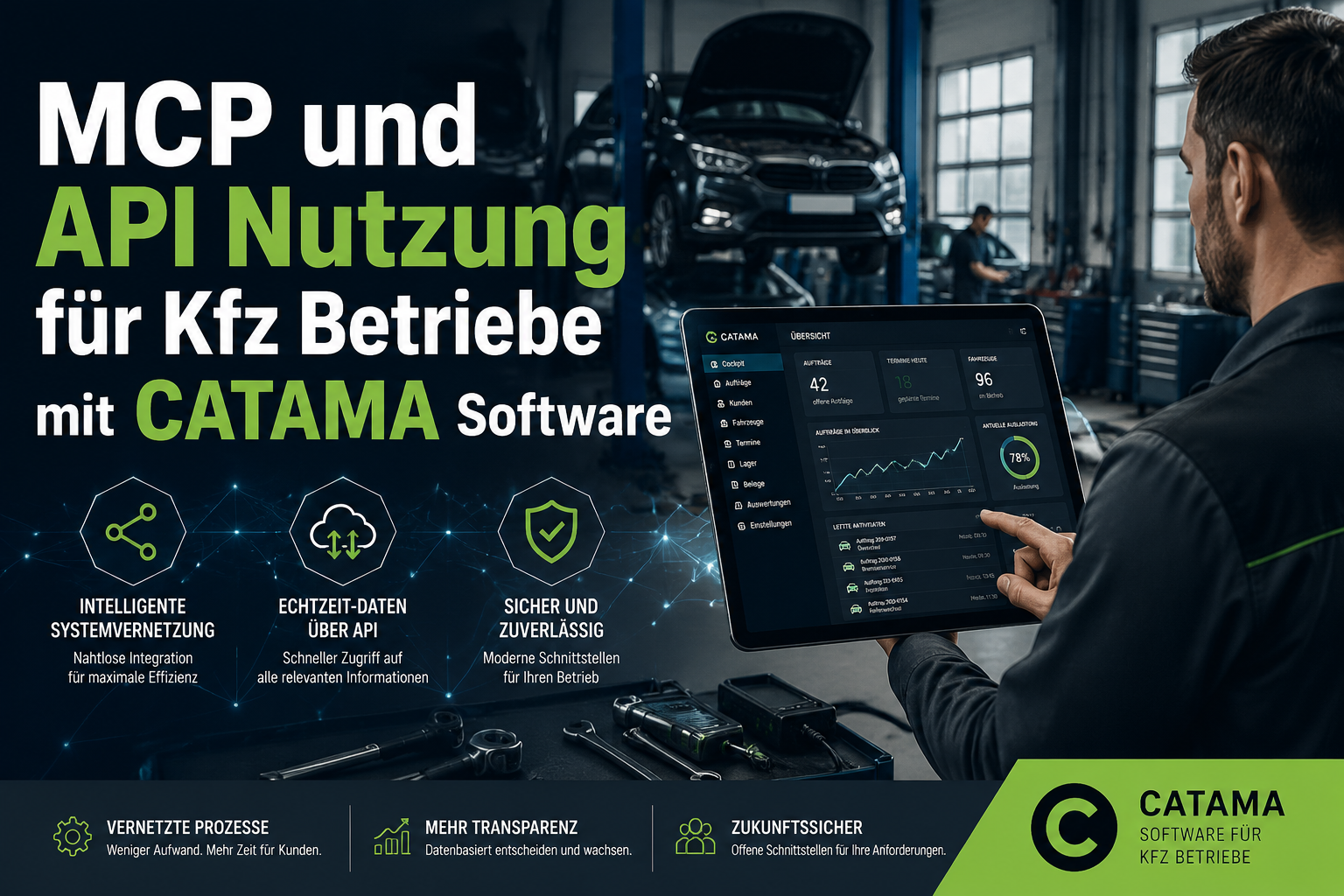
Ein Werkstattleiter tippt in sein Chatfenster: „Welche Fahrzeuge haben in den nächsten 14 Tagen HU-Termin?“ – Sekunden später erscheint die fertige Liste mit Kennzeichen, Kunde, Telefonnummer. Kein Report-Generator, keine Filter, keine Excel-Exporte. Genau das ist heute möglich, wenn ein Kfz-Betrieb auf eine offene Plattform setzt. Die MCP und API Nutzung für Kfz Betriebe mit CATAMA Software verwandelt Werkstattdaten in einen direkt abfragbaren, intelligenten Wissensspeicher – ohne dass die Daten den eigenen Server verlassen.
Die Realität in vielen Werkstätten sieht bislang anders aus: Teilekatalog hier, Buchhaltung dort, ein Shop daneben, dazu ein separater Werkstattplaner. Insellösungen, die mühsam per Hand zusammengeführt werden. CATAMA bündelt diese Welt über offene Schnittstellen zu einem konsistenten System – und geht jetzt einen entscheidenden Schritt weiter: Über das Model Context Protocol (MCP) wird die Software KI-fähig.
Key Takeaways
- CATAMA ist API-first: Über die REST-API lassen sich Rechnungen, Bestände, Termine und Stammdaten programmatisch lesen und schreiben.
- Model Context Protocol (MCP) macht jede CATAMA-Instanz KI-fähig – Werkstattdaten lassen sich per Sprache über Assistenten wie Claude abfragen.
- Sicherheit by Design: Nur lesende Operationen, vordefinierte Tool-Parameter, kein freies SQL – Datenhoheit bleibt im Betrieb.
- Über 26 Schnittstellen zu Teilekatalogen, Buchhaltung, E-Commerce und Fahrzeugdaten – keine Doppelerfassung mehr.
- Zukunftssicher: offene Standards (REST, JSON-RPC 2.0, MCP Streamable HTTP) statt proprietärer Sackgassen.
Was ist MCP – und warum ist das für Werkstätten relevant?
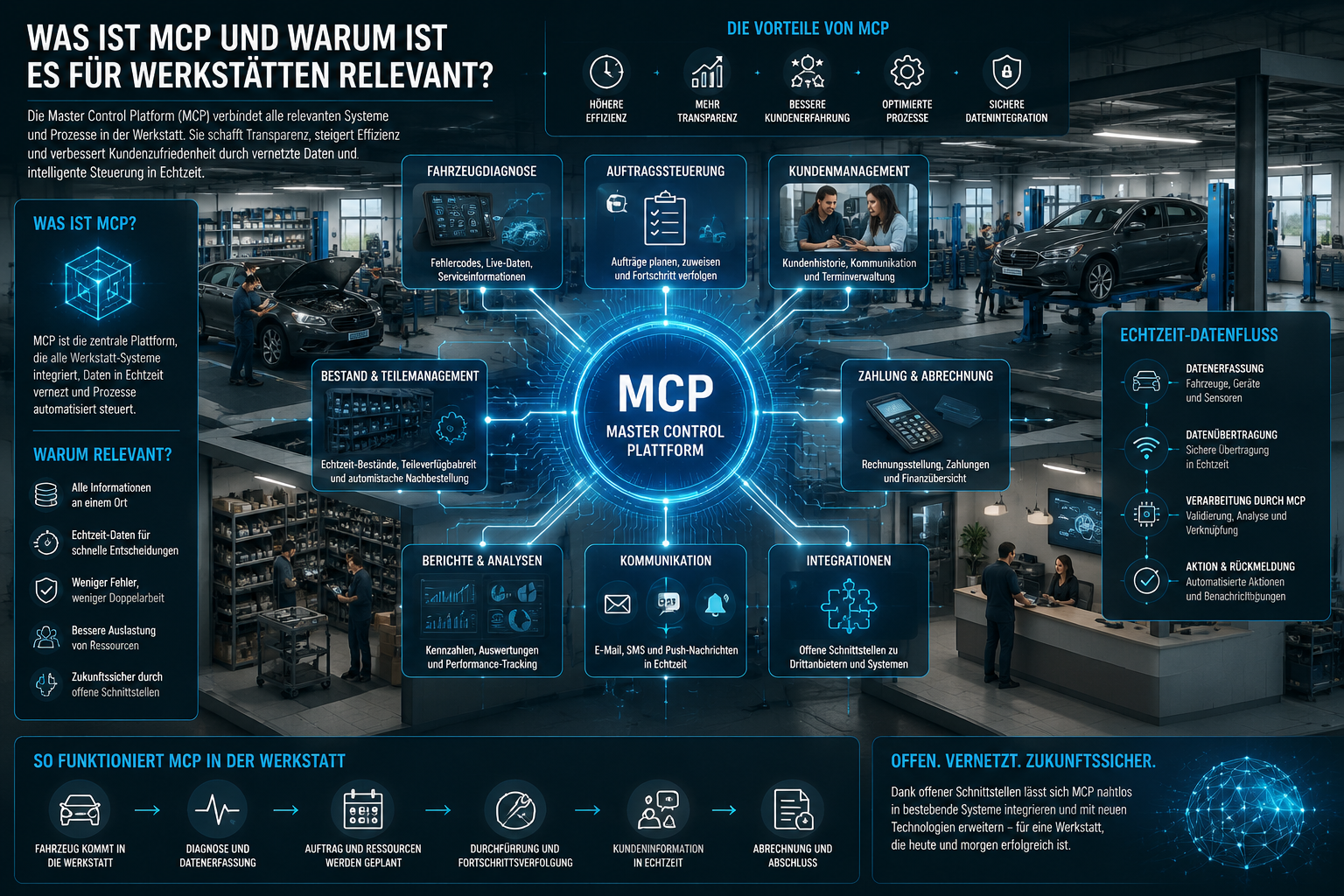
Das Model Context Protocol ist eine standardisierte Schnittstelle, über die KI-Assistenten sicher und strukturiert auf Geschäftsdaten zugreifen können. Statt einer KI direkten Datenbankzugriff zu erlauben (gefährlich, unkontrollierbar), definiert MCP klare, geprüfte Werkzeuge („Tools“), die der Assistent aufrufen darf.
Für Kfz-Betriebe bedeutet das einen Quantensprung: Jede CATAMA-Instanz ist gleichzeitig ihr eigener MCP-Server unter /api/mcp. Kein zusätzlicher Cloud-Zwischenspeicher, kein externer Datentopf – die Werkstatt bleibt Herr ihrer Daten.
Praktischer Nutzen im Werkstattalltag
Die Fragen, die im Tagesgeschäft anfallen, lassen sich jetzt in natürlicher Sprache stellen:
- „Welche Kunden haben in den nächsten 10 Tagen Geburtstag?“
- „Zeig mir die komplette Service-Historie zum Kennzeichen M-AB 1234.“
- „Wie hoch ist der Jahresumsatz von Kunde Müller GmbH?“
- „Welche Fahrzeuge haben einen HU-Termin im kommenden Monat?“
Statt Reports zu bauen, Filter zu setzen oder durch Listen zu scrollen, formuliert man die Frage einfach – und erhält die strukturierte Antwort.
Sicherheit by Design
Die KI bekommt nie freien Zugriff. Sie übersetzt Freitext nur in vordefinierte, geprüfte Tool-Parameter – ausschließlich lesend. Schreibvorgänge sind grundsätzlich ausgeschlossen.
Damit erfüllt das Konzept zwei Anforderungen, die in der MCP und API Nutzung für Kfz Betriebe zentral sind: Komfort und Kontrolle. Die KI agiert wie ein extrem schneller, fehlerfrei lesender Assistent – aber sie kann nichts kaputtmachen.
Die CATAMA MCP-Tools im Überblick
CATAMA stellt über das MCP-Interface eine ganze Reihe klar definierter Tools bereit. Jedes Tool hat einen festen Zweck und feste Parameter:
| Tool | Funktion |
|---|---|
customer_search |
Kunden filtern (Geburtstag, Ort, PLZ, VIP-Status, Wiedervorlage, Fahrzeugbestand) |
customer_get |
Kundendetails inkl. Umsatz und zugeordneter Fahrzeuge |
customer_revenue |
Umsatzauswertung (netto, nach Jahr, abzüglich Gutschriften) |
vehicle_get |
Fahrzeugdetails: FIN, Kennzeichen, HSN/TSN, KM-Stand, HU, Service, Garantie |
customer_invoices_list |
Rechnungs- und Werkstatthistorie pro Kunde |
vehicle_invoices_list |
Komplette Auftragshistorie pro Fahrzeug |
Genau diese Tools machen den Unterschied: Eine Frage wie „Welche VIP-Kunden im Umkreis von 50 km haben länger als 12 Monate keinen Auftrag mehr gehabt?“ lässt sich aus den vorhandenen Bausteinen kombinieren – ohne dass die KI improvisieren müsste.
Wer die Datenmodelle dahinter verstehen will – etwa wie HSN, TSN und KBA-Schlüsselnummern strukturiert sind – findet bei CATAMA jeweils sauber dokumentierte Felder.
Anbindung in der Praxis
Die Theorie ist das eine, die praktische Anbindung das andere. Hier zeigt sich, wie ausgereift die MCP und API Nutzung für Kfz Betriebe mit CATAMA bereits ist.
Claude Desktop per mcp-remote-Bridge
Der gängigste Einstieg: Claude Desktop wird über die mcp-remote-Bridge mit der eigenen CATAMA-Instanz verbunden. Einmal in der Konfigurationsdatei eingetragen, danach genügt das normale Chatfenster, um Fragen an die Werkstattdaten zu stellen.
Authentifizierung läuft über den bestehenden CATAMA API Token – als Bearer-Header oder Parameter. Keine neue Zugangsverwaltung, keine zusätzlichen Accounts. Wer schon API-Integrationen nutzt, hat den Token bereits.
Eingebauter CATAMA-Assistent
Noch eleganter: Direkt in der CATAMA-Oberfläche gibt es ein Eingabefeld, das per Webhook KI-Antworten liefert. Vorteil: Der MCP-Token verlässt den Browser nicht – der Aufruf erfolgt server-zu-server. Für viele Werkstätten ist das der Komfort, den sie sich wünschen: KI-Power im gewohnten System, ohne externe Tools.
n8n-Orchestrierung
Wer komplexere Workflows braucht – etwa „Jeden Montag eine Liste aller HU-fälligen Fahrzeuge per E-Mail an die Disposition“ – nutzt n8n als Orchestrator. Die offenen Protokolle (JSON-RPC 2.0, MCP Streamable HTTP) sind herstellerunabhängig und zukunftssicher.
Praxisbeispiel: Der Werkstattleiter eines mittelständischen Betriebs öffnet morgens Claude und fragt: „Welche Fahrzeuge haben in den nächsten 14 Tagen HU-Fälligkeit und gehören Kunden, die ich seit über sechs Monaten nicht gesehen habe?“ Die KI ruft
vehicle_getmit HU-Filter, danncustomer_invoices_listfür den Aktivitätsabgleich und liefert eine sauber formatierte Tabelle. Der Disponent ruft die Kunden an – noch vor dem ersten Kaffee.
Die REST-API: Daten raus und rein
Während MCP das KI-Frontend ist, bleibt die klassische REST-API das Rückgrat aller Integrationen. Mit ihr lassen sich Daten nicht nur lesen, sondern auch schreiben – etwa Termine buchen, Artikel anlegen oder Rechnungen abrufen. Mehr Hintergrund dazu im Überblick zum Kfz-Rechnungsprogramm mit DATEV und E-Rechnung.
Aufträge und Rechnungen
Der Endpoint /api/invoices/list liefert Auswertungen nach Zeitraum, Status, Kunde – inklusive Gutschriften. Perfekt für externes Reporting, Business-Intelligence-Tools oder eigene Dashboards. Wer monatliche KPIs aus mehreren Filialen konsolidiert, spart sich jeden manuellen Export.
Bestand und Artikel-Inventar
Über /api/inventory lassen sich Lagerbestände abrufen, Artikel anlegen und über Lookup-Endpoints saubere Stammdaten pflegen. Das ist besonders wertvoll für Betriebe mit angeschlossenem Webshop oder mehreren Lagerorten.
Werkstatttermine
Mit /api/workshop-appointments lassen sich freie Slots ermitteln und Termine automatisch buchen – etwa aus einer Online-Terminbuchung auf der Website. Wer einen intelligenten Werkstattplaner sucht, bekommt mit der API die Möglichkeit, ihn nahtlos in eigene Kanäle einzubinden.
Durchgängig gilt:
- Token-basierte Authentifizierung (Bearer)
- Klare Felder-Referenz mit Datentypen
- Definierte Fehlerantworten (HTTP-Codes plus strukturierte JSON-Errors)
- Versionsstabile Endpoints
Das Integrations-Ökosystem: 26+ Schnittstellen
Die MCP und API Nutzung für Kfz Betriebe ist nur ein Teil der Geschichte. CATAMA bietet darüber hinaus ein Ökosystem mit über 26 fertigen Integrationen zu wichtigen Branchenpartnern. Einen Überblick gibt die Schnittstellen-Übersicht.
Teilekataloge
Hier hat CATAMA besonders viel Tiefe:
- Stakis / Stahlgruber – inkl. nahtloser Stakis 4.0 Integration
- WMKat, PartsFinder, Bullkat, Atevis, Dolphin
- AAG, Easypart, Matthies, Auteon, PV Kompass, ATP Plus
Katalogzugriff per VIN, KBA oder Kennzeichen, Warenkorb-Import direkt in den Auftrag – Doppelerfassung entfällt komplett.
Fahrzeugdaten und Kalkulation
- DAT / SilverDAT – Schadenkalkulation, Teilepreise, Partslink-Import
- Audaris, RepDoc, Glavista
Buchhaltung
- lexoffice – Voll-Integration mit Rechnungs- und Kundensync
- DATEV-Export für Rechnungen, Gutschriften und Wareneingänge
E-Commerce und Kommunikation
- Shopware 6 – Artikel-, Bestell- und Kategoriesync
- Spryng SMS, SMTP/E-Mail-Vorlagen
- Google Calendar – Termin-Sync in beide Richtungen
CATAMA Network
Für filialübergreifende Betriebe gibt es die Vernetzung mehrerer CATAMA-Instanzen – Stammdaten, Bestände und Aufträge zentral, dezentral oder hybrid organisiert.
Konkreter Mehrwert für den Kfz-Betrieb
Die Frage, die jeden Inhaber interessiert: Was bringt das konkret? Lassen sich die Investitionen in offene Schnittstellen rechtfertigen?
Zeitersparnis durch Automatisierung
Keine Doppelerfassung mehr. Teile aus dem Katalog landen automatisch im Auftrag, Termine aus dem Online-Formular im Werkstattplaner, Rechnungen automatisch in der Buchhaltung. Detaillierte Beispiele liefert der Beitrag Wie Kfz-Werkstätten mit CATAMA Zeit und Geld sparen.
Weniger Fehler
Automatische Artikelzuordnung, Preisberechnung und MwSt-Logik statt manueller Übertragung. Jeder Tippfehler bei einer Artikelnummer oder einem Preis kostet Geld – manchmal Hunderte Euro pro Vorgang. APIs eliminieren diese Quelle.
Bessere Kundenbindung
Proaktive Kundenansprache wird trivial: Geburtstage, HU-Fälligkeit, Service-Intervalle – per KI-Abfrage in Sekunden, statt per Liste mit Filter. Wer dazu eine automatische Terminerinnerung einrichtet, schließt den Kreis vollständig.
Datenhoheit
Daten bleiben in der eigenen Instanz – KI greift nur lesend und kontrolliert zu. Kein Datenabfluss an Dritte. In Zeiten zunehmender Sensibilität für Datenschutz ein nicht zu unterschätzender Punkt. Details dazu in den Informationen zu Rechenzentrum und Datensicherheit.
Zukunftssicher
Offene Standards – REST, JSON-RPC 2.0, MCP – statt proprietärer Sackgassen. Wer heute integriert, muss nicht in fünf Jahren alles neu bauen, wenn der nächste KI-Anbieter den Markt betritt.
Vergleichstabelle: Klassische Software vs. CATAMA mit API/MCP
| Anforderung | Klassische Werkstatt-Software | CATAMA mit API/MCP |
|---|---|---|
| Daten abfragen | Reports, Filter, Excel-Export | Frage in natürlicher Sprache |
| Teilekatalog-Anbindung | Manuelle Eingabe oder einzelne Import-Tools | 12+ Kataloge per Warenkorb-Import |
| Buchhaltung | CSV-Export, Nachbearbeitung | Live-Sync mit lexoffice/DATEV |
| Online-Termine | Separater Kanal | Automatische Buchung per API |
| KI-Nutzung | Nicht vorgesehen | MCP-fähig, sofort einsatzbereit |
| Datenhoheit | Häufig Cloud-only | Eigene Instanz, kontrollierter KI-Zugriff |
Beispiel-Workflows aus dem Werkstattalltag
Drei konkrete Szenarien zeigen, wie sich die Bausteine kombinieren lassen.
Workflow 1: Reifenwechsel-Saison
Vor dem nächsten Reifenwechsel-Peak fragt der Disponent: „Welche Kunden haben bei uns Reifen eingelagert und noch keinen Wechseltermin gebucht?“ Die KI kombiniert Kundenliste, eingelagerte Reifensätze und Terminbestand – fertig ist die Anrufliste.
Workflow 2: HU-Erinnerung
Über die REST-API werden alle Fahrzeuge mit HU-Fälligkeit in den nächsten 30 Tagen extrahiert. Ein n8n-Workflow erstellt daraus personalisierte SMS über Spryng und buchbare Slots aus dem Werkstattplaner. Der Kunde antwortet mit „Termin 2″ – und der Termin steht.
Workflow 3: Geschäftsführung im Blick
Der Geschäftsführer öffnet morgens den CATAMA-Assistenten: „Wie war der Umsatz letzte Woche im Vergleich zur Vorwoche, aufgeschlüsselt nach Werkstatt und Teileverkauf?“ Antwort in Sekunden – ohne BI-Tool, ohne Excel.
Einstieg: So nähert man sich der API/MCP-Nutzung an
Wer noch nie mit APIs gearbeitet hat, sollte schrittweise vorgehen.
- API-Token aktivieren – in der CATAMA-Instanz unter den API-Einstellungen.
- Erste Read-only-Tests – z. B. mit Tools wie Postman oder direkt im Browser, um Rechnungslisten abzurufen.
- MCP-Anbindung mit Claude Desktop ausprobieren – einmalige Konfiguration, sofort produktiv.
- Erste Automatisierung – etwa Termin-Sync mit Google Calendar.
- Skalierung – n8n-Workflows, eigene Dashboards, Shopanbindung.
Für die meisten Betriebe lohnt sich der Schritt nach den ersten Erfahrungen mit einem Kfz-Werkstatt-ERP-System. Wer bereits sauber strukturierte Daten in CATAMA pflegt, hat die Hausaufgaben gemacht.
Fazit
CATAMA ist nicht nur eine Verwaltungssoftware – sie ist eine offene Plattform. API-first im Aufbau und jetzt auch KI- und MCP-ready im Betrieb. Kfz-Betriebe, die heute auf offene Schnittstellen setzen, automatisieren Routinen und gewinnen Zeit für das, was zählt: das Kerngeschäft mit Kunden und Fahrzeugen.
Die MCP und API Nutzung für Kfz Betriebe ist kein technisches Spielfeld für IT-Affine, sondern ein konkreter Wettbewerbsvorteil. Wer Daten per Sprache abfragen kann, statt sich durch Reports zu klicken, arbeitet schneller. Wer Teile, Termine und Rechnungen automatisch fließen lässt, macht weniger Fehler. Wer offene Standards nutzt, bleibt zukunftssicher.
Nächste Schritte
- Demo anfragen: Auf der CATAMA-Produktübersicht den passenden Tarif für den eigenen Betrieb ansehen.
- Kostenlos testen: Unter Registrierung eine kostenfreie Test-Instanz starten.
- API-Doku ansehen: Über den persönlichen Account bekommt jeder Kunde Zugriff auf die vollständige API-Referenz.
- MCP-Anbindung an Claude testen: Einmalig konfigurieren – und die eigene Werkstattdatenbank wird zum sprechenden Wissensspeicher.
- Beratung: Bei individuellen Anforderungen lohnt der direkte Kontakt zum CATAMA-Team.
Der Markt verändert sich. KI-Assistenten werden in den nächsten Jahren zum Standard-Interface für Geschäftsdaten. Wer jetzt die Weichen stellt, ist beim ersten echten KI-Boom in der Werkstattbranche nicht Zuschauer, sondern Teilnehmer.
